Showing posts with label Never. Show all posts

Friday, June 19, 2015

The Tools of the Graphics Design Trade, and Why Some Things Never Change

The more things change, the more they stay the same–or so it seems, at least in the graphics design trade. I know. That seems like a strange observation in a field where designers are replacing their pencils for styli. It is true that the world of graphics design is radically different on a superficial level. But once you scratch beneath the surface, you will find the real tools of the trade to be remarkably unchanged:


Sketchpads


Trade a pencil for a stylus, and you are still holding a long, narrow, likely cylindrical tool for drawing sketches on some type of pad. Whether on a paper pad or an iPad, it is still a pad that holds your graphical ideas. It hardly matters if the medium is graphite and trees, or glass and silicon.

What has changed are the number and types of threats about which a designer has to worry. Before, the biggest threat was that someone may try to steel your work. Now, the bad guys can use your work to steel information from other people.


Since 2002, we’ve known that common image files could be used as viruses and malware. Today, the methods are even more sophisticated. While many designers use a Mac, which is generally free of viruses, some types of threats can still get through. That is why antivirus software for Mac devices is becoming more and more important, as it protects users during online browsing sessions and even safeguards social media accounts.


You still could use help:


  • Blocking dangerous websites

  • Protecting your privacy on Google+, Facebook, Twitter, and LinkedIn

  • Ensuring safe surfing for the whole family

Macs and iDevices make great tools for designers, but still need to be used with security in mind. The most insecure component of any system is always the user.


Photoshop


Every designer knows about Photoshop, even if they don’t personally like it. Like Excel for office workers, almost every designer has to use it in some capacity, even if they do not use the advanced features. Photoshop is a staple of the design world.


This expensive and intimidating piece of software, among other things, lets artists alter images, even to the point of removing parts of an image from its setting for use in an different context. Love it or hate it, due to its ubiquity in the design world, you kind of have to have a passing familiarity with it.

But photoshopping (in the generic sense) is not new. It is as old a scissors. Ever sense we have been able to capture images, we have had the ability to manipulate them.


Since long before computers, when it came to pictures, seeing was not believing. Our tools may be more advanced. We can definitely create better illusions, and better cover our tracks after doing so. But enhancing images to make the bold and beautiful even bolder and more beautiful is as old as film. Maybe older.


A Designer’s Eye


At the end of the day, none of the high-tech tools and gadgets mean a thing if you do not have a designer’s eye. Style is hard to define. Good taste is even harder. Yet there are those who have the eye for it, and those who don’t. If you don’t, none of the photoshop running iPads will turn you into a great graphics designer.


Just consider the world of logos. Some, like the golden arches of McDonalds, are instant classics. A good designer recognizes it for the graphical goldmine that it is, and has always been. PayPal as a company, seems to be taking a more hit-or-miss approach to design.


iPads, Surfaces, and Cintiqs are all fine devices. Just remember, it is not the device being used that matters, but the designer that’s using it.


The Tools of the Graphics Design Trade, and Why Some Things Never Change

Wednesday, March 25, 2015

7 Questions You Should Never Ask Your Design Clients

Scaring off a client isn’t as hard as you might think. Customers need your help and expertise, but they also know that other options exist. There’s an ocean of qualified professionals out there just waiting for new work to come along. If clients feel that you’re no longer right for the job, they’re not going to stick around. It’s all about making the client feel that they’re lucky to have found you, a big part of which is knowing what to say and what not to say. So what are the questions that you should never ask a client if you want to be taken seriously?


1. Can I submit later?


Don’t ever be this person. As a designer, you’re fully aware of all the clients who keep putting off payment. Never encourage that kind of unprofessional behavior by requesting a later submission date. You’ve already discussed the deadline. You’ve both agreed on the terms and conditions. Your client is expecting to pay you for a certain amount of work and expects it to be done on time.


2. Can you pay me in advance?


The designer provides the service and the client pays for it. This is the natural order of a working relationship between business and client. If you request full payment in advance, your client might doubt your work and perceive a higher risk in starting a project with you. A 30 percent to 50 percent deposit is acceptable but expecting full payment before the client even sees what you have to offer is not.


3. Can I call you back tomorrow?


Your client is relying on you to be there. Clients pay for your time, so they expect to have it until the job is done. Of course they’ll understand if you’re having a busy morning, but don’t leave a client waiting around for days. Most often, they won’t put up with it.


4. When is the deadline again?


This goes back to the initial point concerning your agreement to submit on a particular date and be paid at a particular time. If you’re asking your client this question for the first time, he’ll be happy to answer. If you ask again and again, you’ll come across as unprofessional and scare all your clients away.


5. Can we compromise?


As a creative professional, you’re likely to get quite a bit of freedom regarding the work you do, but you should still respect what your clients want. Don’t argue over your personal working style, what requirements aren’t working for you or ask for your client to compromise beyond his/her means. Find a balance between his/her requirements and your style, making sure to honor your client’s requests in a professional, respectful way.


6. But isn’t this why you hired me?


This usually follows something along the lines of “your idea needs work” and is a question that comes off as condescending. Be more tactful, and keep in mind that you’re a design expert but may not fully understand every market. Feel free to provide clients with input and ideas, but never imply that their ideas are bad.


7. How much did you pay your last designer?


Asking this is wrong on so many levels. To begin with, your fee should have nothing to do with other designers or their work, and everything to do with the value that you are adding for the client. That being said, it is understandable that you want to set your prices based on some market standards. If that’s the case, please don’t ask your client what those rates look like. Do your homework: read other designers’ articles, inquire with your colleagues, look at others’ proposals… basically anything but asking your client directly. Upon hearing this, your client might think that you’re too inexperienced to set your own price or trying to gauge whether you can rip him off.


Bottom line: deliver your very best every single time.


In order to guarantee a strong and reliable freelancer-client relationship, it’s very important that you remember not to ask certain questions. Your job is to hold onto clients and keep them coming back. Being professional, delivering top-quality design, and communicating with tact will help.


Products Seen In This Post:


Share on PinterestShare on Pinterest


getpaidtowrite-banner
7 Questions You Should Never Ask Your Design Clients

Monday, March 16, 2015

Never, Ever Say These Phrases to a Photographer!


There are some things you should never say to a web designer, some things you should never say to a graphic designer, and there are certainly some things you should never, ever say to a photographer! Are you wondering what those things are?


Design studio ZEROUNO have created a fantastic poster collection of the most ‘annoying and irritating phrases’ that a photographer would ever wish to hear. So if you’re NOT a photographer, please do take note of these phrases and never, ever dare utter them to a photographer!


Here are some of our favorites…


What Not to Say to a Photographer…


The post Never, Ever Say These Phrases to a Photographer! appeared first on Speckyboy Web Design Magazine.


Never, Ever Say These Phrases to a Photographer!

Monday, March 9, 2015

10 Design Resources You Could Never Think Were Free

Whether you are designing your own site or you are a professional website designer, you are always looking for a way to make your site sleeker, prettier, more functional, easier to use and more. At the same time you want loads and loads of options to play around with for each of those elements. The complexity adds up very quickly but, you have only so much time.


We bring to you 10 design resources covering a wide range of elements that you will need for the site(s) you are designing. From a “coming soon” template to an all-inclusive theme to a lightweight one-page portfolio site, this collection gives you all. What’s more you can pick from a reasonable range of icons, textures and other graphics like comparison tables. To sort it all for you, you will also find a designer checklist that will keep designing systematic and sane.

What’s more! You’d never think this is all for free, but it sure is!


1. Awesome Pricing Tables and Banners


1

Many a business site has incremental products, especially ones with digital products – that is the products have versions that are priced differently – say a Free / Silver / Gold / Platinum versions. Or the site has products whose features need comparison like say mobiles or refrigerators. Instead, your site might offer subscriptions for different time frames. All these sites need presentation in a table format which also look good.


Here is a collection of customizable, professional-looking tables and banners at your disposal. They are slick, smart and easy to implement.


Download it now


2. 50 Multipurpose Business Icons


2

No one has time to read long-running text, especially when they are at a business website and are very clear about what they are looking for. They want come to your site quickly, find what they are looking for asap and leave. Thin, no-frills, easy to locate icons to signify what the text is all about is what you are looking for.


This set of 50 free thin-line icons make life simpler than ever. A money bag to a “deal” icon to a graph icon – this family of icons should suit your site’s icon needs.


Download it now


3. Website Checklist for Graphic Designers


3

“So many things to do, so little time.” This couldn’t be truer for a graphic designer than anyone else. Wireframes, widgets, usability, colors, icons, fonts, media, browser compatibility – the list is quite literally endless. And of course, you have a sub-list within each list. Overwhelming as it is, missing out something is not good for your repertoire. On the flip side, with the right checklist you can organize your work and have a very systematic approach to breaking down elements of the work required.


DealFuel brings you a free checklist to start you of on bringing order to the chaos that graphic designing is.


Download it now


4. 10 Colorful Grunge Textures

4

Each website has a tone, an expression, a statement it wants to make. Every designer and site owner wants the various aspects of their website to all point to that pre-determined tone of the site. It is surprising how design elements that are in the background contribute to the said tone – a flourish in the header, some distinguishing texture on the side bars or widget headers and so on. This freebie allows you to completely customise the 10 textures that it offers.
Download it now


5. 15 Seamless Icon Patterns and Seamless Wood Patterns


5

Carrying on with the need to keep things within the theme of your site/business philosophy. Here are some more icon and wood patterns that might work well with your site. If your blog/site has content that leans towards nature or you have products in the furniture/garden category, good, high quality wood patterns could come in really useful. Here are 15 that could fit your bill.


Download it now


6. High quality web resources


6

And some times you need a little bit of this and a little bit of that. This combination freebie has calendar templates and line characters in different poses. For an event website or a site that requires booking or schedules, or you need to manage a project, you want intuitive calendars that users can quickly make sense out of. Similarly, if not your website, your presentations or marketing material might need a zing of fun with cartoon characters in different poses – clip-art of sorts.


Download it now


7. Royalty free graphics worth


7

In a similar vein, sometimes you want a mixed bag of something more – customizable design elements. Also, there are requirements of adding text to an illustration without editing much else about it. Again, your search for that perfect design element to go with your site might end with this set of free graphic elements in the form of vectors, vector illustrations and textures.


Download it now


8. GreenMe Portfolio Template


8

You want a simple site that highlights one and only one thing – your portfolio. All you want is that your site should draw the visitor’s attention to your work – whether it is photographs, videos, or websites. As a freelancer, your work is the kind that doesn’t need a deep, categorised website, just a quick look of the jobs you’ve accomplished. This one-page site template with four color options might be just the thing you are looking for.


Download it now


9. WP-DaVinci Premium WordPress Theme


9

“Keep It Simple Silly” is what the online world is gravitating towards. Even so, you do not want simplicity to translate to boring. Elegant yet easy-to-use is what you want your WordPress Theme to be all about. At the same time you want all your content to be accessible at one click.


The DaVinci theme is exactly that. What’s more? It is premium theme up for grabs for free! A lovely mix of simplicity, functional and oomph.


Download it now


10. Atolo Coming Soon Template


10

That your business needs a website is no more a debate. And getting the design right could turn out to be a nightmare because you are looking for perfection, just as you should. Meanwhile, though you don’t want the clients looking you up to go back empty-handed. It is a good idea to have a place-holder till your fully functional website is in the right shape.


Atolo’s Coming Soon Template serves just that purpose. You can have quick information about your business in this highly but easily customizable template.


Download it now


Looking for design elements that fit your requirements shouldn’t be difficult. We hope that this set of 10 freebies gets you started on your way to the perfect website. With the varied offerings you are bound to find something for each element of your website to make it complete. Download one, download them all. Mix-and-match to make the most of them!


10 Design Resources You Could Never Think Were Free

Friday, January 23, 2015

You"ve Never Seen City Maps Like These Before

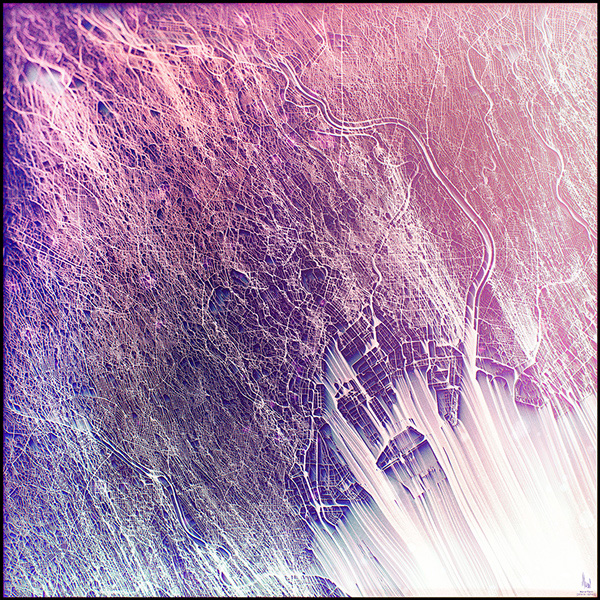
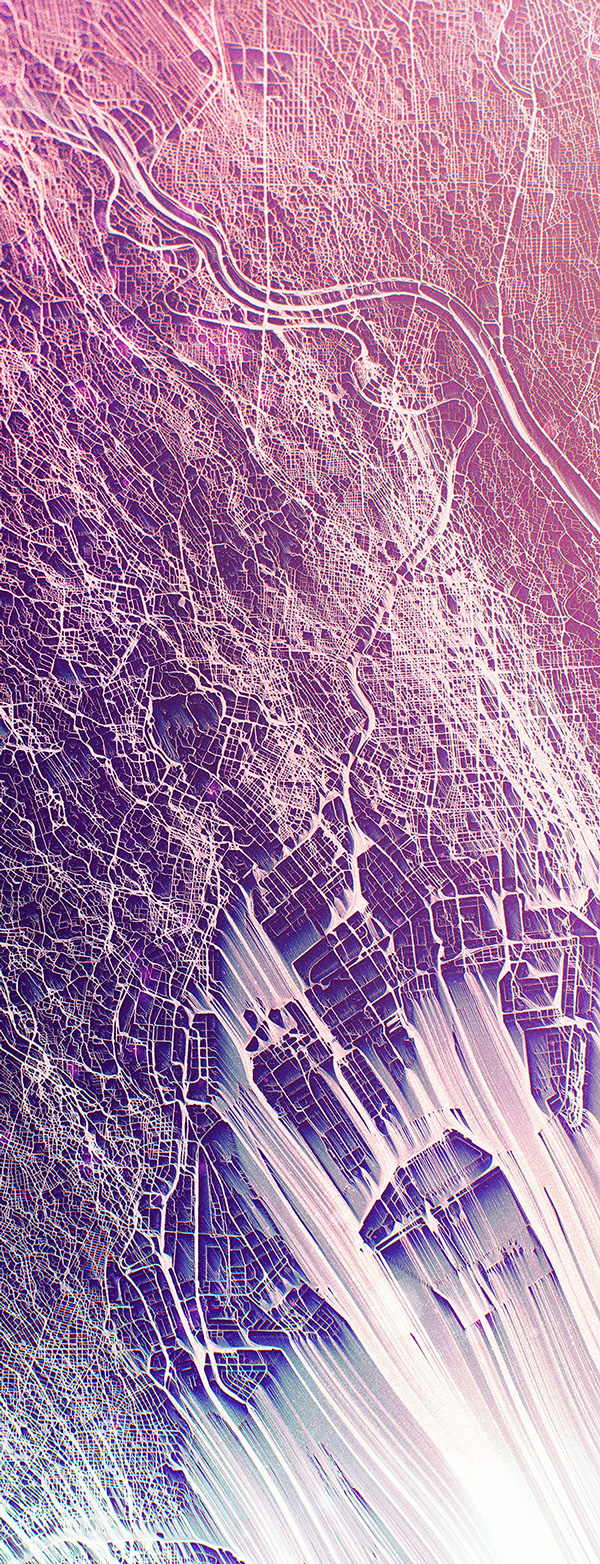
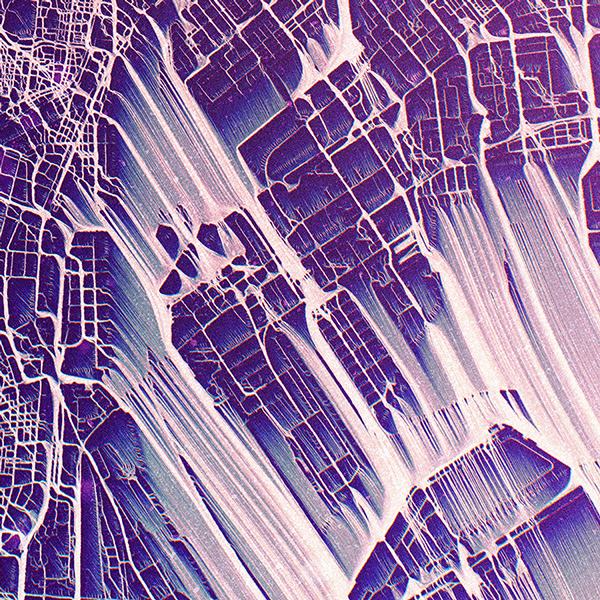
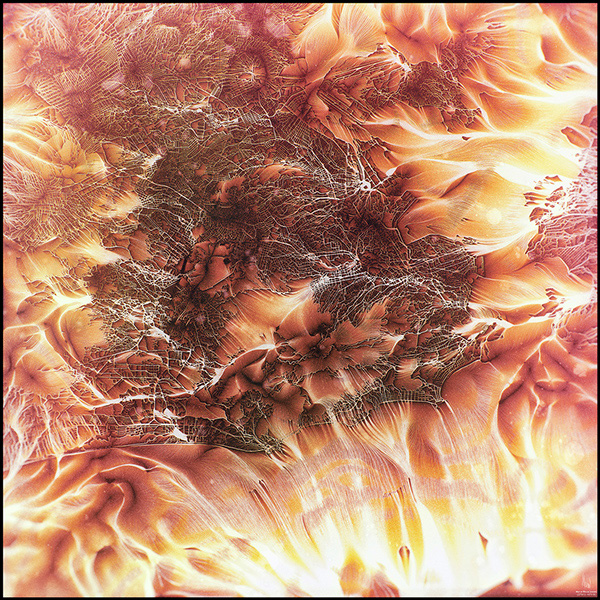
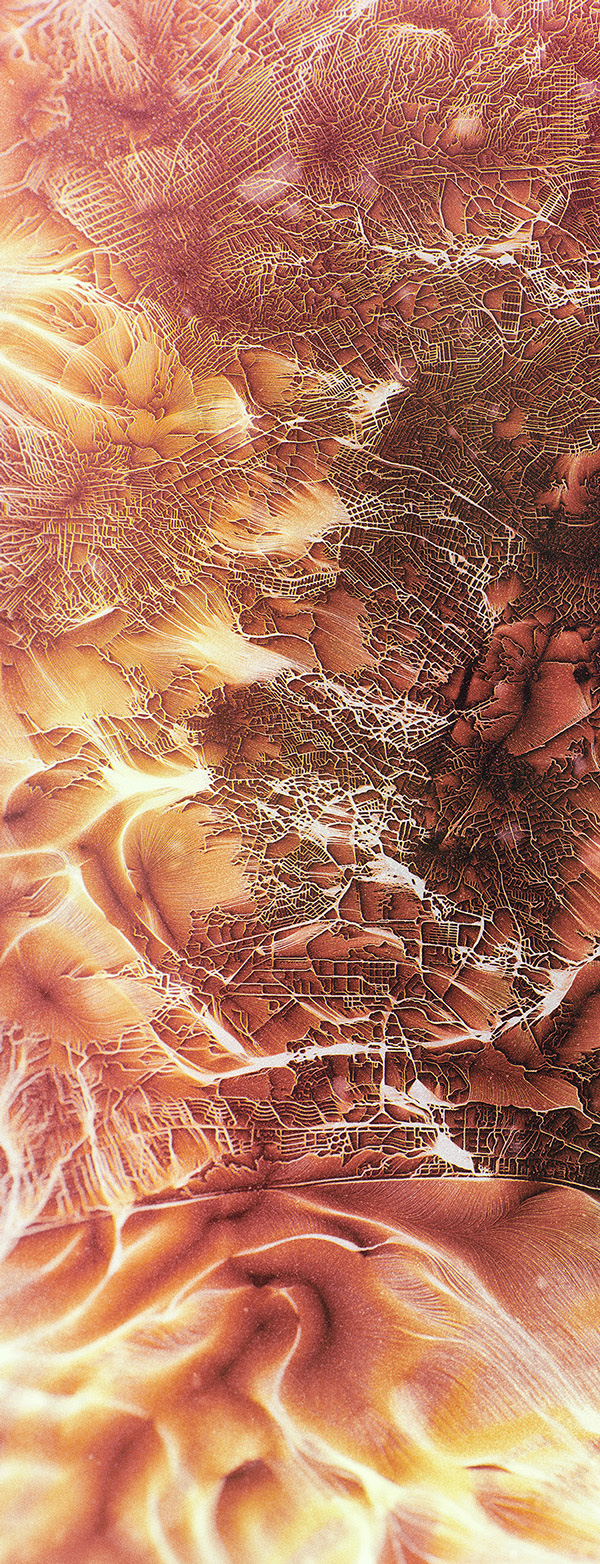
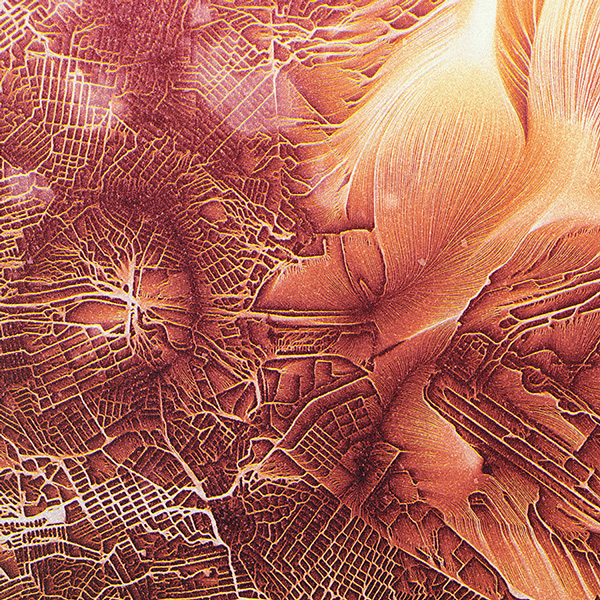
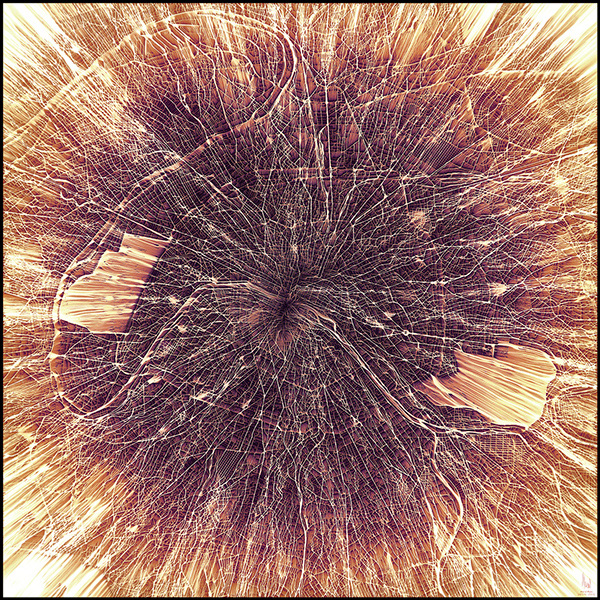
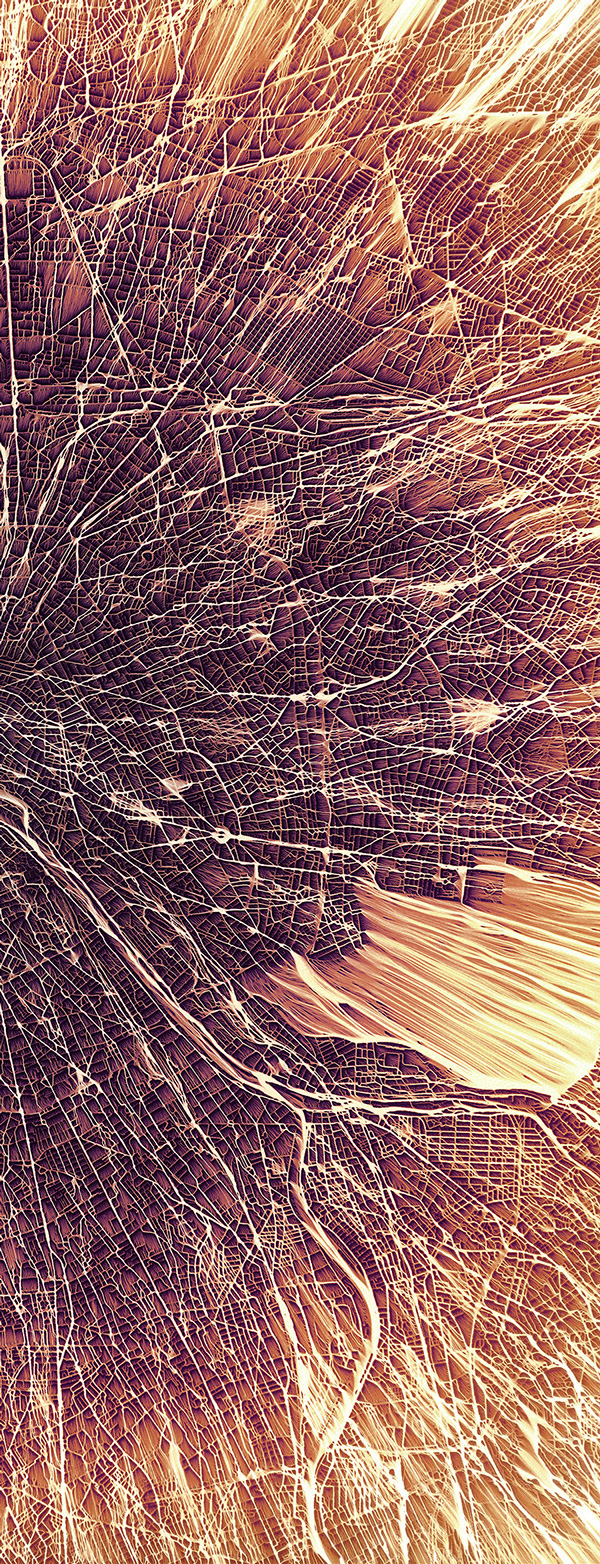
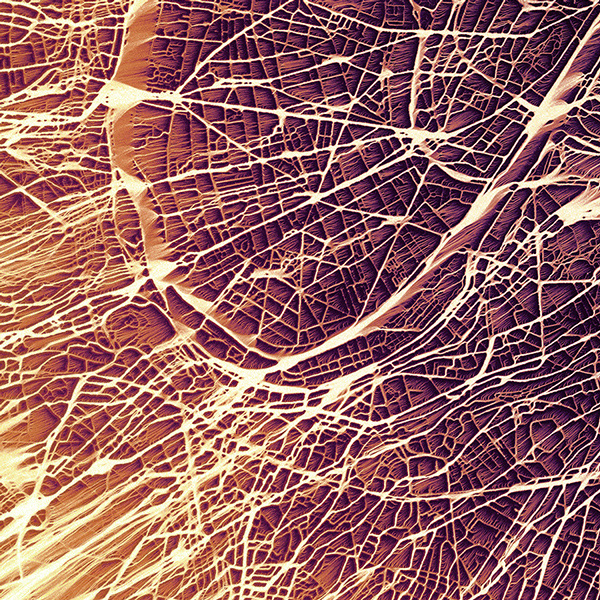
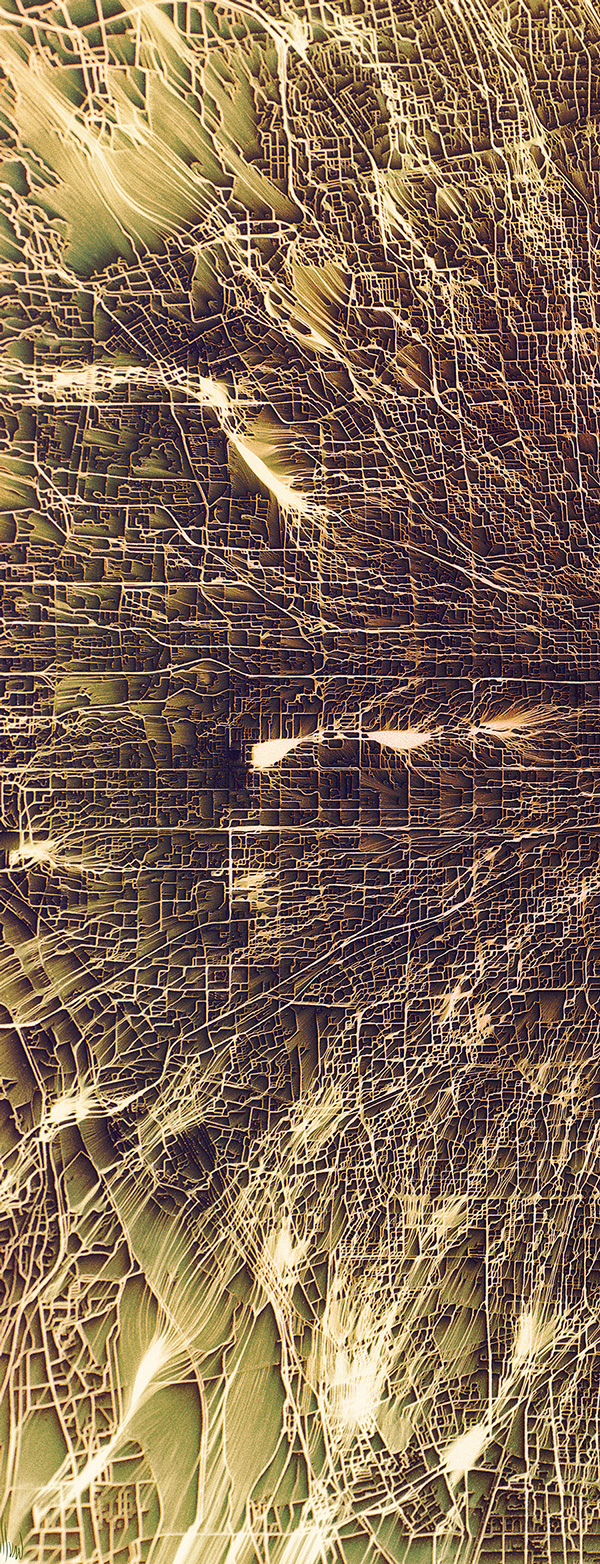
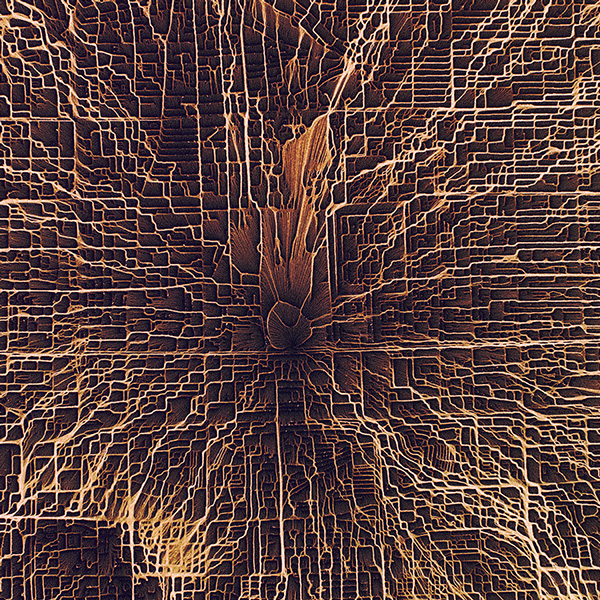
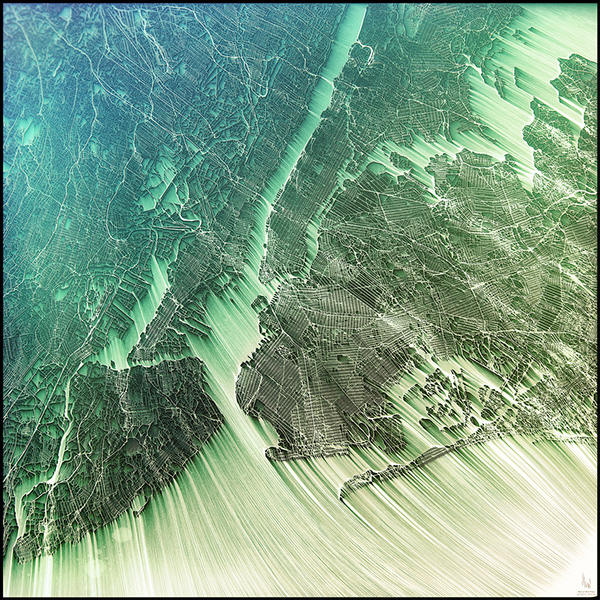
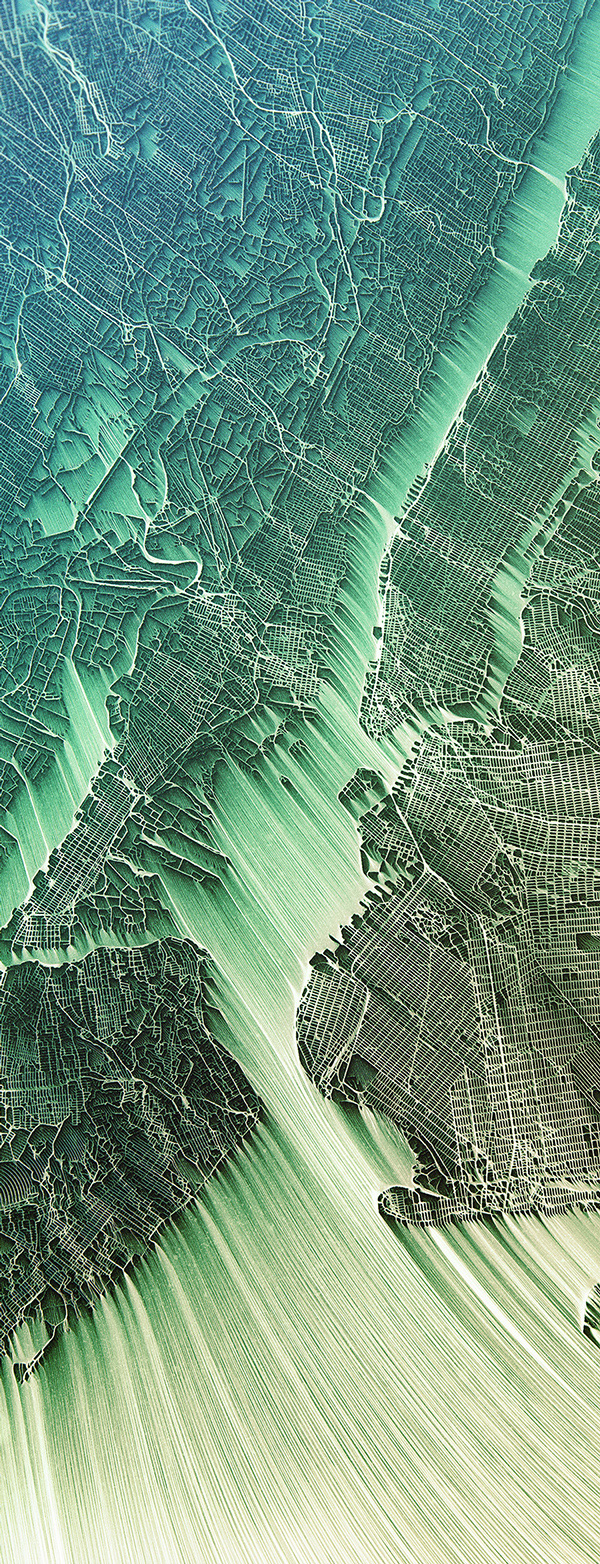
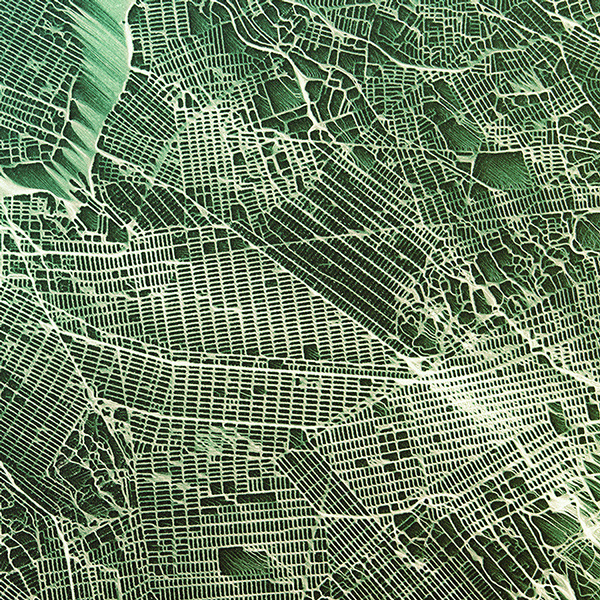
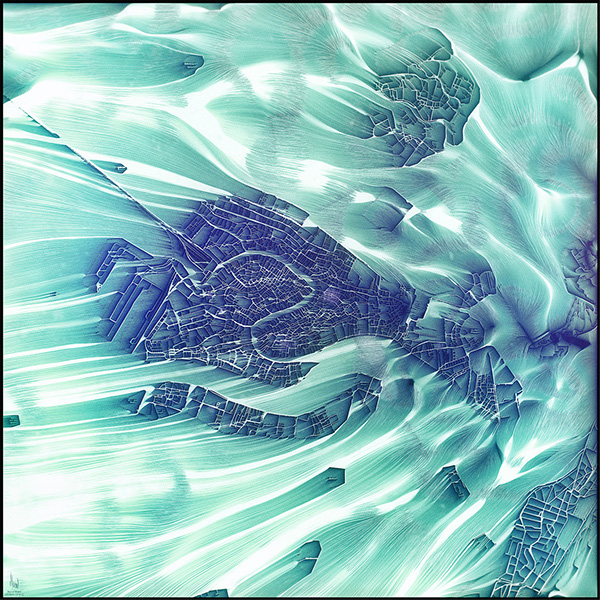
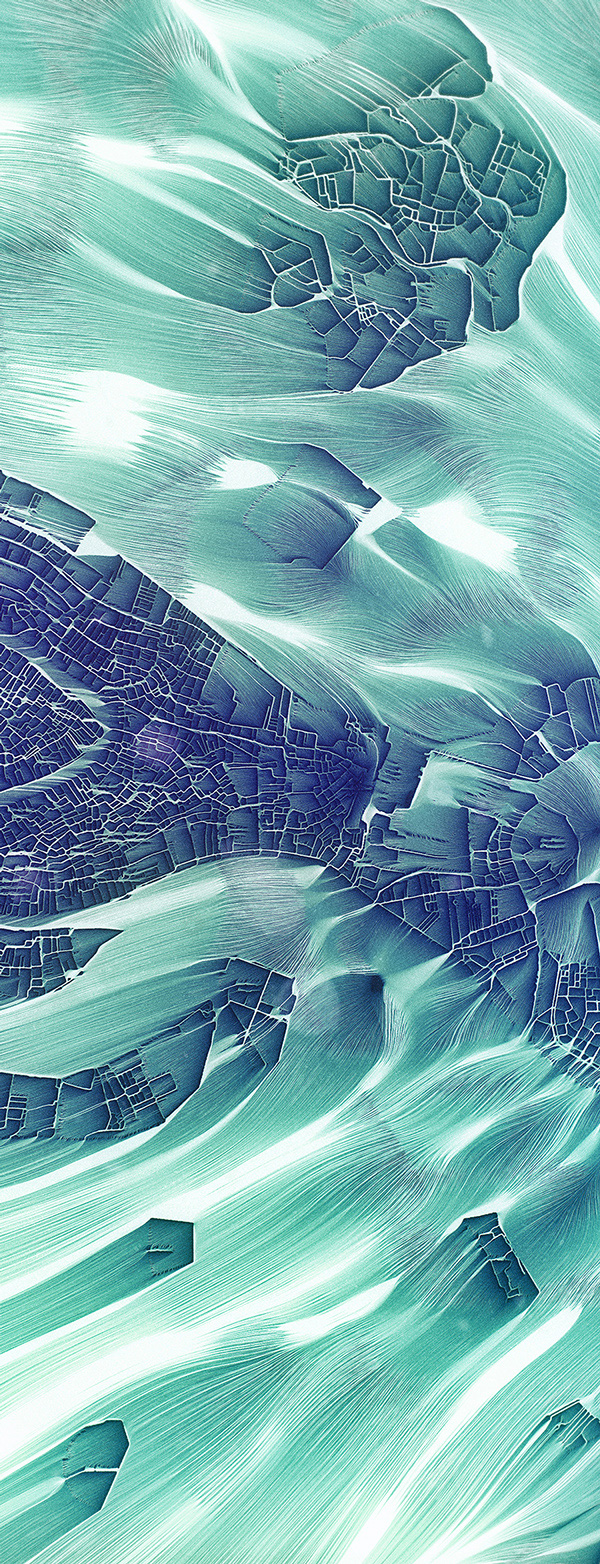
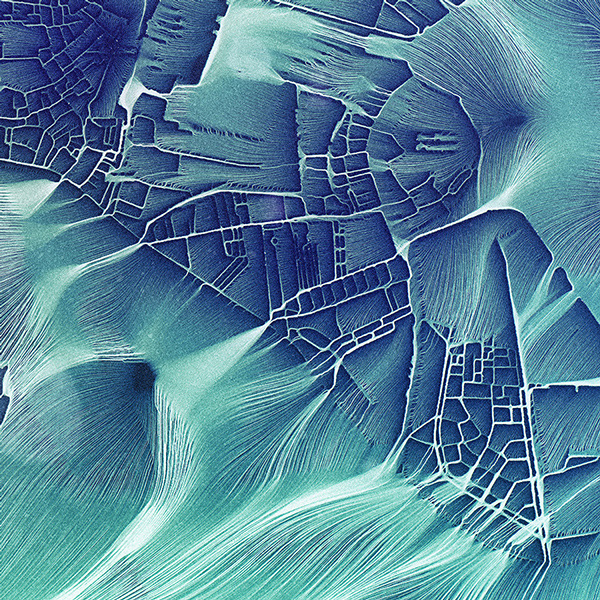
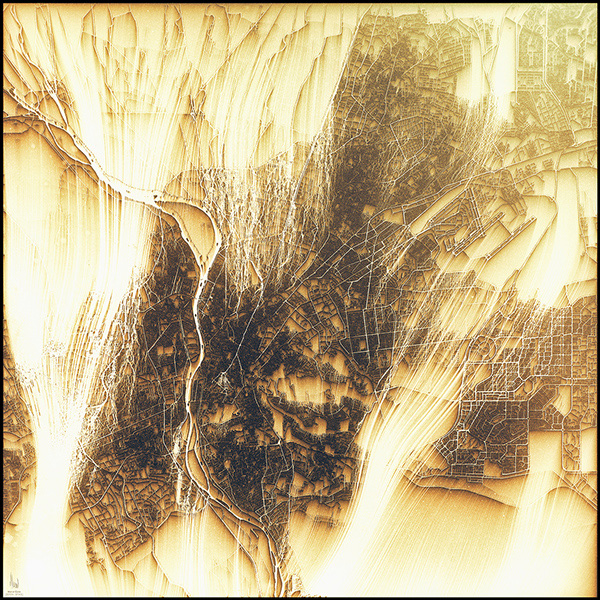
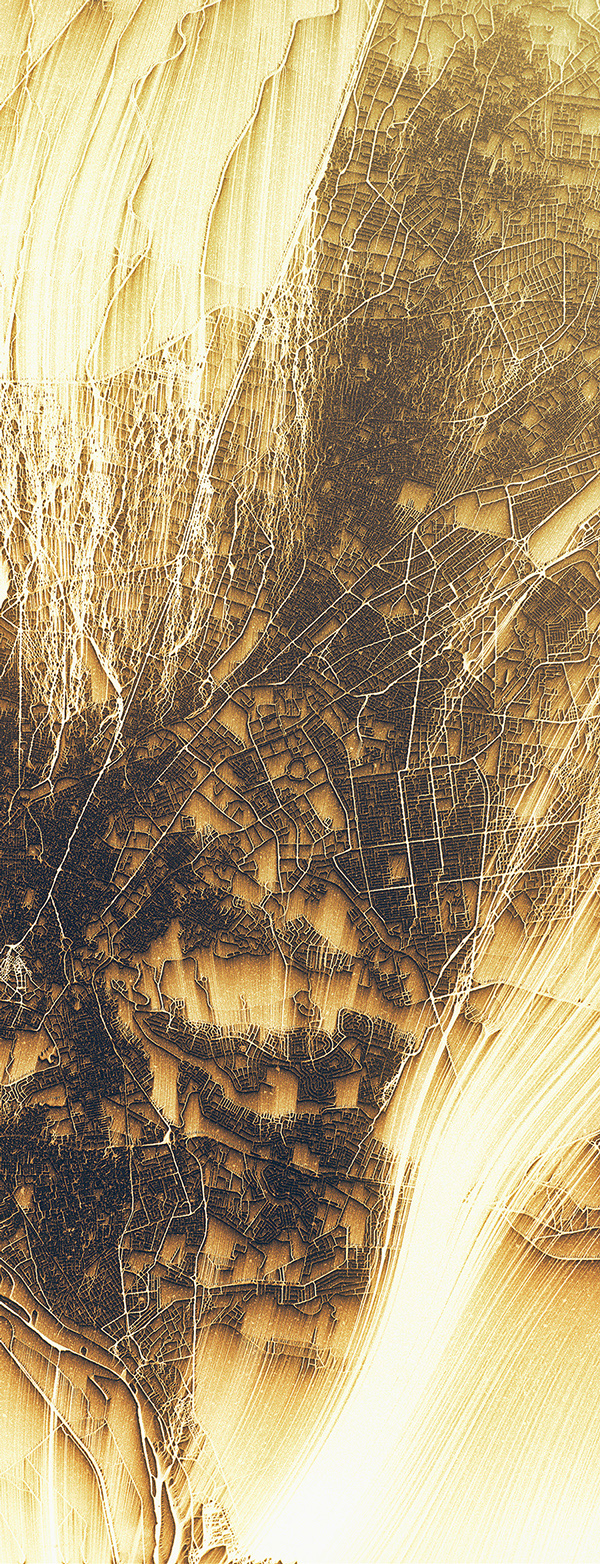
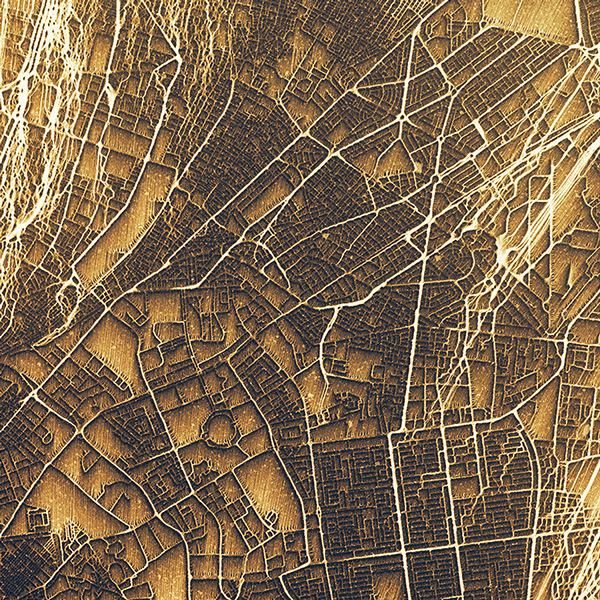
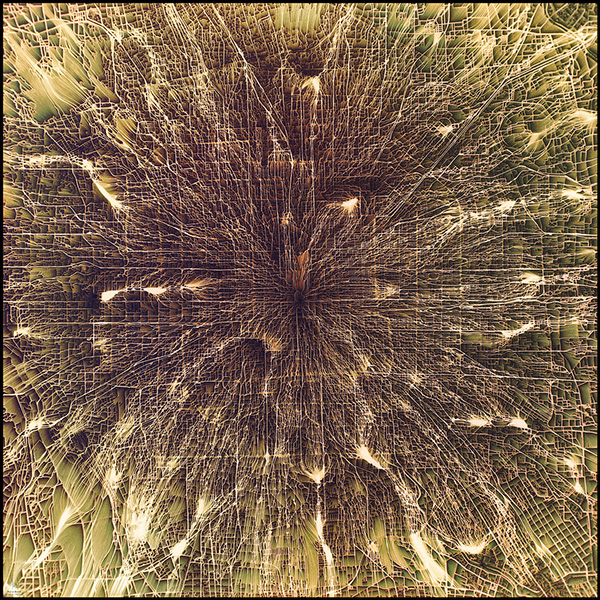
Today’s dose of visual inspiration is a set of the craziest city maps you’ve ever seen. Chaotic Atmospheres (the screen name of a talented CG artist in Switzerland) tossed actual city maps into World Machine (a 3D terrain generator ) and created a mesmerizing erosion effect.


So what’s it all about? The artist had this to say: “I wanted to represent the influence of cities on their environment as a kind of invisible fluid that overflows from the city to its surrounding.”


Let’s Play a Game


Think you’ve got a good handle on the topography of famous cities around the world? Let’s put it to the test. Try to guess the city in each of the following series of images. Answers at the end.


City #1


citymaps-1


citymaps-3


citymaps-2


City #2


citymaps-21


citymaps-20


citymaps-19


City #3


citymaps-18


citymaps-17


citymaps-16


City #4


citymaps-15


citymaps-14


citymaps-13


City #5


citymaps-12


citymaps-11


citymaps-10


City #6


citymaps-9


citymaps-8


citymaps-7


City #7


citymaps-6


citymaps-5


citymaps-4


Answers


Ready for the answers? The cities are shown in the following order: Tokyo, Rio de Janeiro, Paris, Cairo, Beijing, New York, and Venice. Leave a comment and tell us how you did.


You"ve Never Seen City Maps Like These Before