Showing posts with label Design. Show all posts

Friday, June 26, 2015

Is There a Perfect Solution to a Design Problem?


You’re probably thinking of your own version of the “perfect” design. Whatever it is, you probably have fond, nostalgic feelings around it, and would likely defend its rightful place among the best in the world.


The thing is, there are probably some people who share your opinion, but many more who don’t. This is perfectly okay, because it means that you as a designer have even more opportunities to reach your own special niche audience.


Don’t Think Of Everyone


You don’t have to try to make that “perfect design” that will appeal to everyone. I can’t even imagine what that would look like, but it likely would be terrible. Why? Because people have such different expectations that trying to fulfill them all is always going to fail miserably.


This is why generic designs never sell as well as many clients seem to think they will. The next time your client insists that you try to reach a more “general” audience with your design, remind them that no one wants to bother with something that’s made with “everyone” in mind.


Group of people watching boring movie in cinema
Image Source: via Shutterstock.


Think about it: what else is made for “everyone”? Let’s see… car dealerships (with a thousand different choices and options), hospitals and health care facilities (with multiple specialists to cater to virtually anyone’s particular problem), newspapers (with hundreds of sections for people to flip right to the information that interests them). Do you see a pattern here? Even things that are supposedly for everyone have many, many subcategories, so that “everyone” can filter themselves into more easily manageable groups.


What You Want Vs. What Is Best


You have to line up your message with the needs of your niche audience. If this happens to include your own needs, then it will be easier for you to engage personally with whatever it is you’re selling.


There’s a lot to be said for being able to stomach the work you must do as a designer. If you hate the message you’re sending out, perhaps you need to question whether or not you need to find new clients. The relationship between designer and client should be symbiotic, and also sync up with whatever it is your client’s target market is looking for.


Which Version Is The “Right” One?


There is never one perfect solution to a design problem that will satisfy absolutely everyone. There are only a series of perfect solutions, each one tailor made to fit a very specific group of people – sometimes extremely specific.


Malcolm Gladwell famously outlined this tendency of ours to prefer a multitude of different solutions in his legendary TED talk about spaghetti sauce. He gave examples of the spaghetti sauce manufacturer, Prego, that stumbled upon a completely untapped market when it began offering “chunky” spaghetti sauce, in addition to the thinner, more traditional Italian-style sauces.


To use an even more specific example of multiple solutions to problems, most cat owners are perfectly happy training their cat to use the litter box. Some owners, on the other hand, choose to take things a step further, and actually hire someone to train their cat to use the toilet. That’s right. There are cats who are actually potty trained.


Quite literally, there is a product or service out there that caters to every possible need.


In Conclusion


Don’t confuse your personal favorite designs with the one your target audience is hungry for. Make sure you choose a market that you understand and you can satisfy without selling your soul. Figure out that unique, perfect solution to your clients’ needs, and the needs of their customers, and everything will be just “perfect” from there.


The post Is There a Perfect Solution to a Design Problem? appeared first on Speckyboy Design Magazine.


Is There a Perfect Solution to a Design Problem?

5 Secrets to Save Money On Design Services

Design services: every business needs them, but some can’t afford them— or at least, some believe they can’t afford them. For those penny pinchers out there, we’ve collected some money saving tips that will cut down your design spending so you too can have an amazing web and print presence.


1. You don’t always need a complete redesign


Starting from scratch is a good feeling, but it doesn’t always fit the budget or your best interests. There is almost always room to work and improve on something that is already built. With time, cautiously reshaping work will help refine it. You often see large brands like Google and Instagram making small tweaks to their logos instead of going for a complete redesign. Beware the designer who urges you to start over, even if it is with the best of intentions. Remain in control of the vision and weigh the costs of starting from zero.


2. Hire someone who has already done similar work


Think about it this way: there’s a reason Jackson Pollock never succeeded in interior design. Pick the right artist for the right job. Look through a designer’s portfolio and try to imagine what their finished product might look like. If you can’t picture it or it doesn’t match your expectations, don’t bother. You’ll save countless revisions and changes in the future as you try to work your way into each other’s minds.


3. Supplying the theme or template will save you money


Yes, everyone wants a completely unique design, but be realistic. Are your customers or clients really going to critique you if there are minor structural notes, fonts, or colors that they’ve seen before? Probably not. Save some time, money, and stress by getting a template from an online marketplace like Creative Market.


Pre-made design pieces are cheap and incredibly useful when properly used. Aside from saving you (and your designer) precious hours, templates can also help convey your vision for the project.


4. It’s okay to shop around


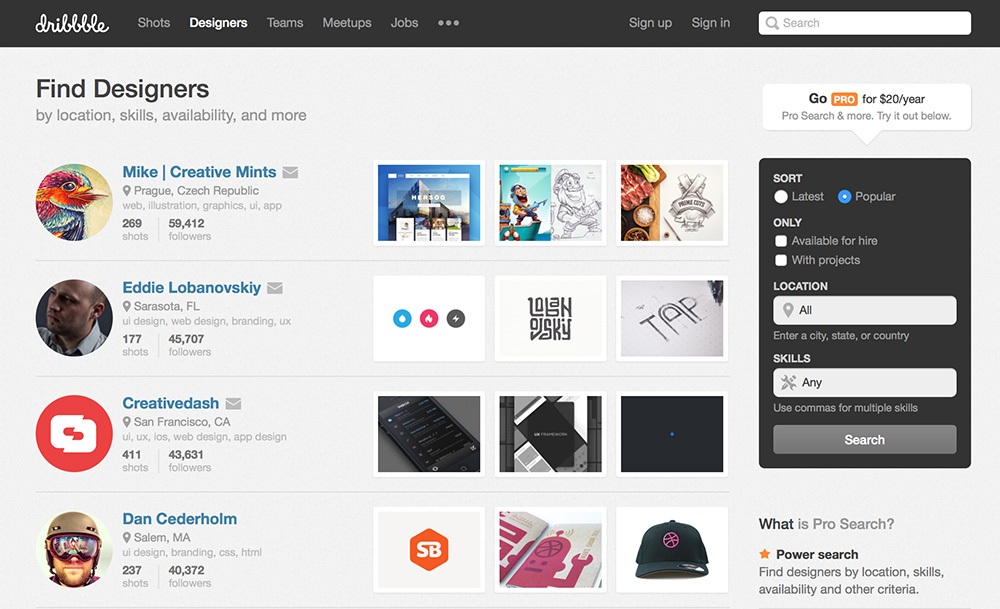
The savvy seeker will carefully examine all options before making a decision. However, this doesn’t mean having ten designers do a full mock up before you make the call. Use careful discretion while looking through a pool of choices, but narrow it down to just a few before asking for any sort of mock up or “audition.” Another pro tip: always shop. Stay updated on online graphic portfolio sites like Behance or Dribbble. You can make a shortlist of designers that catch your attention for ease when it comes down to hiring.


savemoney1 

Pro tip: There’s a special section on Dribbble where you can find designers that are up for hire.


5. Use a service


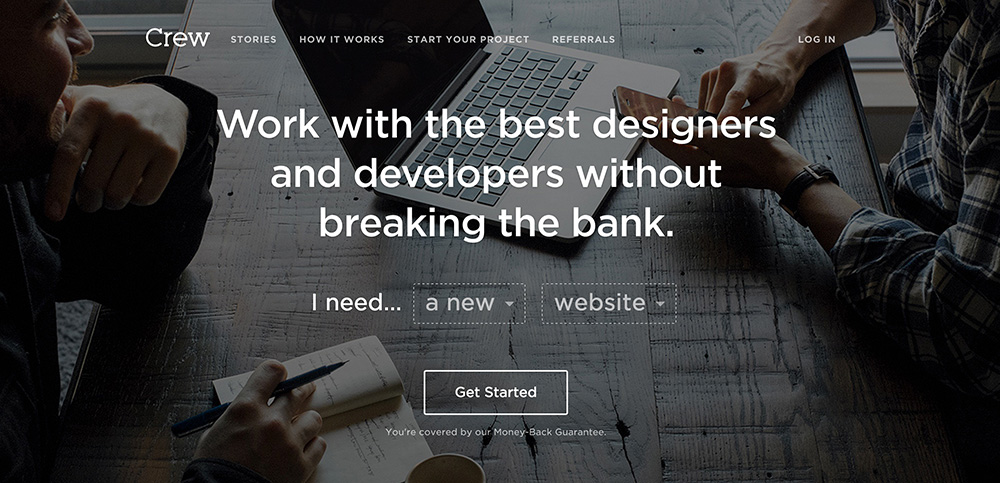
If you’re having trouble finding someone that you can trust with your vision, try a service like Crew. You simply describe the project you need help creating, and Crew will match you with skilled and affordable designers. They will also help you through each part of the process even the tough steps like payments and contracts


savemoney2 


If you follow these five tips and keep a careful eye on your budget, you’ll be able to get the design you need without spending the money you need for everything else. The most essential piece of advice when going through all of this is to be patient and research as much as possible. There are dozens of ways to get things done on the cheap.


Products Seen In This Post:


getpaidtowrite-banner
5 Secrets to Save Money On Design Services

Wednesday, June 24, 2015

6 Free Design Goods To Download This Week: June 22, 2015

We’re working hard to make Creative Market the world’s best marketplace to buy creative digital goods. Even if you’re not ready to buy something though, you can still enjoy the site. We give away not just one, but six free goods every single week! This weekly blog series from Matt Borchert will walk you through each weekly free good so you can get a good idea of what you’ll be getting before you download anything.


Free Goods Video Walkthrough


Free Goods This Week


Stop by our Free Goods page to download all of this week’s great freebies. Keep in mind that these premium goods are free this week only and will return to their normal prices soon!


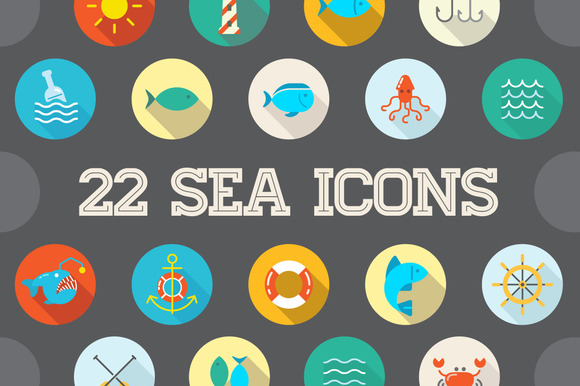
Awesome 22 Flat Vector Sea Icons


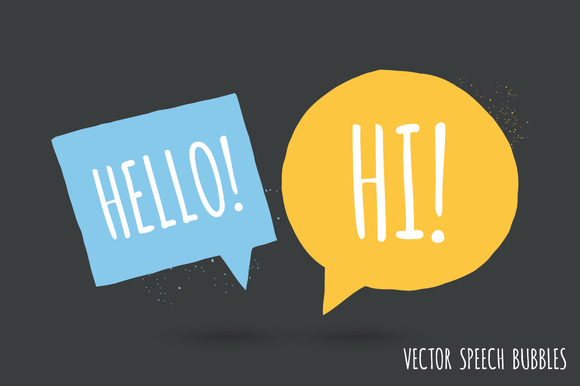
Speech bubble pack


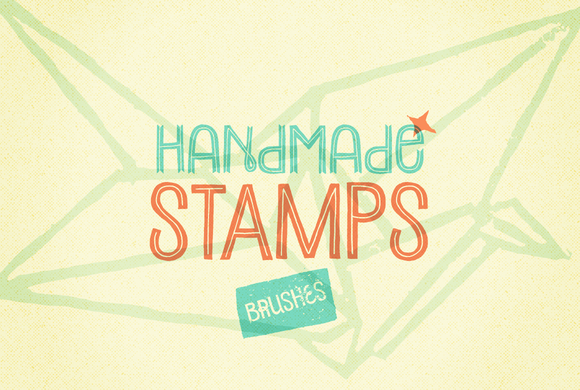
48 Handmade Stamp Brushes


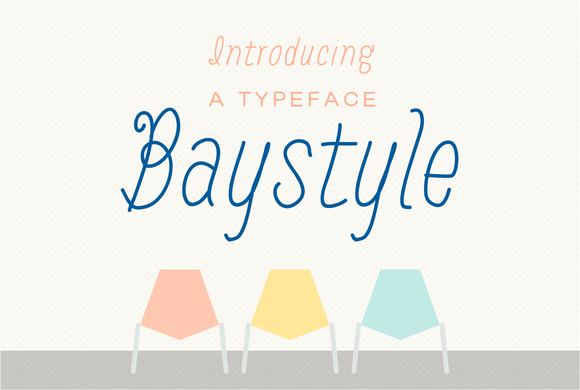
Baystyle typeface


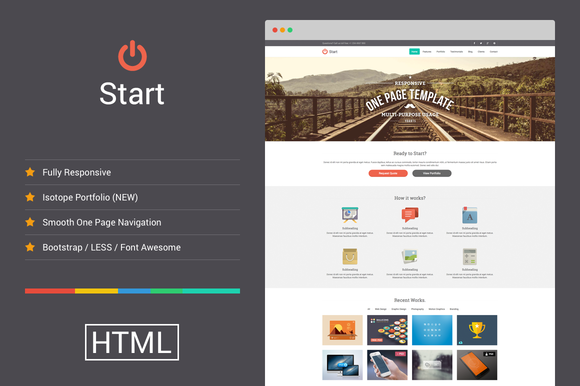
Start – Responsive One Page Template


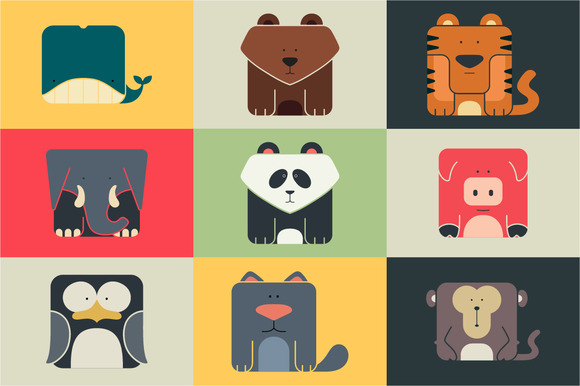
Set flat square icons of a animals


Earn Money By Sharing Our Free Goods


Odds are, if you love our free goods, so will your friends. If you sign up for our Partner Program and share our free goods on social media every week, you’ll likely refer tons of your followers.


So how does this make you money? You’ll earn 10% of every purchase for an entire year from all new customers you refer to Creative Market using your Partner URL! How cool is that?


Matt Borchert is a graphic designer from Minneapolis, Minnesota who creates resources for designers and illustrators on Creative Market. He also runs a YouTube channel that creates content for designers in the form of tutorials and resource reviews.

getpaidtowrite-banner
6 Free Design Goods To Download This Week: June 22, 2015

Monday, June 22, 2015

Top 50 Free Icon Sets for Web Design


Last year was all about icon fonts, metro-style, retina, and the rapid explosion of flat design. This year, with flat design is still clearly popular, but we have also seen a huge rise in popularity of SVG icon sets, with the actual design of the sets being heavily influenced by iOS8’s line-styled icons and Material Design’s subtle style.


View the entire collection here: Top 50 Free Icon Sets for Web Design.


The post Top 50 Free Icon Sets for Web Design appeared first on Speckyboy Design Magazine.


Top 50 Free Icon Sets for Web Design

Friday, June 19, 2015

The Tools of the Graphics Design Trade, and Why Some Things Never Change

The more things change, the more they stay the same–or so it seems, at least in the graphics design trade. I know. That seems like a strange observation in a field where designers are replacing their pencils for styli. It is true that the world of graphics design is radically different on a superficial level. But once you scratch beneath the surface, you will find the real tools of the trade to be remarkably unchanged:


Sketchpads


Trade a pencil for a stylus, and you are still holding a long, narrow, likely cylindrical tool for drawing sketches on some type of pad. Whether on a paper pad or an iPad, it is still a pad that holds your graphical ideas. It hardly matters if the medium is graphite and trees, or glass and silicon.

What has changed are the number and types of threats about which a designer has to worry. Before, the biggest threat was that someone may try to steel your work. Now, the bad guys can use your work to steel information from other people.


Since 2002, we’ve known that common image files could be used as viruses and malware. Today, the methods are even more sophisticated. While many designers use a Mac, which is generally free of viruses, some types of threats can still get through. That is why antivirus software for Mac devices is becoming more and more important, as it protects users during online browsing sessions and even safeguards social media accounts.


You still could use help:


  • Blocking dangerous websites

  • Protecting your privacy on Google+, Facebook, Twitter, and LinkedIn

  • Ensuring safe surfing for the whole family

Macs and iDevices make great tools for designers, but still need to be used with security in mind. The most insecure component of any system is always the user.


Photoshop


Every designer knows about Photoshop, even if they don’t personally like it. Like Excel for office workers, almost every designer has to use it in some capacity, even if they do not use the advanced features. Photoshop is a staple of the design world.


This expensive and intimidating piece of software, among other things, lets artists alter images, even to the point of removing parts of an image from its setting for use in an different context. Love it or hate it, due to its ubiquity in the design world, you kind of have to have a passing familiarity with it.

But photoshopping (in the generic sense) is not new. It is as old a scissors. Ever sense we have been able to capture images, we have had the ability to manipulate them.


Since long before computers, when it came to pictures, seeing was not believing. Our tools may be more advanced. We can definitely create better illusions, and better cover our tracks after doing so. But enhancing images to make the bold and beautiful even bolder and more beautiful is as old as film. Maybe older.


A Designer’s Eye


At the end of the day, none of the high-tech tools and gadgets mean a thing if you do not have a designer’s eye. Style is hard to define. Good taste is even harder. Yet there are those who have the eye for it, and those who don’t. If you don’t, none of the photoshop running iPads will turn you into a great graphics designer.


Just consider the world of logos. Some, like the golden arches of McDonalds, are instant classics. A good designer recognizes it for the graphical goldmine that it is, and has always been. PayPal as a company, seems to be taking a more hit-or-miss approach to design.


iPads, Surfaces, and Cintiqs are all fine devices. Just remember, it is not the device being used that matters, but the designer that’s using it.


The Tools of the Graphics Design Trade, and Why Some Things Never Change

Wednesday, June 17, 2015

6 Free Design Goods To Download This Week: June 15, 2015

We’re working hard to make Creative Market the world’s best marketplace to buy creative digital goods. Even if you’re not ready to buy something though, you can still enjoy the site. We give away not just one, but six free goods every single week! This weekly blog series from Matt Borchert will walk you through each weekly free good so you can get a good idea of what you’ll be getting before you download anything.


Free Goods Video Walkthrough


Free Goods This Week


Stop by our Free Goods page to download all of this week’s great freebies. Keep in mind that these premium goods are free this week only and will return to their normal prices soon!


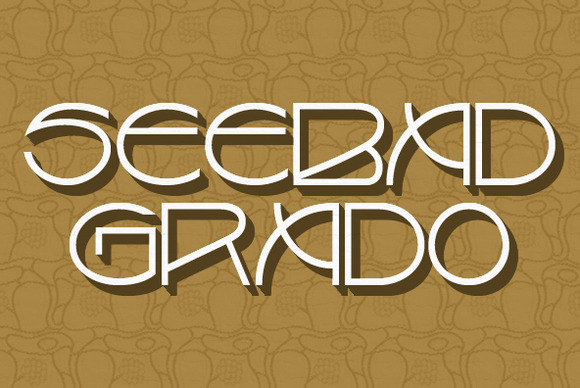
Seebad Grado


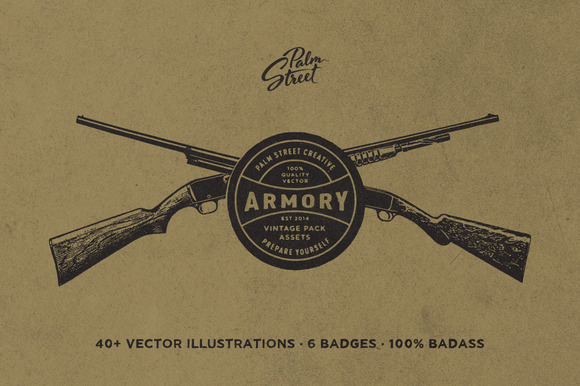
The Armory Pack


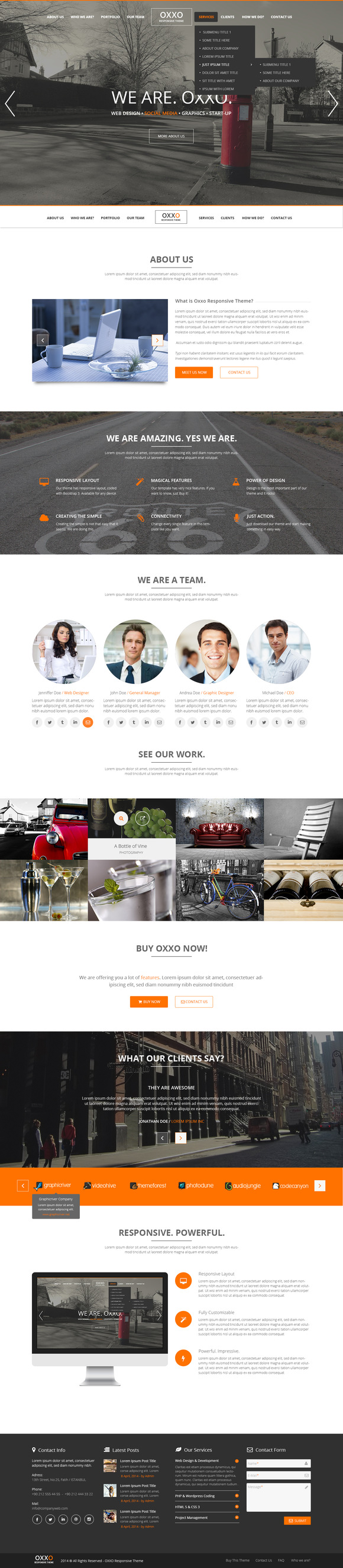
Oxxo Multipurpose PSD Template


Monogram Pack 0.3


280+ Premium Blurred Backgrounds


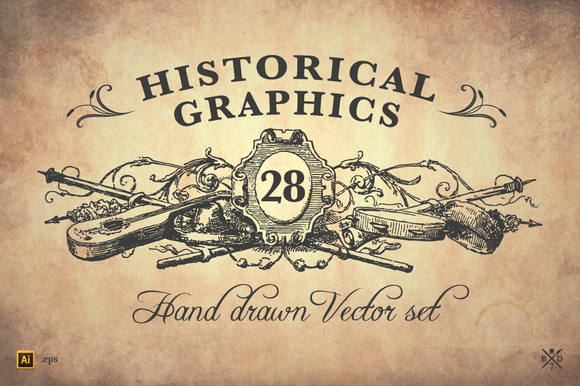
28 Historical Graphics


Earn Money By Sharing Our Free Goods


Odds are, if you love our free goods, so will your friends. If you sign up for our Partner Program and share our free goods on social media every week, you’ll likely refer tons of your followers.


So how does this make you money? You’ll earn 10% of every purchase for an entire year from all new customers you refer to Creative Market using your Partner URL! How cool is that?


Matt Borchert is a graphic designer from Minneapolis, Minnesota who creates resources for designers and illustrators on Creative Market. He also runs a YouTube channel that creates content for designers in the form of tutorials and resource reviews.

getpaidtowrite-banner
6 Free Design Goods To Download This Week: June 15, 2015

Monday, June 15, 2015

Why Your Web Design Platform Really Needs To Be a Business Tool

Web design has never just been an easy to crack process, and has traditionally involved quite a few different pieces of software. For a typical website, I may use the following software:


  • Adobe Photoshop – to design the visual look and feel of the site

  • Adobe Dreamweaver or NotePad++ – to code the initial templates for the pages

  • CMS (usually either WordPress or ExpressionEngine) – to build the website upon and give clients the ability to manage the site themselves

  • FileZille FTP – to upload website files and images to the web server

This is just for the design and development parts of the process. Before we can even get started with these tools, we first have to set up website hosting and register a domain name, which requires connecting with other websites and software.


Once a site is completed and launched, even more software comes into play, including analytics that will report on the traffic and performance of the site and whatever software your business will use to actually bill for all the work you have done.


As you can see, it is pretty easy to become overwhelmed with the variety of software tools needed to design, deploy, and manage even the simplest website. This is why, if you are looking for an alternative to this process, you should be looking for a complete business tool and not just a web design platform.


Doing More With Less (Software)


1webydo

The problem with the typical web design process outlined above is that so many disparate pieces of software are required because each one of those tools does only one specific thing. Photoshop is great for design, but it will not allow you to write code or develop your web pages. Dreamweaver has powerful web development features, but it lacks the visual design components found in Photoshop. For all of these software options, you will find the same scenario – they do one or two things really well, but require other software to be used to complete the full process.


While this scenario is common, it can also be very complicated at times because of the quantity of tools at play. A platform that includes many or all of these features, allowing you to effectively eliminate other software from your process, allows you to actually do more while using less software. This is where a solution like the cloud-based web design platform, Webydo, can really be much more than web design software – it can be a tool upon which you can run your design business.


All Under One Roof


2webydo

Created “by designers, for designers”, Webydo starts as a powerful visual design platform with features that you would find in programs like Adobe Photoshop or InDesign. This platform is so much more than a replacement for those programs, however, because its functionality does not stop there. The websites that are designed in Webydo can then be published as working webpages without the need to hand-code anything. Powerful web features like responsive design, parallax scrolling animation, and even Ecommerce functionality can all be added using this same platform – all without the need to write any code. So the design and development aspects of the project are covered, but the platform does not stop there!


  • CMS – Webydo includes CMS-editing features that will allow your clients to manage their own sites. There is even a White Label option that you can use to get your brand in front of your clients and further reinforce that relationship. Ultimately, this CMS feature replaces the need to have a separate content management system like WordPress used in your process, because the same platform used to design and develop the site can also be used as the CMS.

  • Domain Names, Web Hosting, and FTP – you can register domain names and set up hosting all from within the Webydo interface and you can upload your files right through the system too!

  • Analytics – once a website is live, Webydo will report on real-time statistics about traffic to the website and much more.

  • Backups – the “Revision History” feature of Webydo allows you to review older versions of your webpages and restore those versions if you have made a mistake on the current one, eliminating the need to call a hosting provider to try to restore files from some kind of backup file that they may maintain.

  • Client Billing – yes, you can even establish client billing directly from Webydo, making it easier to get paid for your hard work (after all, that is one of the main reasons we do this, right?)

The Freedom of One Platform


Not only does the ability to use one platform to replace all those aforementioned software solutions greatly simplify the process of web design, but it gives you so much flexibility and freedom. Because Webydo is accessible from a web browser, you can login and do work from anywhere that you have an Internet connection.


You no longer need to wait until you are in front of a computer that has your specific design software installed or has your billing software configured – you can login from anywhere and do what needs to be done.


Give It a Try


There will always be a need for different software tools. For instance, if you need to do photo retouching, Adobe Photoshop is still an excellent choice for that work, even if you have replaced it for your web design needs. By combining certain tasks under one roof, however, you can improve your overall process and replace complexity with a more unified and enjoyable web design experience.


You can sign up for a free trial of Webydo to experiment with the platform for yourself and see how it could become the exact tool you need to take your web design business to the next level.


Why Your Web Design Platform Really Needs To Be a Business Tool

Sunday, June 14, 2015

The Whole Point of a Punchy Design Is to Sell Something, Right?


Well, wrong. Your designs aren’t technically meant to sell anything. In fact, it’s actually almost impossible for them to do so if the viewer has never seen them before.


In this article I’ll go over what you’re really supposed to be doing as a designer, and just what role your designs play in your client’s sales funnel, and ultimately helping them get their customers ‘below the fold’.


First Impressions


Your viewer’s first impression of your content does not need to result in a sale. It’s nice if it does, but your client and even you may not know what your design is actually doing. What your main goal is as a designer is to make a memorable impression. Your design should stop your viewer in their tracks and compel them to go on to the next page, image, or piece of copy.


First Impressions


Basically, your design has to seize your viewer’s eyeballs, and hold them for long enough that they move on to the next visual cue. Like a street patrol officer waving a flag that directs traffic, your design must be eye-catching and invite curiosity about what is going on.


Stop, Look, and Listen


It’s a common piece of conventional wisdom in copywriting that the purpose of your first sentence is to get someone to read the next sentence, and so on until they get to the end and you’ve made a sale. Design is the same way, and works alongside copywriting to achieve the same effect. Selling is a process that usually doesn’t happen immediately.


People have to get to know your brand and whether or not it’s relevant to them specifically. You can only do that through telling a compelling story that’s written in their language. To start the process, they have to be willing to listen to what you’re saying.


Don’t Ruin The Story


As a business owner, your client has a story to tell his or her customers. That story is probably longer than a logo or a banner ad. To be compelling enough for customers to want to buy, the story must be told gradually. Any other method cheapens the whole experience and sours your prospect against any potential sale.


First Impressions


Think about the last time you went to the movies. What if, rather than letting the film play for the audience, the filmmaker simply popped up on the screen and told you a quick summary of what happens. You’d be furious. You came to see a story, not some random guy telling you a bunch of spoilers.


Your prospective viewers are the same way. They don’t want to be inundated with the quick and dirty details of the story before they’ve had a chance to experience the entire thing unfold organically.


Let Them See Themselves


As consumers, we like to see ourselves reflected in any marketing materials directed toward us. This means that, if I’m a 30-year-old mother of 2 looking for a fun game I can buy for my kids, I do not want to see images that aren’t relevant to my exact situation. I don’t want to see 20-year-old college students, or 70-year-old seniors, or dogs, or babies or zebras or teddy bears.


I want to see women in my age range with children around the same age as mine, enjoying the product I’m looking for. If I don’t see this exact combination, I’m out of there.


First Impressions


We all look for stories that we can relate to – those stories that closely mirror our own and provide a solution that would be appropriate for us. The bigger the purchase, the more important this becomes. You would never purchase a luxury car from an ad that was aimed at a completely different demographic from your own.


Targeting a niche is especially important in this day and age, when there are so many choices out there. If I don’t find what I’m looking for in one place, I can go to 50 others just like it.


As a designer, it’s your job to make sure I know that those 50 other businesses are not just like your client’s. Your client’s business is different. It’s just for me. Your job is to tell me why.


In Conclusion


It’s worth mentioning that, while the purpose of your design may not be to directly make a sale, it still plays a vital role in the overall sales process. Without your design, no one would bother looking at your client’s product or service offering at all. Just like you’d be less likely to want to go see a movie based on a text-only description, rather than a full-color poster or trailer, your viewers are dying to see what story you can entice them to want to listen to.


What Do You Think?


How do your designs help draw in your client’s target audience? Have any ideas for how to enrich the storytelling process we as designers engage in with our work?


All images via studiostoks’s Portfolio on Shutterstock.


The post The Whole Point of a Punchy Design Is to Sell Something, Right? appeared first on Speckyboy Web Design Magazine.


The Whole Point of a Punchy Design Is to Sell Something, Right?

Saturday, June 13, 2015

Get Out and Teach: How to Get Started Tutoring Art and Design

So, you’re a freelancer whose work has been coming in a little slow lately. Or a career artist who could use another way to monetize your talents. Or just a designer who’d like to help propagate your talents throughout the world. Why not get a side gig teaching?


Figuring out the best way to go about it is a multi-step process that can be looked at from several angles. But no matter how you choose to approach it, first, you have to figure out…


What to Teach


If you already know this, you’ve got a head start. If not, take a look at your skill set.


In a field as large and diverse as the arts, it can be hard just to figure out what you want to teach, or how much to specialize. In fact, I’d go as far as to say that it’s rare for an artist to have just one talent.


Do you have a primary talent? One that pays the bills and puts food on the table? If so, teaching that is a solid bet, if not the most exciting. If not, what’s your passion? The dedication you put into learning it might make you an excellent teacher, if you’ve gotten far enough along to be comfortable passing it on to other people.


There are more practical considerations, though. First of all, what does the market want? Web design and development skills are always in high-demand. Stamp collecting… less so. If you’re dedicated, you can still find students for it, but it might not be the fastest way to a paycheck.


In addition, consider the cost of materials. Can you provide them for your students, or do they need to buy their own? And if you provide them, factor that into the overall cost of your tutoring. Is the fee you’ll get still worth it?


Who to Teach


teaching-1


This may be pre-determined by what you’re teaching: it’s not likely that preschoolers will need to learn Photoshop. But with every skill you’re teaching, there will be several demographics you can teach it to and several target markets within those demographics.


Would you prefer to hone the skills of your peers? Teaching to other artists and designers can be an interesting way to improve your own job skills and stay on the cutting-edge with the tools and programs you’ll end up using yourself.


This is far from the only option though. If you’re teaching traditional art, the demographics you can work with are blown wide open. Drawing, painting, and crafting are hobbies for people of all ages, so you might find yourself teaching kids in daycare how to use scissors properly, getting into figure drawing and anatomy with high-schoolers, or helping seniors relearn how to paint.


The age range and walk of life you choose to focus on will in large part determine how you’ll structure your business and market to your target demographic, so it’s important to make a decision early on.


Finally, do you feel comfortable working with groups, or would you rather teach one on one? We’ll cover the difference between them more when we talk about making a curriculum.


“But What Education Do I Need?”


If you have a degree, you have a leg up. However, in the words of EmptyEasel’s Charlotte DeMolay, “If you don’t have [one], but you’ve been a practicing artist for several years you may still be able to teach.”.


Your portfolio can be just as good at opening doors as a degree, and so can references. If you’ve had art teachers in the past, contact them and see if they’re willing to provide you with a reference. The same goes for co-workers from any current or previous jobs related to what you’re teaching, or satisfied clients from any related freelance assignments.


Testimonials mean a lot when it comes to services, and none more so than education. It’s easier for customers to believe you’re good when they hear it from the mouth of an unbiased real person. This is especially true if it’s another teacher, especially if you’re working with school-age students, making your primary clientele their parents.


When it comes to the education you need to teach the class itself, a willingness to continue learning and growing according to your students’ needs is worth more than a doctorate. Constantly research and brush up on your own technique, and you’ll be able to teach much more effectively and confidently than anyone who’s let themselves fall out of practice.


Finding a Space


teaching-1


In Real Life


If you ever hope to make this a serious source of income, find a better space than the kitchen table. While that can work for one student at a time, you’ll need to expand if you’re going to be teaching any more than that.


This is where networking comes into play again, and your best resource might just be other teachers. However, also look for community centers in your area. You might just be able to teach a summer course with them instead of having to advertise for yourself. But Other great resources include local libraries, community or technical colleges, and even small (especially independently-run) museums. When classes are out, or they have empty time slots, you can request to rent the space independently.


If not… There are always bookstores and cafes if you’re going to be teaching a small group, preferably of digital artists.


Online


There are tons of sites that let you sell video tutorials to crowds of online students. For example…


  • Skillshare charges subscribers a low monthly fee to take unlimited classes via video. No teaching experience is needed to join them.


  • For the more entrepreneurial of us, there’s Udemy, another video tutorial site that takes less of a fee and has fewer barriers to entry, but in exchange, makes you market your courses yourself and puts you up against stiffer competition.


  • Lynda constantly accepts applications for trainers, and lets them create courses for a variety of subjects related to visual arts and design.


If you’re doing one-on-one teaching online, you may find that you only need Skype or TeamViewer to screen-share and guide your student in their desired program.


Marketing


Many of the marketing options are pretty obvious: print out flyers and pop them up around town, put up ads on Craigslist and in local publications, spread the word around to your friends, and so on.


Teachers of all stripes, however, might just find a secret weapon in the Marsupial Method, developed by entrepreneur Daniel DiPiazza in his days tutoring math. In short, you connect with people who are selling something similar to your target audience, but not so similar that you’re in direct competition with them, then set up a program of co-recommendations.


For example, if you teach digital painting, you can hook up with someone who teaches traditional painting and have them tell their students that if they’re interested in moving on to tablets, they can ring you up. In exchange, do the same for them. You’ll be surprised how much this can benefit the both of you.


Making a Curriculum


Once you have a client, or a class, it’s time to build a curriculum.


Before your first class, it’s a good idea to correspond with your student(s), either remotely or in person, and ask them what their goals are in taking your class.


When you jump into the course, start with the basics. Even if you don’t think your student needs a refresher on them, start with them anyway. This will also be your chance to judge your students’ skill level and adjust your plans accordingly.


For your next classes, try to set goals for each session, but flexibility is key here. Your students may surprise you or frustrate you, but as a teacher, you need to be prepared to change according to their needs. Throughout the process, make sure you keep the end in mind and give them some way to keep learning when you’re not around. Setting goals and creating homework is vital to keep your students engaged.


However, keep these open-ended too. You may need to change your expectations as your students progress through the course.


The Teaching Process


Teaching may be one of the most difficult professions, but it’s also one of the most rewarding.


It’s important to stay positive. No matter what age or skill level you’re teaching, make sure to give plenty of positive feedback. And when you run into problems, which you will, keep learning yourself. There are always more techniques, more teaching styles, and more creative solutions to implement.


It can be a difficult change, but if you get good enough, it can be great both as a source of income and a networking opportunity for future projects and jobs. You never know: the parent who hires you today to teach their kid might want a painting for the living room. Or the community center whose room you rent might need a run of flyers, a new website, or even a mural. So keep your head up, stick with it, and happy tutoring!


Products Seen In This Post:



getpaidtowrite-banner
Get Out and Teach: How to Get Started Tutoring Art and Design

Thursday, June 11, 2015

Dream-Theme: From Design Studio to Market Millionaires


Envato Market, and especially ThemeForest, are full of success stories. Reaching Power Elite status is one such success milestone that every Author on ThemeForest aspires to achieve. In case you didn’t know, Power Elite Authors are those that have generated over million in sales.


One such Power Elite author is Dream-Theme, a Ukraine-based design team that have crossed the prestigious million sales mark. In this post, we are going to take a quick closer look at Dream-Theme’s portfolio and discover the products and build-level you need to reach to become a design Market millionaire.


dream_theme


The theme and template collection of Dream-Theme is quite versatile and broad in nature. On the one hand, you have the ever-popular niche themes for creating portfolios, and on the other, they also have a generous sprinkling of multipurpose, corporate/business templates and themes.


Let us start with The7 WordPress theme, which is by far and away Dream-Theme’s flagship product with over 25,000 individual sales. Responsive, retina-ready, comes with support for bbPress and WooCommerce, translation-ready, you name it! Much like most other WordPress themes by Dream-Theme, The7 comes fully loaded with a huge list of features and optional extras.


the7-promo-gen-2-minimal.__large_preview
The7, a Responsive Multi-Purpose WordPress Theme by Dream-Theme


However, Dream-Theme have more to their portfolio than just shiny themes with lots of features. In fact, Dream-Themes’ success can teach us a lot about what it takes to register over a million dollar in sales and still keep going. As such, let us dig a little further into Dream-Themes’ strong portfolio of items.


Dream-Theme started selling their products via ThemeForest back in 2010 and in that time they have amassed over 54,000 sales. As of now, the items in their portfolio range from to in terms of pricing. However, the diverse pricing is probably not the biggest variable that has led to their success.


As well as WordPress themes, Dream-Theme also sell a wide array of digital products. They successfully sell Tumblr themes, PSD templates, WordPress themes for magazine websites, WordPress themes with a corporate and multipurpose layouts, photography themes, HTML portfolio templates, and a lot more on top of that!


depth
Depth, a Full-Screen AJAX Portfolio WordPress Theme by Dream-Theme


Such diversity is primarily responsible for the high volume of sales. By opening up to multiple markets and buyer types, Dream-Theme offer something for everyone.


They have managed to not only register high sales but have also built a loyal following and user-base as well.


Yes, They are popular because of the high-quality of their items and because they offer such a diverse library of products, but they’re also very popular because they also offer fantastic level of support to their buyers. It is a combination of all three of these factors that have justifiably placed Dream-Theme at the top of the digital market tree.


And here is how Dream-Theme describe their rapid rise to success:


“My deep belief is that site templates/themes should carry recent web design trends to the masses. Make them available (and affordable) to the mass consumer. So that’s what we’re basically doing: carefully studying trends and implementing the most useful in our products.”


Have you taken a look at Dream-Theme portfolio yet? If not, you should check it out right away!


Take a Look at the Portfolio of Dream-Theme →


This post has been sponsored by Syndicate Ads.


The post Dream-Theme: From Design Studio to Market Millionaires appeared first on Speckyboy Web Design Magazine.


Dream-Theme: From Design Studio to Market Millionaires
Wednesday, June 10, 2015

6 Free Design Goods To Download This Week: June 8, 2015
We’re working hard to make Creative Market the world’s best marketplace to buy creative digital goods. Even if you’re not ready to buy something though, you can still enjoy the site. We give away not just one, but six free goods every single week! This weekly blog series from Matt Borchert will walk you through each weekly free good so you can get a good idea of what you’ll be getting before you download anything.


Honorable Mention: Do From InVision


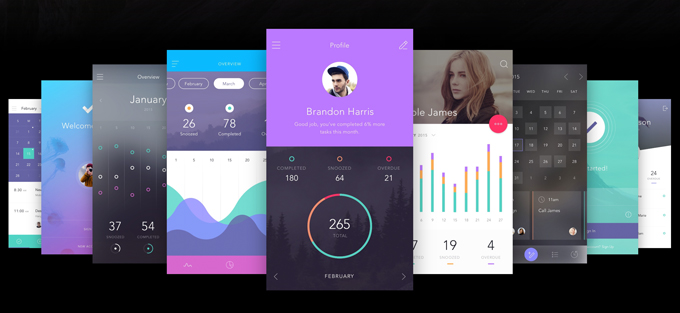
Our friends at InVision recently released an incredible free resource for UI designers. It’s called Do, and it’s an amazingly robust to-do app UI kit containing 130 screens, 10 themes, and 250+ components (Sketch and Photoshop versions available).


do-invision


Free Goods Video Walkthrough


*Due to an unforeseen last minute change, the theme mentioned in the video is not free this week. Fear not though, we have another great free theme for you.


Free Goods This Week


Stop by our Free Goods page to download all of this week’s great freebies. Keep in mind that these premium goods are free this week only and will return to their normal prices soon!


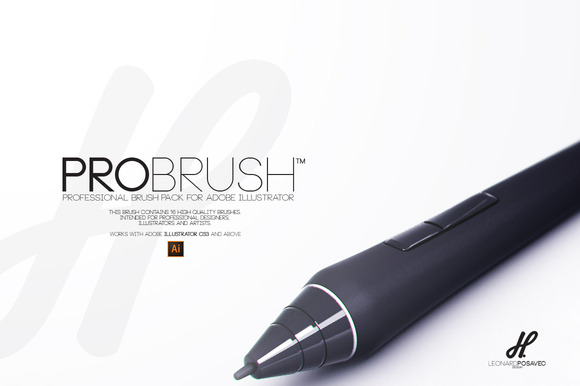
Brush | ProBrush


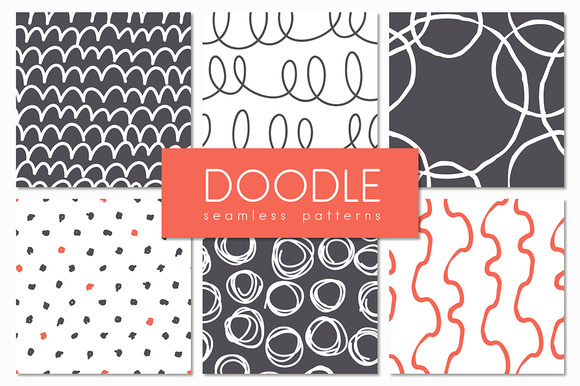
Doodle. Seamless Patterns Set


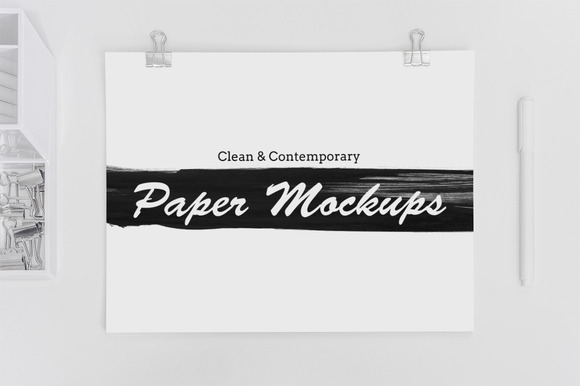
8 Clean & Contemporary Paper Mockups


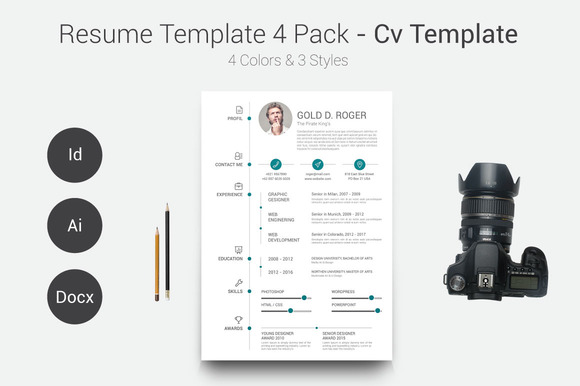
Resume/CV Template 4 Pack


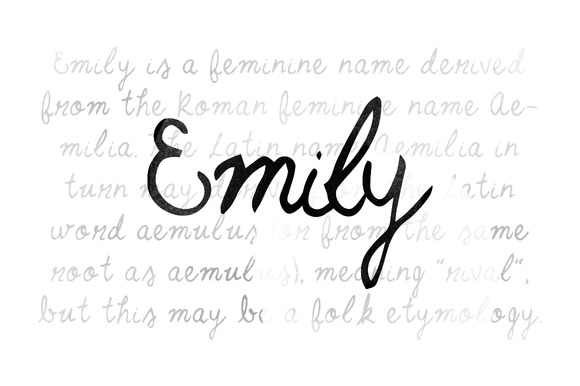
Emily


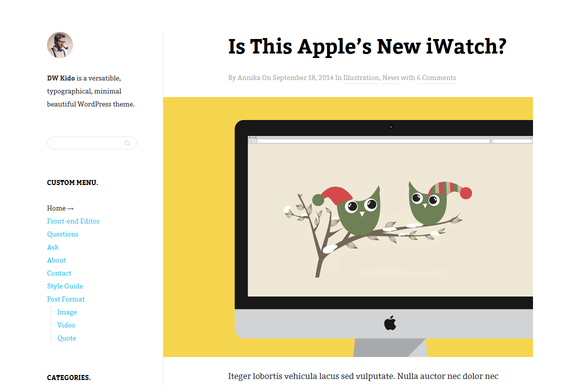
DW Kido – Minimal WP Blog Theme


Earn Money By Sharing Our Free Goods


Odds are, if you love our free goods, so will your friends. If you sign up for our Partner Program and share our free goods on social media every week, you’ll likely refer tons of your followers.

So how does this make you money? You’ll earn 10% of every purchase for an entire year from all new customers you refer to Creative Market using your Partner URL! How cool is that?


Matt Borchert is a graphic designer from Minneapolis, Minnesota who creates resources for designers and illustrators on Creative Market. He also runs a YouTube channel that creates content for designers in the form of tutorials and resource reviews.

getpaidtowrite-banner
6 Free Design Goods To Download This Week: June 8, 2015