Showing posts with label Love. Show all posts

Thursday, June 25, 2015

Cornerstone: The WordPress Page Builder Web Designers Will Love

Editor’s Note: This post is brought to you by theme.co.


"Absolutely Loving It" is just one of the ways in which X Theme users have described their initial impressions of the newly released Version 4.0 that features the new Cornerstone page builder. Web designers who have just recently been introduced to this impressive page builder have been quite vocal in describing this latest enhancement as "awesome", a "masterpiece" and a "game changer".


The authors of this ever-popular theme constantly focus on continual improvement, making some game-changing improvements, including the addition of this new page builder along with several other features in this latest version. The response was far more positive and enthusiastic than anyone expected. Just what is it about Cornerstonen that has created all this excitement about version 4.0?


Cornerstone – Cool, Intuitive, Streamlined


Cornerstone is a collection of shortcodes that can be used to create complex and nearly infinitely customizable page layouts. Despite the complexity of building a layout from scratch, the page builder’s interface creates a more intuitive environment with a streamlined work process to help you deliver your cool results. It is simplicity at its best.


First of all, this is a 100% completely frontend page builder – you can see the changes take effect as you make them. You can essentially editing on the fly, with an over-arching, upclose and personal point-of-view. Your workspace becomes cleaner, more well-organized, clutter-free.


Features Of Cornerstone Page Builder


Cornerstone features an Editor and a Preview area. These two areas work together, but they are viewed separately by the user.


The Editor consists of a sidebar where you can access a Layout pane, an Elements pane, an Inspector (shown below) and a Settings pane that handles a range of miscellaneous options.


The Preview area is where you see where you are at during the page-building activity. It has but a single function, the Inspecting Elements function. If you hover over an element, it will be highlighted in the Editor pane; you can then alter its appearance if you wish.


To get a fuller view of work in progress, the Editor pane is collapsible. Elements displayed in the Preview area can be repositioned on your page via drag-and-drop. You can also edit text on the fly without having to resort to backend manipulations.


Cornerstone has its own Element Library and it is a huge one. The developers refer to it as the Ultimate Element Library, although it can and will always be updated, added to, and improved upon.


If you are a developer who uses coding as a means of increasing a theme’s page-building flexibility, you will love Cornerstone’s Live Code Editing feature. If you are not yet a professional code editor, this Sublime-text-inspired tool can make one out of you.


If you have purchased the X Theme, this intuitive tool will be available to you for free, along with every other premium features this theme has to offer. Gain more control over what you can change, design, envision and create.


Initial Feedback Has Been Positive


A sampling of the testimonials that have been flooding into Themeco’s offices in recent days:


Users are more than pleased. They are excited, and more than a few are simply ecstatic about the features X Version 4.0 and Cornerstone have to offer. When a theme is in many ways nearly as picture-perfect as possible, referring to an update as a game-changer is really saying something, but that is something you can judge for yourself.


Finding a Better Page Builder would be a Challenge


If you have been looking for just the right solution for your page or post building activities, the smooth, streamlined, and intuitive Cornerstone interface has everything you need to build a page in less time that it takes to finish your morning cup of coffee.


You also benefit by having a premium theme with a multiplicity of features to work with, and a best-selling theme. You might even wonder what the next upgrade will feature. And if that wasn’t impressive enough, Cornerstone has a bright future in other parts of the WordPress ecosystem that Themeco will be announcing in the coming months. To sum up, X Theme 4.0 is highly recommended.


Cornerstone: The WordPress Page Builder Web Designers Will Love

Cornerstone: The WordPress Page Builder Web Designers Will Love

Editor’s Note: This post is brought to you by theme.co.


"Absolutely Loving It" is just one of the ways in which X Theme users have described their initial impressions of the newly released Version 4.0 that features the new Cornerstone page builder. Web designers who have just recently been introduced to this impressive page builder have been quite vocal in describing this latest enhancement as "awesome", a "masterpiece" and a "game changer".


The authors of this ever-popular theme constantly focus on continual improvement, making some game-changing improvements, including the addition of this new page builder along with several other features in this latest version. The response was far more positive and enthusiastic than anyone expected. Just what is it about Cornerstonen that has created all this excitement about version 4.0?


Cornerstone – Cool, Intuitive, Streamlined


Cornerstone is a collection of shortcodes that can be used to create complex and nearly infinitely customizable page layouts. Despite the complexity of building a layout from scratch, the page builder’s interface creates a more intuitive environment with a streamlined work process to help you deliver your cool results. It is simplicity at its best.


First of all, this is a 100% completely frontend page builder – you can see the changes take effect as you make them. You can essentially editing on the fly, with an over-arching, upclose and personal point-of-view. Your workspace becomes cleaner, more well-organized, clutter-free.


Features Of Cornerstone Page Builder


Cornerstone features an Editor and a Preview area. These two areas work together, but they are viewed separately by the user.


The Editor consists of a sidebar where you can access a Layout pane, an Elements pane, an Inspector (shown below) and a Settings pane that handles a range of miscellaneous options.


The Preview area is where you see where you are at during the page-building activity. It has but a single function, the Inspecting Elements function. If you hover over an element, it will be highlighted in the Editor pane; you can then alter its appearance if you wish.


To get a fuller view of work in progress, the Editor pane is collapsible. Elements displayed in the Preview area can be repositioned on your page via drag-and-drop. You can also edit text on the fly without having to resort to backend manipulations.


Cornerstone has its own Element Library and it is a huge one. The developers refer to it as the Ultimate Element Library, although it can and will always be updated, added to, and improved upon.


If you are a developer who uses coding as a means of increasing a theme’s page-building flexibility, you will love Cornerstone’s Live Code Editing feature. If you are not yet a professional code editor, this Sublime-text-inspired tool can make one out of you.


If you have purchased the X Theme, this intuitive tool will be available to you for free, along with every other premium features this theme has to offer. Gain more control over what you can change, design, envision and create.


Initial Feedback Has Been Positive


A sampling of the testimonials that have been flooding into Themeco’s offices in recent days:


Users are more than pleased. They are excited, and more than a few are simply ecstatic about the features X Version 4.0 and Cornerstone have to offer. When a theme is in many ways nearly as picture-perfect as possible, referring to an update as a game-changer is really saying something, but that is something you can judge for yourself.


Finding a Better Page Builder would be a Challenge


If you have been looking for just the right solution for your page or post building activities, the smooth, streamlined, and intuitive Cornerstone interface has everything you need to build a page in less time that it takes to finish your morning cup of coffee.


You also benefit by having a premium theme with a multiplicity of features to work with, and a best-selling theme. You might even wonder what the next upgrade will feature. And if that wasn’t impressive enough, Cornerstone has a bright future in other parts of the WordPress ecosystem that Themeco will be announcing in the coming months. To sum up, X Theme 4.0 is highly recommended.


Cornerstone: The WordPress Page Builder Web Designers Will Love

Wednesday, May 27, 2015

10 Fonts That Designers Love To Hate

We all have those fonts that just irk us, either due to popularity, ugliness, or both. Below are ten examples of fonts that tend to elicit strong negative emotions from designers. We’re betting you’ve ranted against at least a few, if not all of them!


If you see a font below that you hate, Pin, Tweet, or otherwise share it out. If we missed any, write about it yourself and share it out on social with the hashtag #worstFontsEver.


worstFonts-1


worstFonts-2


worstFonts-3


worstFonts-4


worstFonts-5


worstFonts-6


worstFonts-7


worstFonts-8


worstFonts-9


worstFonts-10


HatedFonts-arial


10 Fonts That Designers Love To Hate

Saturday, May 9, 2015

Graphic Design Can Make You Hate / Love a Brand: PayPal

If there’s one thing that can cause a brand to sink or swim it’s the design of its graphics, more specifically the style of a logo. After all, the logo is what you associate with a company since it’s the first thing you see and you want to give an air of professionalism about the brand from this little symbol.


Getting the graphic design of a company’s logo right is what can make you love or instantly hate a brand. It’s easy enough to create an instantly dislikeable logo, but it’s rather difficult to come up with recognizable and loved ones, like the McDonalds arches, the red hut of Pizza Hut or the fox of Firefox for example.


Macd

It’s incredibly difficult to create a logo that people will see whilst they’re out and about and instantly get a warm fuzzy feeling about. It’s all about creating positive emotions with users and making them associate a logo with a good feeling, it’s basically a graphic design version of Pavlov’s Dog.


One company that knows all too well how easy it can be to swing from loved to disliked in terms of a logo is PayPal. They discovered this after the redesign of their company logo in 2014, they had quite a backlash from fans and critics alike.


For those who aren’t familiar, PayPal initially launched in 1998 with a logo that involved two blue ‘P’ logos on top of each other with a space inside each letter as if the ‘P’ in the back was the shadow of the letter in the foreground. It was an interesting approach to design that grabbed your attention, was instantly recognisable and, above all, was popular with users.


Then in 2014 they made a lot of fuss about how they were completely redesigning their logo and overhauling their brand. Although they only filled in the blank space of the ‘P’, it was what they thought was a unique look.


paypal

Although, in reality, their colored ‘P’ is something that almost 90% of people that have a PayPal receipt have done whilst on the phone to their Customer Support.


So you may wonder, what caused them to throw away a proverbial golden egg of a logo, well it came as part of the companies ‘new identity’.


Although they’re still providing users with the same reliable payment systems, which are perfect for casino players as you can top up your account quickly online or make instant payments through mobile using their handy PayPal app. Their ‘new identity’ is basically their attempt at making their brand flexible for a wider range of screens from higher definition TV’s to wearable tech. It seemed to be their attempt at looking more modern for the market.


Even though there was a backlash to this redesign, PayPal is still as popular now as it was when it launched. But whether they have any more logo changes planned for the future is something we will just have to watch out for.


Graphic Design Can Make You Hate / Love a Brand: PayPal

Tuesday, March 31, 2015

5 Things Obsessive Designers Love

We designers obsess over the littlest details, often to the point of ridiculousness. Do you spend hours looking for just the right color? Have you ever manually tweaked the letters in a font because they weren’t quite right? As self-diagnosed obsessive compulsive designers, here are five things that we love, and we’re guessing you do too.


1. Neatly Organized Photoshop Files


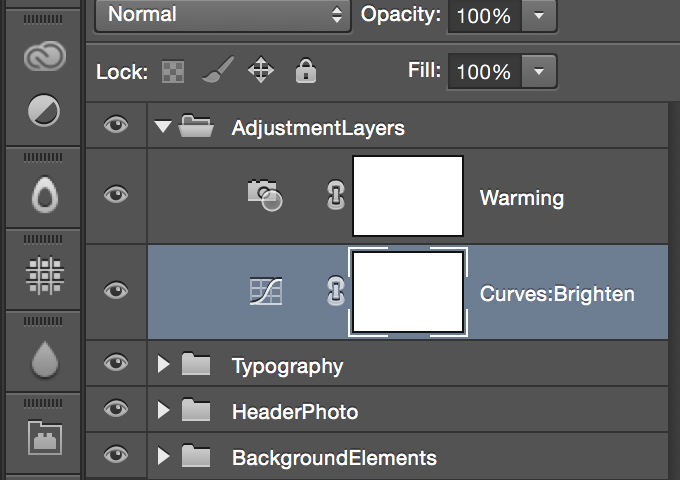
Is there anything worse than a poorly organized Photoshop file? 47 layers labeled “Untitled,” haphazard use of layer groups, hordes of hidden pieces, I shudder at the thought. By contrast, when a designer who religiously follows Photoshop Etiquette sends you a PSD, it’s pure bliss. You use layer comps? Your effects are non-destructive and your shapes are all meticulously vectored? We can be friends.


designer-cod


Fortunately, for those terrible days when you do receive a messy PSD, there are some plugins that can help your rapidly clean things up. Check out our recent collection of amazing Photoshop plugins to get started.


2. Perfectly Straight Bezier Curve Handles


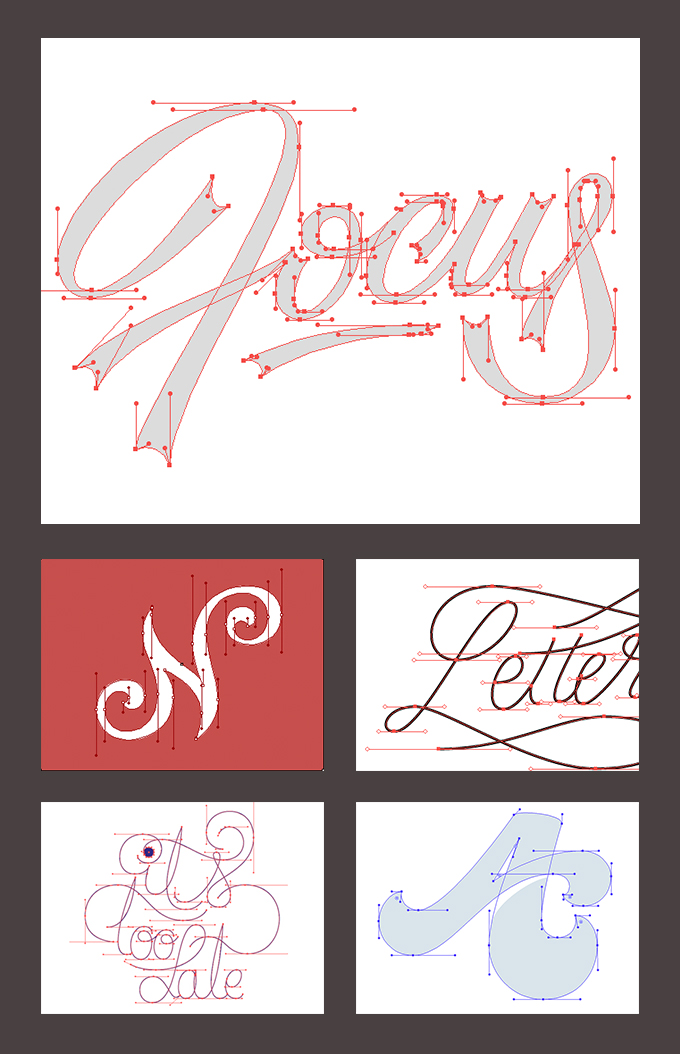
Have you ever seen a piece of fine vectoring where all the bezier handles are perfectly horizontal or vertical? It’s something only the nerdiest of designers truly understand, but there’s just something beautiful and awe-inspiring about it. It feels clean, perfect.


designer-cod


designer-cod


When I first learned to use the Pen Tool over a decade ago, no one ever suggested this technique to me, but these days, it’s quite the trend. I have to admit, the first time I pulled it off, I felt like a king. It’s not all vanity either, the technique does actually make it easier to create smooth curves.


If you’re not convinced or would like to learn more, check out this fantastic tutorial from AGSC.


The examples above and more can be seen in this Dribbble bucket.


3. Color Names That Are Words


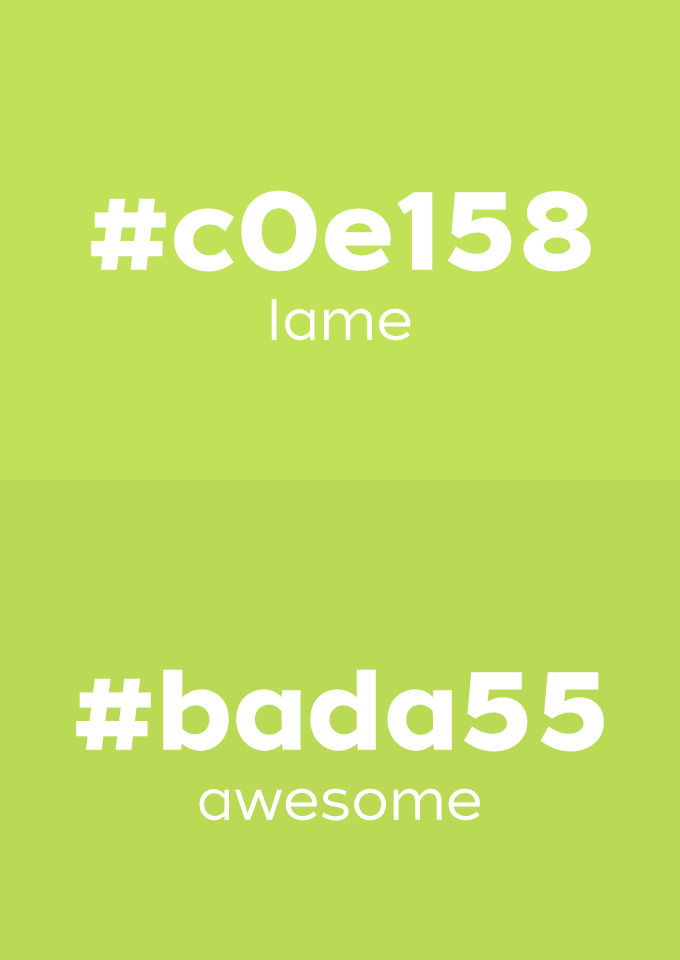
Remember the first time you realized you could write “hello” on a calculator? This is a lot like that, but for designers using CSS. Why settle for a boring green like #b6d553 when you can have something awesome like #bada55? Colors that are words make your CSS look nice and organized and are much easier to remember than typical hex colors.


designer-cod


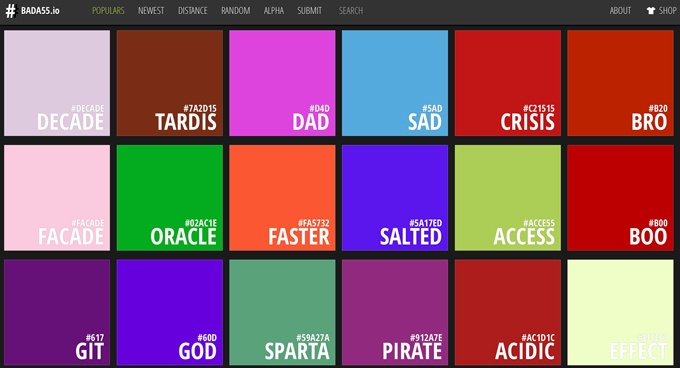
Looking for the right word for your color of choice? The site Bada55.io has a big collection of these that you should definitely check out (warning: the selection of words can skew towards the NSFW side).


designer-cod


4. Moving Something One Pixel to the Right


You know you’ve been there. Whether it’s in Photoshop or the browser, you’re looking at your layout, and it’s just not quite right. Any mere mortal would think you a raving lunatic, but to you, the solution is clear as day: it needs to move one pixel to the right. Not three pixels, not two, one. And let’s face it, somedays, even that’s too far.


designer-cod


5. Perfect Kerning


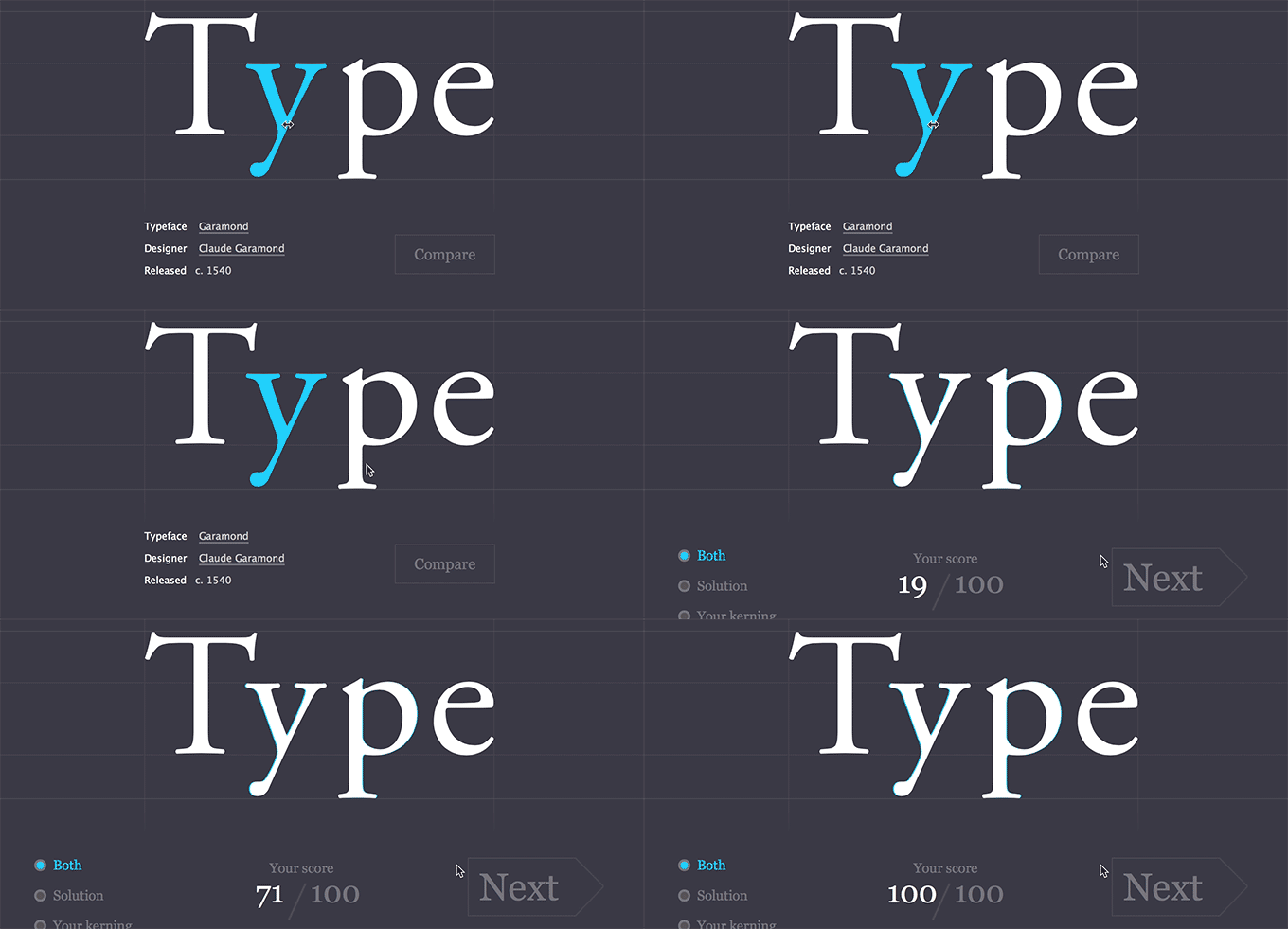
Perfect kerning is part art, part science, and all design nerd. We obsess over the placement of every character in a logo or headline, and we judge others harshly when they neglect this sacred task. Until recently, any old designer could brag on his or her kerning skills with little ramification, but a recent browser game takes you to task and actually scores your performance.


designer-cod


When I play this game, I squint, sigh, shake my head, move letters back and forth a million times, and probably even talk to myself a little bit. In short, I look like a mad man. But when I press that button and see that I scored a perfect, I feel like some kind of design god.


What Do You Obsess Over?


If you’ve got a mad case of obsessive design, leave a comment and let us know which of the things above hits home with you, and also what we missed!


5 Things Obsessive Designers Love

Thursday, March 19, 2015

5 Forward-Thinking Tech Companies That Love Remote Work

Tech companies are embracing the idea of working remotely. Companies are realizing that it is a great way to cut down on overhead costs and take advantage of talent that might not exist in the same area code. With all the new technologies and apps available to startups, working remotely is easier and more effective than ever. Here are five forward-thinking tech companies that really love remote work:


1. Basecamp


The team at Basecamp (formerly 37Signals) created the project management app by the same name and the Ruby on Rails programming language. Dave Heinemeier Hansson, one of the partners, says that they are big supporters of working remotely and have been doing so for the last decade. In fact, he claims that 75% of the Basecamp team is working remotely. Their experiences led him and his co-founder to write a book titled REMOTE: Office Not Required about how employees and employers “can work together, remotely, from any desk, in any space, in any place, anytime, anywhere.” This video offers a great introduction to some of the remote workers in the Basecamp team and how they manage working outside of an office.


2. Treehouse


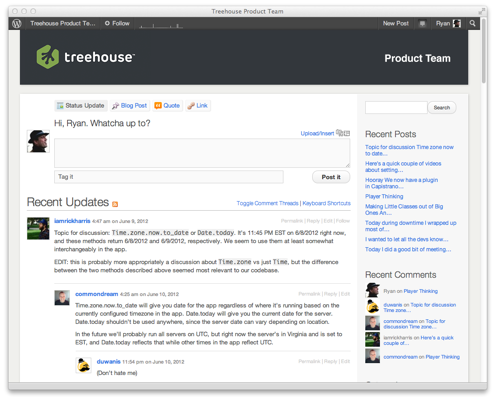
Treehouse is a fantastic resource for anyone interested in learning about HTML, CSS, iPhone apps, and web development in general. The company is hugely supportive of a work-from-home culture, and co-founder Ryan Carson has made it a priority to make remote work part of the company-wide goals and mission. Treehouse schedules company-wide meetings once a year where their 70 full-time employees and student interns get together to hang out and get to know each other. The team schedules monthly 15-minute videos where each member talks about big-picture ideas in the company, helping align everyone’s goals to the company’s mission. Treehouse employees use project management tools like Flow, Convoy and HipChat to stay integrated and decide how best to spend their time every day.


tumblr_m5ggoghlgt1rneiz8


3. WordPress (Automattic)


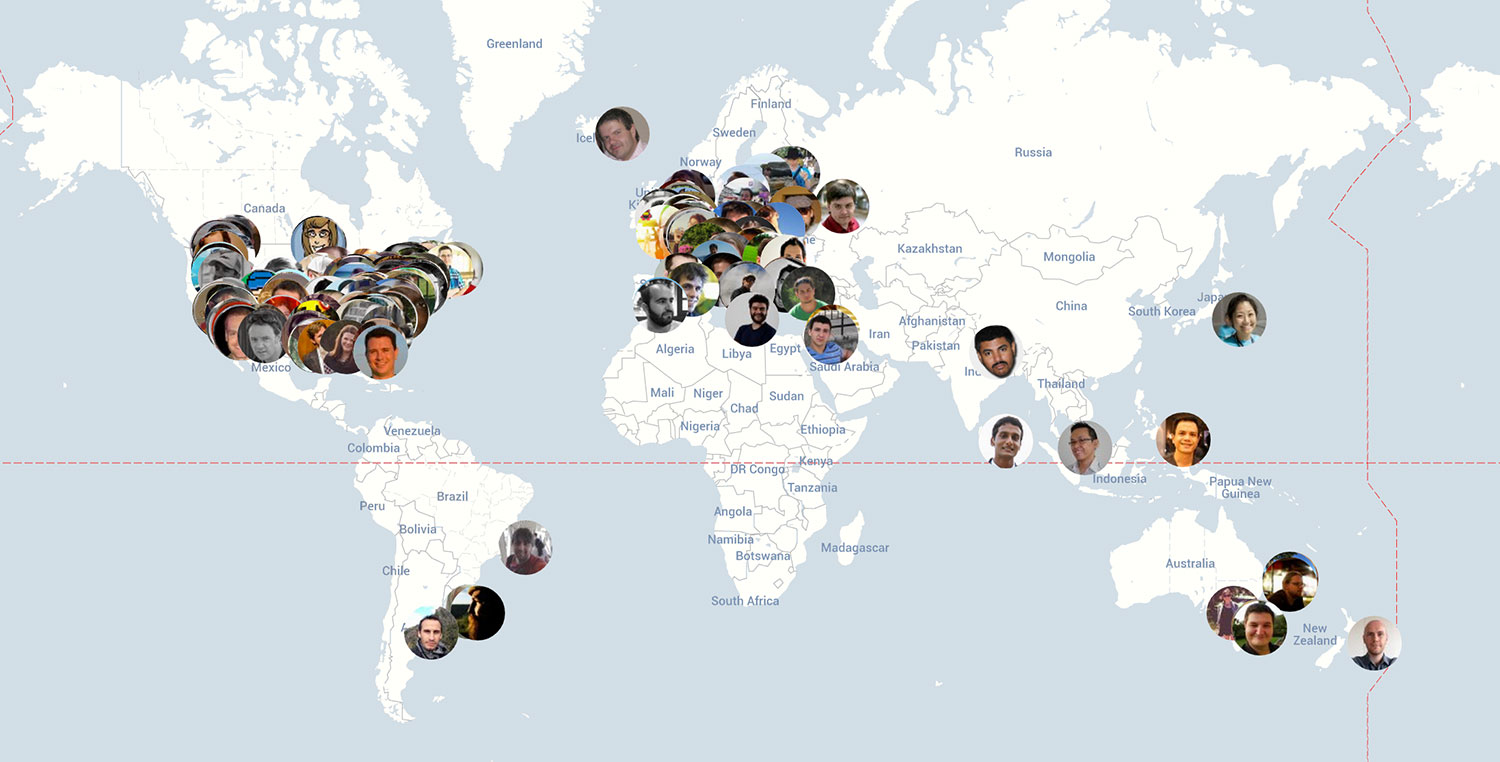
WordPress CEO Matt Mullenweg manages a global workforce of 260 people and decided that having an office is not the best way to run a successful company. He believes that the best way to gain access to the best engineering talent in the world is to have a distributed workforce. WordPress employees communicate with each other using P2, Google Hangouts and other online communication platforms. They organize team meetings every few months in a city of their choosing, using the funds that would otherwise be allocated to run a traditional office.


Automattic_Map

The Automattic team updates this world map with every member’s current location


4. Mozilla


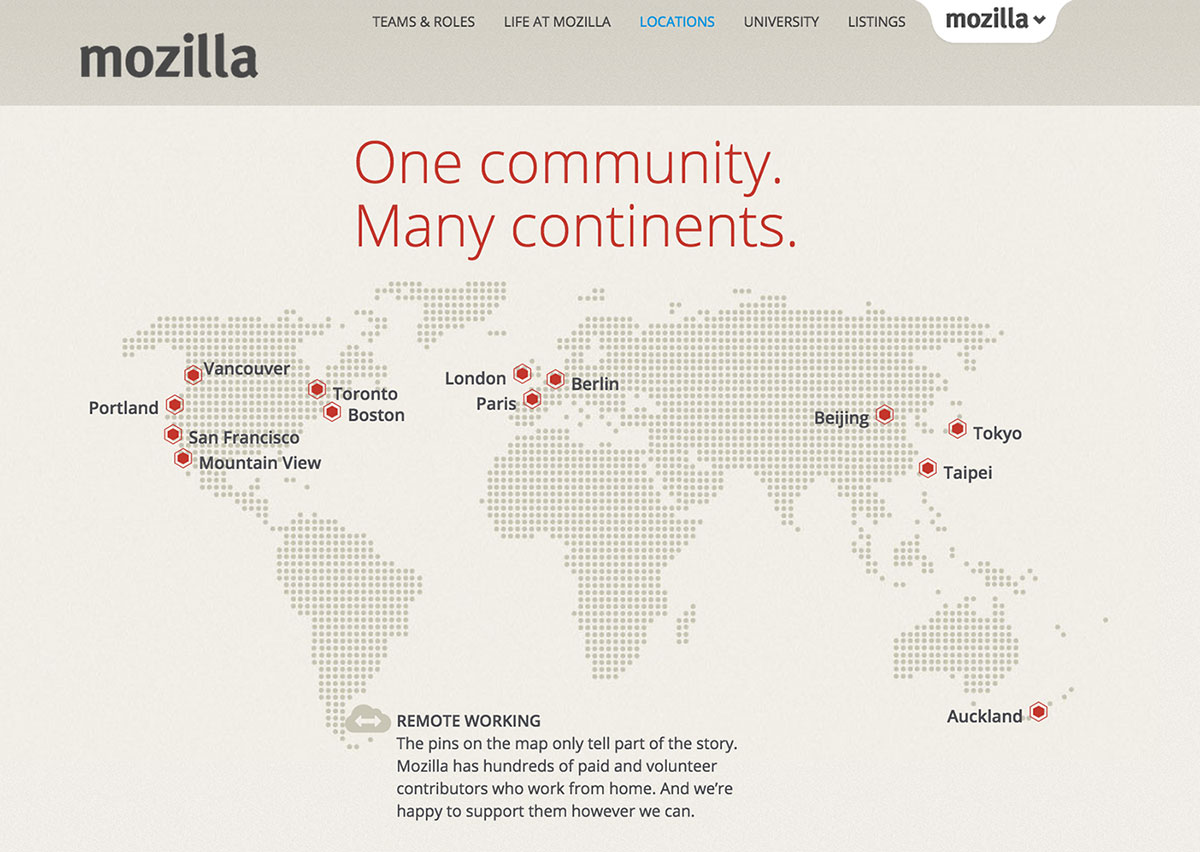
Mozilla is also big on the remote working culture. To them, forcing remote employees into an office is counter intuitive and counter productive. CEO Brian Bondy keeps his employees in the loop by encouraging them to simply call a meeting anytime they have anything to discuss. As in other remote-friendly tech companies, there are specific weeks where employees are flown in to meet in person. All of the company’s paperwork and operational material is completely transparent and available to every employee online.


mozilla


5. Buffer


Buffer has been on the remote work train since the company’s inception. Employees stay productive and on track by using apps like HipChat for communication, Sqwiggle for face-to-face contact, Hackpad for collaborating on documents and in-person get-togethers to connect as a team. When they do meet up, they don’t just stick to an office either. Buffer schedules retreats in fascinating places like Cape Town where work can blend with a little sightseeing, boating and safari action.


In this video Joel & Leo from Buffer discuss why they decided to be a remote team and some of the tools that help them collaborate:


These companies, and many others, are proving how remote work is a truly innovative option to keep employees happy, teams productive, and business successful. Some of our own team members are also working from remote locations, and we couldn’t be happier to collaborate with such talented individuals from anywhere their desk might be.


Products Seen In This Post:


Share on PinterestShare on Pinterest


getpaidtowrite-banner
5 Forward-Thinking Tech Companies That Love Remote Work