Showing posts with label Remote. Show all posts

Tuesday, April 28, 2015

Work From Home: The 10 Best Sites for Landing a Remote Job

A long commute, terrible traffic, constant distractions and impromptu meetings; there are a ton of reasons that you might find your office gig to be more hassle than its worth. If you’re ready to trade in your cubicle for a home office, then it’s time to start your remote job hunt. These days, there are tons of companies who actively recruit remote designers, developers, and other tech-focused roles. The trick is simply finding what’s out there. Hopefully, this list of ten awesome remote job sites will be your first step towards your exciting new career, sans the drive to work!


1. JobsRemotely

romote=jobs


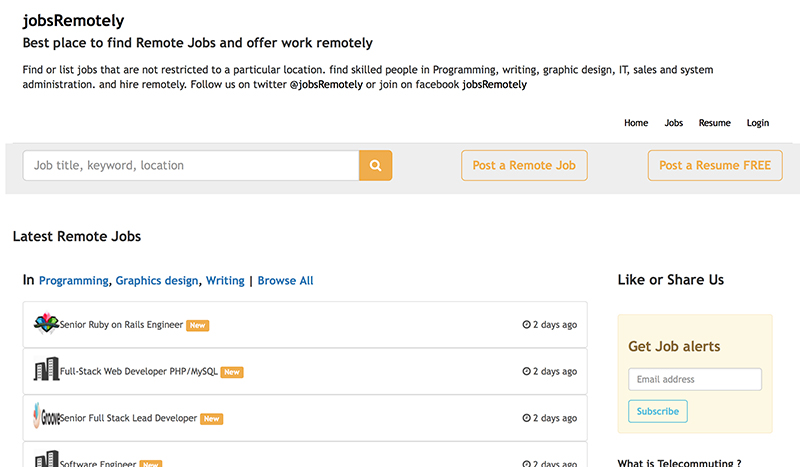
As the title suggests, JobsRemotely only handles remote work opportunities. There are no fees associated with using this site which, is cool. When looking at their job listings, use the ‘Browse All’ option and then you can narrow your search from there, giving you more job options to consider.


They have a Facebook page that lists the jobs as well, that may be more appealing if you prefer to just scroll down and see more details of the job rather than having to click on the job for more information on their main site.


2. Jobscribe

romote=jobs


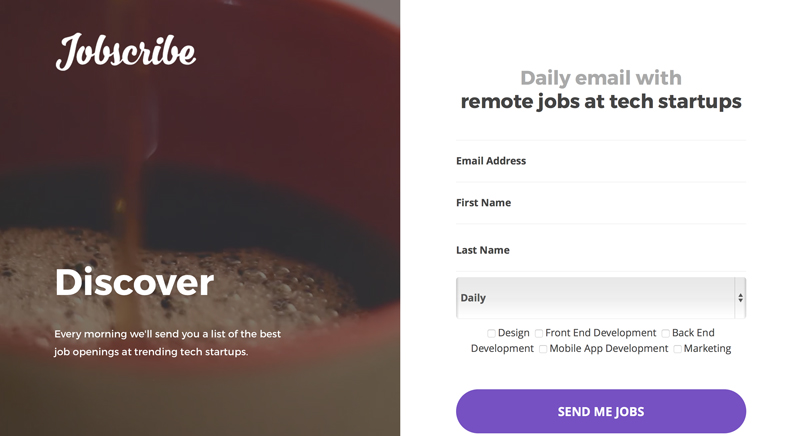
The benefit of Jobscribe is that you can specifically target your area of interest and receive emails that fit your profile. In addition, you receive the option to choose how frequently you want to receive notifications (daily, weekly, or monthly). It’s a hassle-free way to see what’s available out there, no matter what stage your career is in, so you can keep your options open.


3. FlexJobs

romote=jobs


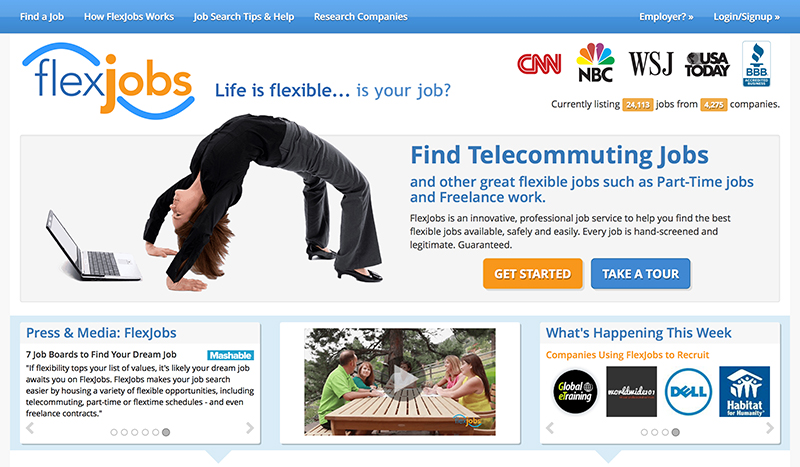
As an A+ business by the Better Business Bureau, FlexJobs has been reported on CNN, USA Today, NBC and other notable news sources. The site is fee based, but reasonable. If you only want to pay for one month, the fee is .95 but if you choose three months for .95, you’re only paying per month. A year long subscription is .95, which is a 61% savings. It all depends on what your objectives are, as in part-time, short-term, full-time, or long-term.


As a visitor to the site, you are able to check out what jobs are available. This is a great tool to see what they have to offer, and if it looks promising, then you can decide to join for whatever length of time you feel you may need. Since FlexJobs also provides jobs at specific locations, should you only want to see remote jobs, be sure to click on the ‘job type’ bar and select ‘remote only’ or you’ll get frustrated sifting through the wide variety they have to offer.


4. We Work Remotely

romote=jobs


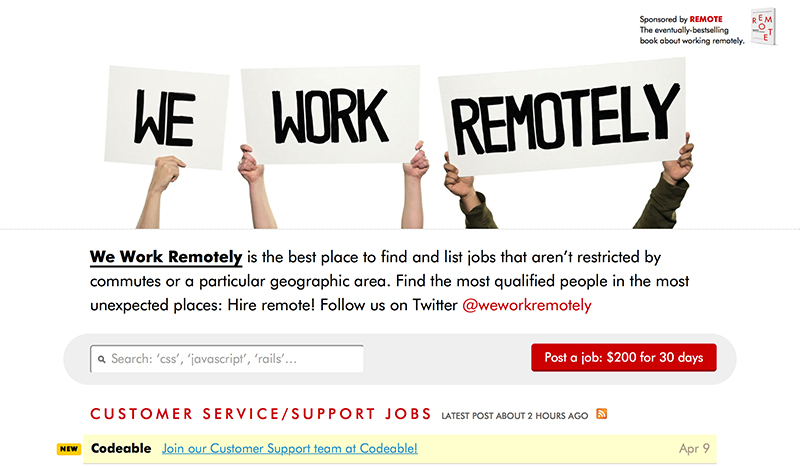
We Work Remotely is a ‘no-nonsense’ site for finding remote design and development work that has no fees associated with job seekers. The only thing that is a bit of a drawback is that the listings aren’t as plentiful as other sites, but the companies they work with are solid.


5. Wfh.io

romote=jobs


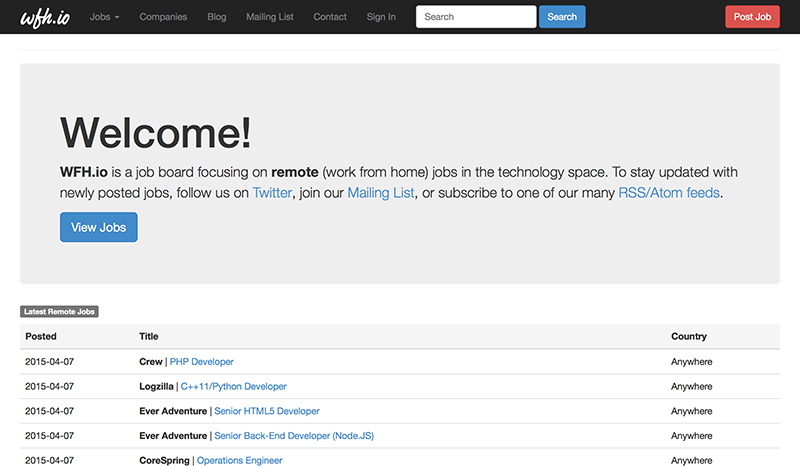
When visiting Wfh.io, just click on ‘View Jobs’ and the opportunities available will be listed by category and date listed. They have a queue ‘mailing list’ where you can sign up for free, checking job categories of interest and then receive an email when jobs in those categories are new listings. You will also receive emails when announcing site updates to keep you in the loop of their activity.


No fees are attached to searching this site. Should you have an interest in gaining remote work with a specific company, check out their ‘Companies’ tab on top which has a very long list of companies they work with and indicate if they have any current job listings.


6. RemoteWorkHunt

romote=jobs


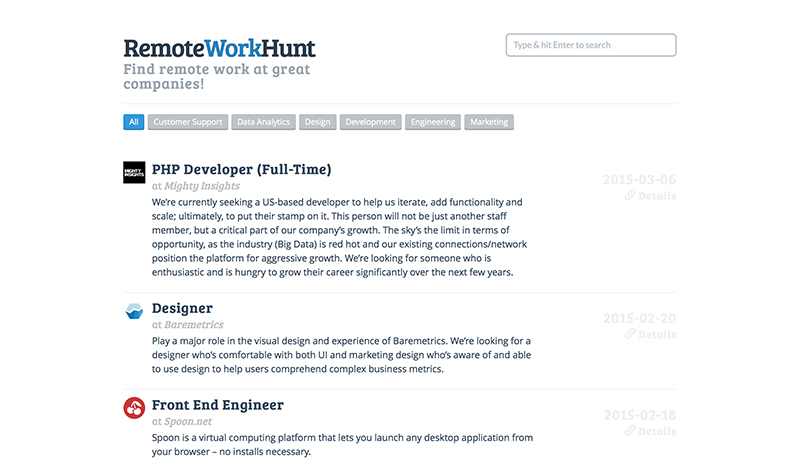
RemoteWorkHunt is one of the easiest sites to navigate through. The top queue bar gives the work categories, so simply clicking on your area of interest provides you with all jobs in your field. If you click on ‘Subscribe’ you can enter your email to receive job notifications. This site offers solid remote positions with great organizations, but the amount of jobs listed is not as large. It’s still worth the viewing if you’re in the hunt!


7. NomadCenter

romote=jobs


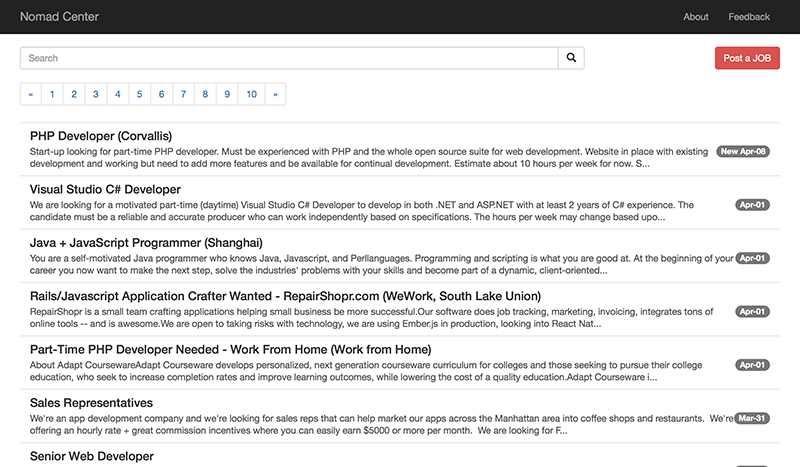
NomadCenter provides one of the larger pools of remote job opportunities and is fairly easy to navigate through. There is no fee for job searchers or, apparently, employee hunters. Yet there is also no line asking what you’re searching for, so it’s important to know what you’re looking for so you can enter it on the site search. With that said, as long as you know what you’re looking for, it’s worth checking into.


8. Working Nomads

romote=jobs


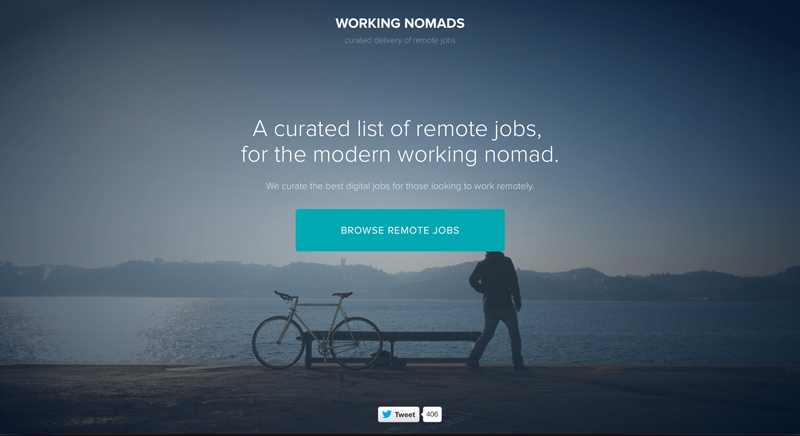
Another site dedicated to remote work, Working Nomads is heavy on design and development positions. Out of 6 job categories listed, development is at the top and design has the second most opportunities. At the time of writing, they have 310 jobs listed for development work and 44 in the design category. Not bad! There is no fee attached and it also provides the option to subscribe for free to receive emails regarding new jobs you may be interested in. Definitely worth having a look.


9. Virtual Vocations

romote=jobs


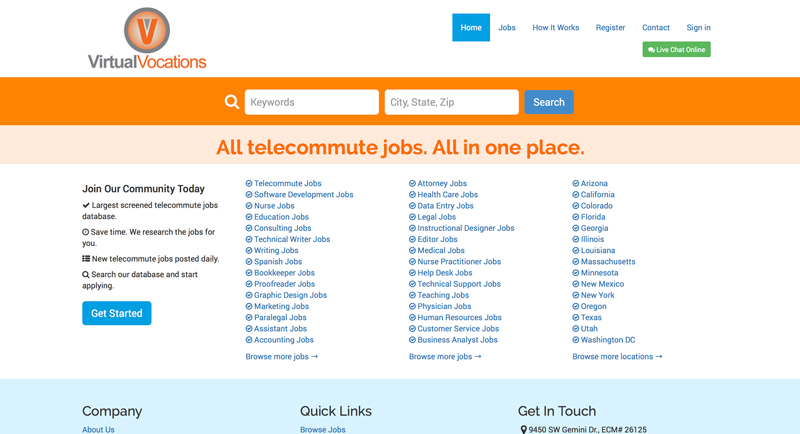
Virtual Vocations is another very comprehensive site. Although currently holding a B+ rating with the Better Business Bureau, they have consistently sought to improve customer satisfaction to up their rating and are close to an A rating. They offer both free and paid memberships. Pricing for paid memberships are listed as .99 for weekly, .99 for monthly, .99 for 3 months, and .99 for 6 months. In the worst case scenario, you’re looking at per month long term to access the site.


With a free membership, you can access jobs, list your resume, access a record of jobs you’ve applied to and create personal notes on jobs applied to. The benefits of being a paid member provide access to a database of telecommuting companies, create a personalized portfolio of work samples and a confidential upload and storage of resume and cover letters to quickly apply to new jobs. They claim to be the largest, screened telecommute jobs database and possibly may be. When you enter the site, there is a list to choose from larger than any we’ve seen so far.


10. Remote Internships


romote=jobs


Remote Internships is a great site to help a designer get their foot into the door of a tech startup. If you want to make your mark on a startup, this is the place to go. Their intern focus is on Programming, Design, Business, Marketing, Copywriting, Customer Support and Miscellaneous. Definitely a good spot for a cutting edge talent.


What’d We Miss?


We searched far and wide for the best remote job sites, but we’ve no doubt missed a few gems. Leave a comment and let us know about any that you’ve seen lately. Also let us know if you’ve tried any of the sites above and whether or not you found them to be valuable.


Work From Home: The 10 Best Sites for Landing a Remote Job

Friday, April 3, 2015

How to Enable Chrome DevTools App for Remote Debugging

The Chrome DevTools App is created by Kenneth Auchenberg in an attempt to take devtools out of the browser – in this case out of the Chrome browser. This application is built based on NW.js and can run on Mac OS X as well as on Linux and Windows.


There are many reasons that prompted the maker to create this but his vision consists of giving developers the convenience of remote debugging across multiple browsers, all from the same unified platform (app). The idea will take some time to catch on and materialize due to a variety of reasons (and resistance, which you can read up on at his blog).


We’ll take a brief look at the Chrome DevTools App and see what Google has to offer developers.


More on Hongkiat:


Installation


Download the Chrome-Devtools.app.zip and extract it. Double click to run. Start your Chrome Browser and enable remote debugging.


To do this on the Mac, open the terminal and run the command below:


sudo /Applications/Google Chrome.app/Contents/MacOS/Google Chrome –remote-debugging-port=9222

If you run windows, open the Command Prompt and use this command:


start chrome.exe –remote-debugging-port=9222

How to Use


When your Chrome is already open, with the remote debugging feature enabled, you can now browse to any site. For example we opened Hongkiat.com for this exercise. Next, we head over to the Chrome DevTools app window, and refresh this list (the button is at the bottom right side).


Now you will see the Hongkiat.com link listed (as shown below).


Now click the ‘Go’ button. You will be taken to a new window. That’s it. You have the Chrome DevTools app up and running already. What you’ll see here is the same as when you "inspect element"’ on t he Chrome browser.


And from here you can use the Chrome DevTools app just like using DevTools on Chrome natively: you can inspect the DOM element, debug JavaScript, work with Console and more.


What’s next?


This app is still very experimental. But for now, the idea of taking the DevTool out of Chrome allows developers to treat the app as a functional editor, and work with other runtimes like node.js and iOS. For more possibilities, you can check out Auchenberg’s train of thought here.


How to Enable Chrome DevTools App for Remote Debugging

How to Enable Chrome DevTools App for Remote Debugging

The Chrome DevTools App is created by Kenneth Auchenberg in an attempt to take devtools out of the browser – in this case out of the Chrome browser. This application is built based on NW.js and can run on Mac OS X as well as on Linux and Windows.


There are many reasons that prompted the maker to create this but his vision consists of giving developers the convenience of remote debugging across multiple browsers, all from the same unified platform (app). The idea will take some time to catch on and materialize due to a variety of reasons (and resistance, which you can read up on at his blog).


We’ll take a brief look at the Chrome DevTools App and see what Google has to offer developers.


More on Hongkiat:


Installation


Download the Chrome-Devtools.app.zip and extract it. Double click to run. Start your Chrome Browser and enable remote debugging.


To do this on the Mac, open the terminal and run the command below:


sudo /Applications/Google Chrome.app/Contents/MacOS/Google Chrome –remote-debugging-port=9222

If you run windows, open the Command Prompt and use this command:


start chrome.exe –remote-debugging-port=9222

How to Use


When your Chrome is already open, with the remote debugging feature enabled, you can now browse to any site. For example we opened Hongkiat.com for this exercise. Next, we head over to the Chrome DevTools app window, and refresh this list (the button is at the bottom right side).


Now you will see the Hongkiat.com link listed (as shown below).


Now click the ‘Go’ button. You will be taken to a new window. That’s it. You have the Chrome DevTools app up and running already. What you’ll see here is the same as when you "inspect element"’ on t he Chrome browser.


And from here you can use the Chrome DevTools app just like using DevTools on Chrome natively: you can inspect the DOM element, debug JavaScript, work with Console and more.


What’s next?


This app is still very experimental. But for now, the idea of taking the DevTool out of Chrome allows developers to treat the app as a functional editor, and work with other runtimes like node.js and iOS. For more possibilities, you can check out Auchenberg’s train of thought here.


How to Enable Chrome DevTools App for Remote Debugging

Thursday, March 19, 2015

5 Forward-Thinking Tech Companies That Love Remote Work

Tech companies are embracing the idea of working remotely. Companies are realizing that it is a great way to cut down on overhead costs and take advantage of talent that might not exist in the same area code. With all the new technologies and apps available to startups, working remotely is easier and more effective than ever. Here are five forward-thinking tech companies that really love remote work:


1. Basecamp


The team at Basecamp (formerly 37Signals) created the project management app by the same name and the Ruby on Rails programming language. Dave Heinemeier Hansson, one of the partners, says that they are big supporters of working remotely and have been doing so for the last decade. In fact, he claims that 75% of the Basecamp team is working remotely. Their experiences led him and his co-founder to write a book titled REMOTE: Office Not Required about how employees and employers “can work together, remotely, from any desk, in any space, in any place, anytime, anywhere.” This video offers a great introduction to some of the remote workers in the Basecamp team and how they manage working outside of an office.


2. Treehouse


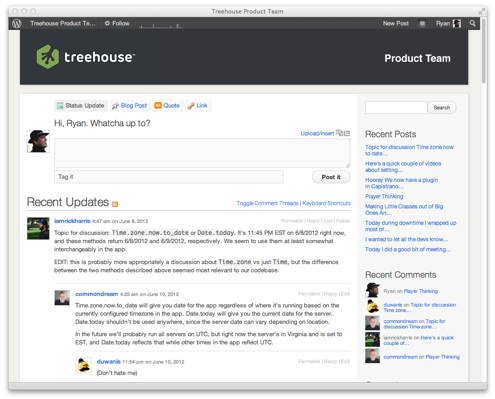
Treehouse is a fantastic resource for anyone interested in learning about HTML, CSS, iPhone apps, and web development in general. The company is hugely supportive of a work-from-home culture, and co-founder Ryan Carson has made it a priority to make remote work part of the company-wide goals and mission. Treehouse schedules company-wide meetings once a year where their 70 full-time employees and student interns get together to hang out and get to know each other. The team schedules monthly 15-minute videos where each member talks about big-picture ideas in the company, helping align everyone’s goals to the company’s mission. Treehouse employees use project management tools like Flow, Convoy and HipChat to stay integrated and decide how best to spend their time every day.


tumblr_m5ggoghlgt1rneiz8


3. WordPress (Automattic)


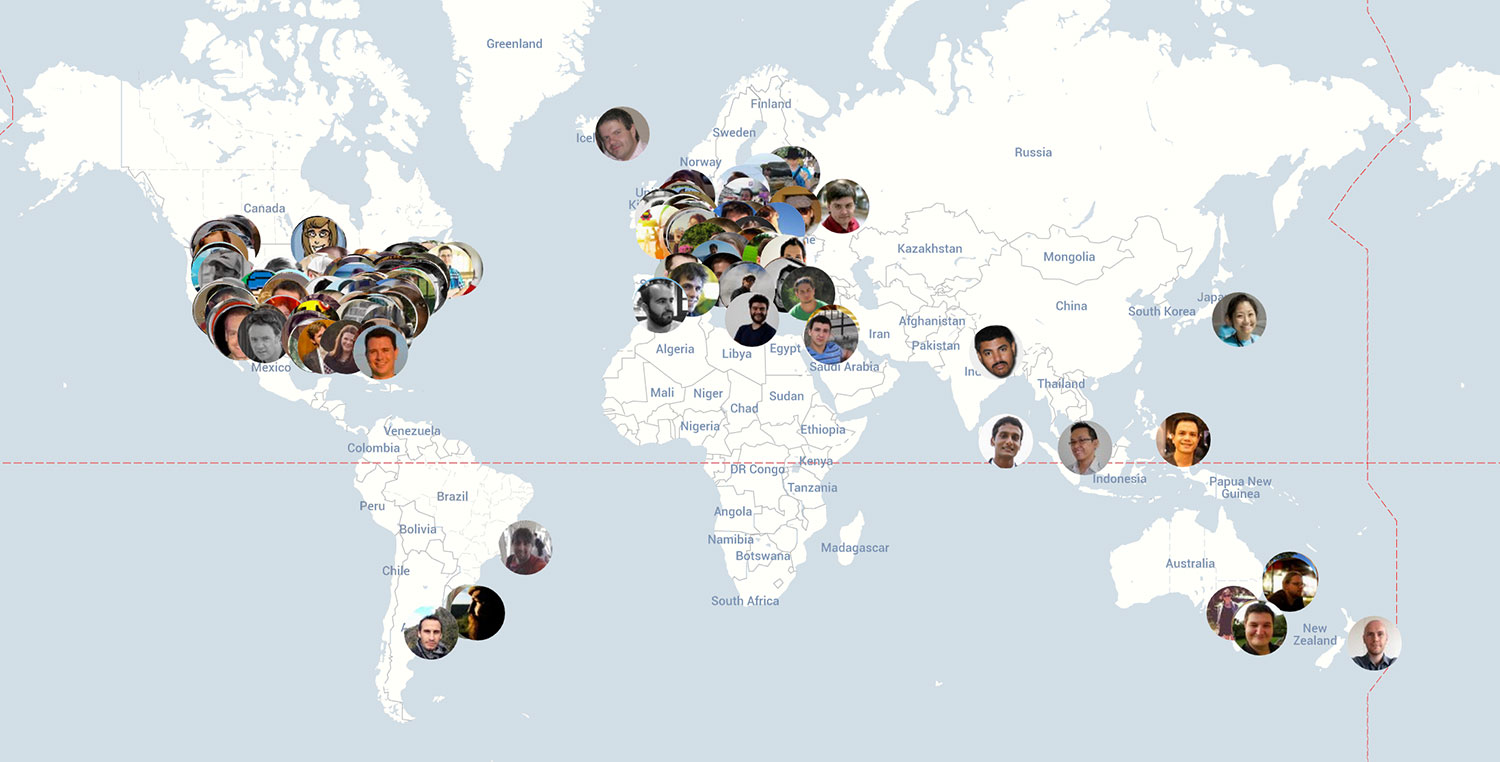
WordPress CEO Matt Mullenweg manages a global workforce of 260 people and decided that having an office is not the best way to run a successful company. He believes that the best way to gain access to the best engineering talent in the world is to have a distributed workforce. WordPress employees communicate with each other using P2, Google Hangouts and other online communication platforms. They organize team meetings every few months in a city of their choosing, using the funds that would otherwise be allocated to run a traditional office.


Automattic_Map

The Automattic team updates this world map with every member’s current location


4. Mozilla


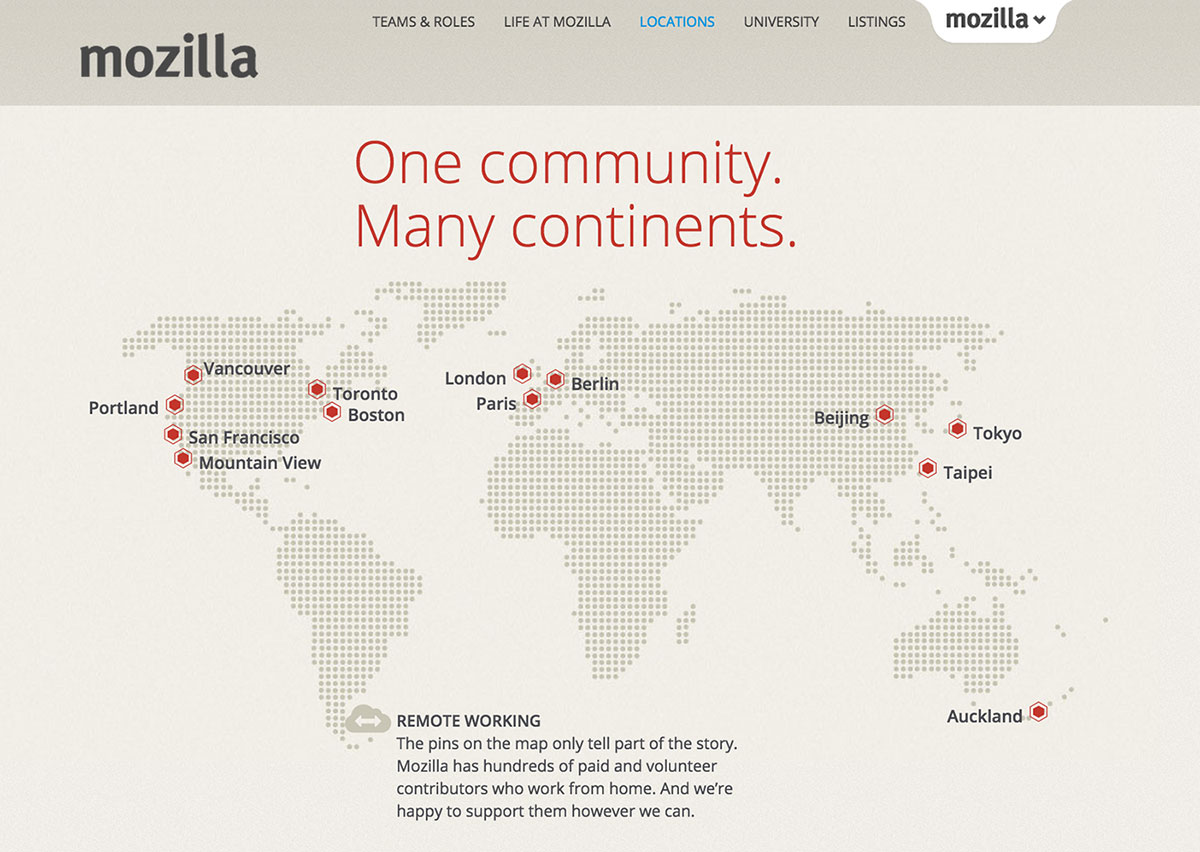
Mozilla is also big on the remote working culture. To them, forcing remote employees into an office is counter intuitive and counter productive. CEO Brian Bondy keeps his employees in the loop by encouraging them to simply call a meeting anytime they have anything to discuss. As in other remote-friendly tech companies, there are specific weeks where employees are flown in to meet in person. All of the company’s paperwork and operational material is completely transparent and available to every employee online.


mozilla


5. Buffer


Buffer has been on the remote work train since the company’s inception. Employees stay productive and on track by using apps like HipChat for communication, Sqwiggle for face-to-face contact, Hackpad for collaborating on documents and in-person get-togethers to connect as a team. When they do meet up, they don’t just stick to an office either. Buffer schedules retreats in fascinating places like Cape Town where work can blend with a little sightseeing, boating and safari action.


In this video Joel & Leo from Buffer discuss why they decided to be a remote team and some of the tools that help them collaborate:


These companies, and many others, are proving how remote work is a truly innovative option to keep employees happy, teams productive, and business successful. Some of our own team members are also working from remote locations, and we couldn’t be happier to collaborate with such talented individuals from anywhere their desk might be.


Products Seen In This Post:


Share on PinterestShare on Pinterest


getpaidtowrite-banner
5 Forward-Thinking Tech Companies That Love Remote Work

Tuesday, March 17, 2015

5 Forward-Thinking Tech Companies That Love Remote Work

Tech companies are embracing the idea of working remotely. Companies are realizing that it is a great way to cut down on overhead costs and take advantage of talent that might not exist in the same area code. With all the new technologies and apps available to startups, working remotely is easier and more effective than ever. Here are five forward-thinking tech companies that really love remote work:


1. Basecamp


The team at Basecamp (formerly 37Signals) created the project management app by the same name and the Ruby on Rails programming language. Dave Heinemeier Hansson, one of the partners, says that they are big supporters of working remotely and have been doing so for the last decade. In fact, he claims that 75% of the Basecamp team is working remotely. Their experiences led him and his co-founder to write a book titled REMOTE: Office Not Required about how employees and employers “can work together, remotely, from any desk, in any space, in any place, anytime, anywhere.” This video offers a great introduction to some of the remote workers in the Basecamp team and how they manage working outside of an office.


2. Treehouse


Treehouse is a fantastic resource for anyone interested in learning about HTML, CSS, iPhone apps, and web development in general. The company is hugely supportive of a work-from-home culture, and co-founder Ryan Carson has made it a priority to make remote work part of the company-wide goals and mission. Treehouse schedules company-wide meetings once a year where their 70 full-time employees and student interns get together to hang out and get to know each other. The team schedules monthly 15-minute videos where each member talks about big-picture ideas in the company, helping align everyone’s goals to the company’s mission. Treehouse employees use project management tools like Flow, Convoy and HipChat to stay integrated and decide how best to spend their time every day.


tumblr_m5ggoghlgt1rneiz8


3. WordPress (Automattic)


WordPress CEO Matt Mullenweg manages a global workforce of 260 people and decided that having an office is not the best way to run a successful company. He believes that the best way to gain access to the best engineering talent in the world is to have a distributed workforce. WordPress employees communicate with each other using P2, Google Hangouts and other online communication platforms. They organize team meetings every few months in a city of their choosing, using the funds that would otherwise be allocated to run a traditional office.


Automattic_Map

The Automattic team updates this world map with every member’s current location


4. Mozilla


Mozilla is also big on the remote working culture. To them, forcing remote employees into an office is counter intuitive and counter productive. CEO Brian Bondy keeps his employees in the loop by encouraging them to simply call a meeting anytime they have anything to discuss. As in other remote-friendly tech companies, there are specific weeks where employees are flown in to meet in person. All of the company’s paperwork and operational material is completely transparent and available to every employee online.


mozilla


5. Buffer


Buffer has been on the remote work train since the company’s inception. Employees stay productive and on track by using apps like HipChat for communication, Sqwiggle for face-to-face contact, Hackpad for collaborating on documents and in-person get-togethers to connect as a team. When they do meet up, they don’t just stick to an office either. Buffer schedules retreats in fascinating places like Cape Town where work can blend with a little sightseeing, boating and safari action.


In this video Joel & Leo from Buffer discuss why they decided to be a remote team and some of the tools that help them collaborate:


These companies, and many others, are proving how remote work is a truly innovative option to keep employees happy, teams productive, and business successful. Some of our own team members are also working from remote locations, and we couldn’t be happier to collaborate with such talented individuals from anywhere their desk might be.


Products Seen In This Post:


Share on PinterestShare on Pinterest


getpaidtowrite-banner
5 Forward-Thinking Tech Companies That Love Remote Work

Saturday, February 21, 2015

5 Remote Worker Myths You Need To Stop Believing

What is the first thought that you have when you hear the term "remote workers"? Do they wake up at noon, work from the couch in their pajamas, and hardly get anything done? Or are they moms with hordes of children running in the house with the sole purpose of keeping them from being effectively focused?


While these thoughts maybe common, they are also very limiting – as in, they limit an entrepreneur’s perception of remote workers who could possibly be the right people to help their business thrive. By taking a closer look at actual data about remote workers, it becomes clear that most of the myths we have had about remote workers are far from the truth.


Myth 1: They’re Parents, Mostly Women


First, it’s important to clarify that there is no hard data indicating that parents who work remotely are less effective than individuals without children, nor do women as a demographic group do inferior work to men. Even if your remote worker is a mom with two kids at home, there’s no reason to prefer another worker who’s a single male living alone, purely on that basis.


via Jeffrey Smith


If you do, be careful, because in many cases, even asking about parental status in an interview or choosing employees based on gender is illegal.


The actual demographics of most remote workers busts this myth wide open: in the United States at least, most people who work remotely are men. Women tend to work more office hours overall and are less likely to pursue a purely remote job.


Myth 2: You Get What You Pay For


There’s as much variation in talent as there is in pay when it comes to remote workers. Many independent contractor – especially the ones that work with startups or remote company owners – pitch their own pay rate to their clients based on their perception of their skills and experience against what they think the going market rate should be.


It’s easy for their perception of their skills and of a fair market rate to differ from reality, for better or worse. Instead of looking at a contractor’s requested pay rate as a direct correlation with their quality of work, ask for examples and references. Interview them and get a feel for their expertise before you hire.


A good candidate for remote work will be happy to provide this information because they understand it’s important to provide results when working remotely.


Myth 3: They Work Less


Among remote workers who are hired full time, there’s a strong incentive to fill their weekly hours and have substantial work to show for it: there’s no facetime involved in their job.


There’s also much less separation between their work and personal lives because they can (and sometimes do) literally turn on their computer and begin work within 5 minutes of waking up. Of course, if you hire a remote worker and cap their weekly hours at 15 or 20 per week, they will work up to that limit and not over, most of the time.


However, studies of companies that employ remote workers have not found a correlation between remote work and lower productivity. In fact, the opposite may be true.


Myth 4: Domestic Talent is Better Than Overseas


If domestic talent is uniformly better, that would mean that education in the United States is no. 1 worldwide and that no one in the United States has ever been fired for under-performing. That’s simply not true – top talent is top talent, no matter where in the world they’re located. Plenty of highly skilled and in-demand virtual assistants, developers, and graphic designers work from many other countries around the world.


It’s hard to come up with a compelling business reason to prefer a poor or mediocre local developer to someone with a proven record of high quality work from another country.


The bigger question is how to know if a remote worker is a high performer before hiring them. In the worst case scenario, we’d probably like to know if they are over-promising what they can do before they have billed us too many hours. Time tracking and productivity tracking tools are essential for this.


On top of that, carefully checking a contractor’s previous work before they’re hired, then establishing automated check-ins that let you see how a new hire is performing, are great ways to overcome this remote worker myth and get the best talent worldwide.


Myth 5: They Are (Or Have to Be) introverts to work remotely


An extrovert is an ideal candidate for remote work because communication is vital to their success and their employer’s success. Remote employees should never “go dark” – best practices for communication involve checking in regularly via email, chat, video, or any other method of virtual communication. This is natural for extroverts but might be more of a challenge for introverts.


Extroverts will still get the socialization they need by working in cafes, coworking spaces, and any other public place with an internet connection.


Wrap Up


Working remotely can be extremely valuable not only for employees, but also for companies. By really taking the time to understand how to make remote organization work within their company, an entrepreneur can add more value to their business in many different ways.


Trusting remote workers, enabling remote communication and giving them collaboration tools, and implementing procedures that work, all depend on letting go of these common prejudices against remote workers.


Editor’s note: This is written by Dave Nevogt for Hongkiat.com. Dave is an online marketing consultant. He’s also the co-founder and CMO of Hubstaff, a wholly remote company headquartered in Indianapolis, IN.


5 Remote Worker Myths You Need To Stop Believing

Friday, February 20, 2015

5 Remote Worker Myths You Need To Stop Believing

What is the first thought that you have when you hear the term "remote workers"? Do they wake up at noon, work from the couch in their pajamas, and hardly get anything done? Or are they moms with hordes of children running in the house with the sole purpose of keeping them from being effectively focused?


While these thoughts maybe common, they are also very limiting – as in, they limit an entrepreneur’s perception of remote workers who could possibly be the right people to help their business thrive. By taking a closer look at actual data about remote workers, it becomes clear that most of the myths we have had about remote workers are far from the truth.


Myth 1: They’re Parents, Mostly Women


First, it’s important to clarify that there is no hard data indicating that parents who work remotely are less effective than individuals without children, nor do women as a demographic group do inferior work to men. Even if your remote worker is a mom with two kids at home, there’s no reason to prefer another worker who’s a single male living alone, purely on that basis.


via Jeffrey Smith


If you do, be careful, because in many cases, even asking about parental status in an interview or choosing employees based on gender is illegal.


The actual demographics of most remote workers busts this myth wide open: in the United States at least, most people who work remotely are men. Women tend to work more office hours overall and are less likely to pursue a purely remote job.


Myth 2: You Get What You Pay For


There’s as much variation in talent as there is in pay when it comes to remote workers. Many independent contractor – especially the ones that work with startups or remote company owners – pitch their own pay rate to their clients based on their perception of their skills and experience against what they think the going market rate should be.


It’s easy for their perception of their skills and of a fair market rate to differ from reality, for better or worse. Instead of looking at a contractor’s requested pay rate as a direct correlation with their quality of work, ask for examples and references. Interview them and get a feel for their expertise before you hire.


A good candidate for remote work will be happy to provide this information because they understand it’s important to provide results when working remotely.


Myth 3: They Work Less


Among remote workers who are hired full time, there’s a strong incentive to fill their weekly hours and have substantial work to show for it: there’s no facetime involved in their job.


There’s also much less separation between their work and personal lives because they can (and sometimes do) literally turn on their computer and begin work within 5 minutes of waking up. Of course, if you hire a remote worker and cap their weekly hours at 15 or 20 per week, they will work up to that limit and not over, most of the time.


However, studies of companies that employ remote workers have not found a correlation between remote work and lower productivity. In fact, the opposite may be true.


Myth 4: Domestic Talent is Better Than Overseas


If domestic talent is uniformly better, that would mean that education in the United States is no. 1 worldwide and that no one in the United States has ever been fired for under-performing. That’s simply not true – top talent is top talent, no matter where in the world they’re located. Plenty of highly skilled and in-demand virtual assistants, developers, and graphic designers work from many other countries around the world.


It’s hard to come up with a compelling business reason to prefer a poor or mediocre local developer to someone with a proven record of high quality work from another country.


The bigger question is how to know if a remote worker is a high performer before hiring them. In the worst case scenario, we’d probably like to know if they are over-promising what they can do before they have billed us too many hours. Time tracking and productivity tracking tools are essential for this.


On top of that, carefully checking a contractor’s previous work before they’re hired, then establishing automated check-ins that let you see how a new hire is performing, are great ways to overcome this remote worker myth and get the best talent worldwide.


Myth 5: They Are (Or Have to Be) introverts to work remotely


An extrovert is an ideal candidate for remote work because communication is vital to their success and their employer’s success. Remote employees should never “go dark” – best practices for communication involve checking in regularly via email, chat, video, or any other method of virtual communication. This is natural for extroverts but might be more of a challenge for introverts.


Extroverts will still get the socialization they need by working in cafes, coworking spaces, and any other public place with an internet connection.


Wrap Up


Working remotely can be extremely valuable not only for employees, but also for companies. By really taking the time to understand how to make remote organization work within their company, an entrepreneur can add more value to their business in many different ways.


Trusting remote workers, enabling remote communication and giving them collaboration tools, and implementing procedures that work, all depend on letting go of these common prejudices against remote workers.


Editor’s note: This is written by Dave Nevogt for Hongkiat.com. Dave is an online marketing consultant. He’s also the co-founder and CMO of Hubstaff, a wholly remote company headquartered in Indianapolis, IN.


5 Remote Worker Myths You Need To Stop Believing

Sunday, February 1, 2015

Enterprise Productivity Apps for Remote Teams


It’s an exciting time to be a designer. With almost unlimited connectivity, designers and firms can work together without needing to inhabit the same space. Many designers and web professionals love the ability to be mobile, and luckily for them, more and more companies, particularly startups, are starting to embrace a remote workforce.


Especially when outside of an office environment, staying on task and completing projects on a deadline can be difficult for even the more pragmatic creative. It’s essential, however, that both companies and workers are able to track progress and communicate effectively on a daily basis. It is also imperative that individuals can work as a team, even if they are hundreds of miles apart.


These needs have led to the emergence of some valuable productivity software and apps, in recent years. One part internal social network and one part project management software, these new apps allow everyone involved in a project to communicate and work together effortlessly, no matter where they are physically located. Whether you are a company owner who is trying to track and promote internal productivity or a worker trying to stay ahead of the game, an enterprise mobile app could ultimately be the answer for you.


Check out our roundup of the top 5 enterprise mobile apps that boost productivity, and unleash your potential.


Trello


If you’re looking for a great project management tool, Trello is a great option as it allows for anyone to create “Trello Cards” that can be assigned to different groups or individuals.


Trello


Trello also utilizes queues, so you can track a project from concept to completion. It’s easy to use and the design is on point, making for a user-friendly experience. Trello’s mobile app is among the least convoluted we’ve seen, making for a seamless transition from desktop to mobile.


SignEasy


A document signing app, might not be the first thing a designer thinks of in terms of helping productivity, but it is hugely valuable for employees who are working abroad, or freelancing.


SignEasy


SignEasy is a mobile, cloud-friendly software that allows clients, employees and higher-ups to sign off on documents no matter where they’re located. This eliminates the hold-up of receiving things in the mail – or the hassle of trying to find a fax machine anywhere these days.


Syncplicity


It’s immediately obvious that their mobile design team put user experience first when creating Syncplicity’s file sharing and management app. It’s easy to manage any files from the touch of your phone or tablet with Syncplicity’s sheet stack interface.


Syncplicity


It allows you to easily and securely send and share documents, as well as access them from any device, without missing a beat. When you have a team working on a large project with multiple files that need to be downloaded and uploaded quickly and effortlessly, Syncplicity is an awesome choice.


Sapience


Sapience is a mindfulness enterprise app that allows for proficient time management, ensuring businesses can maximize efficiency with both on and offsite employees.


Sapience


The app analyzes your smartphone usages and give you a clear visual on how your day was spent. It allows you to tag your phone calls, app-usage and work-related travel effortlessly. Sapience helps individuals and businesses see where they spend their time the most, so they can schedule and allocate budget appropriately.


Evernote


From your computer to your smartphone, Evernote allows you to seamlessly work on projects from initial notes to completion, and even presentation. Think of it as a super-hero notepad.


Evernote


It allows you to save inspiration from around the web, journal, take notes and work on full-length project – all in one platform. It is also a great organizing tool. If you are working on a number of creative projects at one time, Evernote will be one of your go-to apps for keeping everything on track.


Finished!


Everyone can always use a little bit of productivity push, and the apps above actually make it easier to go the extra mile. Give them a shot and let us know what you think!


The post Enterprise Productivity Apps for Remote Teams appeared first on Speckyboy Web Design Magazine.


Enterprise Productivity Apps for Remote Teams