Showing posts with label Landing. Show all posts

Thursday, June 18, 2015

Optimizing Landing Pages for Multichannel Marketing


Strictly defined, a landing page is a singular web page that’s built to receive visitors from a defined subset of a target audience. These pages are responsible for persuading visitors to heed calls to action that will fulfill a marketer’s conversion goals.


The average person may think that all landing pages do is capture email addresses, but that’s not the case. Landing pages may also be used to facilitate downloads, persuade visitors to subscribe to newsletters, show videos, pitch sales, upsell existing customers, or offer other navigational options.


landing_page_01


Technically, any web page that’s being used as the go-to destination for advertising and SEO can be classified as a landing page. This is particularly true in multi-channel marketing where different promotional avenues may require different configurations and styles of landing pages that are best fitted to receive the kind of traffic that each channel pushes.


Optimizing a Landing Page


Advertising and SEO aren’t enough to turn visits into qualified leads. Most of the time, marketers have to do varying levels of optimization to make sure the pages get good visibility while serving up good user experiences that encourage conversions. Here are nine steps to optimize a landing page for various promotional channels:


1. Determine the Landing Page’s Purpose

The first step in creating a functional landing page is deciding what it’s for. Are you using it to generate leads? Perhaps to pitch a sale? Whatever it is, the purpose has to be solitary and focused. Trying to get a visitor to do more than one thing usually leads to confusion and failure.


landing_page_01


The landing page’s purpose sets the tone for everything from its headline to the body text and right down to its call to action. Keep in mind that Internet browsing attention span is short and volatile. If you bore or confuse your audience, your conversion rate suffers. Keep the messaging simple and united at all times.


2. Identify and Set the Value Proposition

In marketing, it’s never about you and what you want. It’s always about what’s in it for the target audience and how you can leverage that to get what you want in the process. That principle applies strongly to landing pages. It’s never about you, your mailing list or your sales figures. It’s always about the perceived value that your audience will get from absorbing your content and heeding your call to action.


When writing the copy, make the promise explicit every step of the way. Tell the reader how your offering either increases their pleasures or takes away their pains. Write about that in the opening paragraph and make it lead nicely to the benefit statement. Underscore your offers other benefits by enumerating them in short but impactful bullet points. Lastly, make it clear that your audience can only help you fulfill your promise by taking on your call to action.


3. Create at Least Two of Each Element

Landing page design and copywriting aren’t the most exact of sciences. You may have every reason to think that one headline or color scheme is better than another, but the majority of your audience could think otherwise. For that reason, testing is an essential part of landing page optimization. It provides empirical data straight from the field that helps you assess which parts of your landing page are working and which ones need to be improved.


landing_page_01


Practically anything in a landing page can be tested. Headlines, buttons, calls-to-action and color palettes can be exposed to a sample set of the audience to gauge visitor responses. Tools such as Google Analytics can streamline the process and help you crunch the numbers for accurate result analysis.


There are two main types of testing used in landing page optimization: A/B testing and multivariate testing. A/B testing, also known as split testing, is the type that switches out singular landing page elements to see which one performs better. Multivariate tests, on the other hand, are experiments that measure which combination of elements performs best.


4. Determine Where the Page Fold is

In newspaper parlance, the fold is the not-so-imaginary line separating the top half from the bottom half of a broadsheet. The most important headlines, images, and news stories are placed above the fold while everything else is positioned below it.


We may be in a day and age where news publications have gone online and folds no longer exist as we knew them, but they go on in a different form. As far as web pages go, “above the fold” pertains to the area that’s immediately visible when the page fully loads. This area is prime online real estate and it will determine whether or not the majority of your audience will stay and scroll down.


Having said that, it’s crucial for a landing page to position vital elements such as the headline and important images above the fold. The promise of value has to be sensed by the audience within a few seconds and without scrolling down.


landing_page_01


Granted, users will vary in devices and screen resolution preferences which means the fold may vary from person to person. However, you can compensate for that by planning for what the majority will use. For desktop devices, it’s a safe bet to assume that the average screen resolution will be 1600×900 or close variants of that.


Smartphones and tablets may have totally different display specifications and you’ll want to cater for them with either mobile-friendly counterparts of your landing pages or well-planned responsive webpages that scale down accurately to the devices viewing them.


5. Apply Basic SEO

Search engine traffic is still the best driver of qualified visitors to a landing page. Make sure to use keywords in important elements such as title tags, header tags, image alternate text and body copy. Make sure you use canonical URLs and if you can direct some internal and external links to the landing page, by all means do so.


Even when you’re not relying on organic search traffic to feed visitors to your landing page, you should still apply these optimizations. Title tags and meta descriptions display prominently when your landing page URL is shared on social media. PPC bots also crawl landing pages and award relevance points when these important SEO elements are filled in accurately. Basic SEO doesn’t require a lot of effort but it will reward your landing page in more ways than one.


6. Make Sure It’s Mobile-Friendly

By the end of 2014, it was reported that mobile Internet use has officially surpassed desktop usage. This is a huge development and the trend seems to only be getting started.


landing_page_01


The mobile web is a big, open market and early adopters are bound to be rewarded. If you want to tap the latest evolution of the Internet as we know it, it’s in your best interest to make your landing pages mobile-friendly.


7. Remove Unnecessary Links

Think of links within your landing page as exit routes. The more of them you have, the greater the chances that visitors will wander off somewhere and never come back. To maximize your conversion rate, it’s usually best to have only one clickable item: the call-to-action button. This helps you funnel your traffic more easily towards the kind of user action that results in the fulfilment of your conversion goals.


Links aren’t bad per se, but make sure you absolutely have to have them before you place them on the landing page. Examples of these links are the ones leading to your privacy policy and terms of use. Just make sure they’re set up to open in new tabs or windows so you don’t end up pulling visitors away from the landing page itself.


8. Add Social Proof

Social proof is the psychological phenomenon where people assume that the actions and thoughts of others is the correct one. More often than not, adding elements of social proof to a landing page helps increase conversion rates by reducing the audience’s perception of risk.


By that token, badges, testimonials and statistics help you build a better case for your call to action. Social proof widgets are usually placed either on the sidebars or the bottom part of the landing page. They’re completely optional but they’re great to have whenever you can get hold of them.


9. Track it All with Analytics

No matter how good your landing page does when you launch it, there’s always room for you to improve it en route to better conversion rates. Track it with Google Analytics or other web analytics platforms and monitor key metrics such as bounce rates, average times on the page and conversion rates.


landing_page_01


This will help you measure user engagement and understand visitor behaviour. It will also shed insights on whether or not you need to make adjustments in order to get the most out of the page and the promotions you’re doing.


Finished


Using landing pages for multichannel marketing isn’t the most exact of sciences and it needs constant testing with corresponding adjustments to yield the best results. Keep refining your craft and better traction won’t be far behind.


Image Source: Outlined IT Icons via Shutterstock.


The post Optimizing Landing Pages for Multichannel Marketing appeared first on Speckyboy Web Design Magazine.


Optimizing Landing Pages for Multichannel Marketing

Saturday, May 9, 2015

Build High Quality Landing Pages With Qards [WordPress Plugin]

Are you find it hard to build your web pages exactly the way you want them to look? Is the creation process taking longer than you would like, even with the help of a WordPress theme? Then, you might want to try out Qards.


Qards is a WordPress plugin, produced by Designmodo, which allows you to edit existing pages or produce new pages precisely the way you intended. It makes use of editable cards which can be individually arranged by drag and drop, giving you the flexibility to make a unique web page.


Qards does the work, but leaves you in full control of what is happening. The end result is a landing page, or sometimes an entire website, that is precisely as you envisioned it.


Best Use For Qards


With Qards, you can take an already-built landing page and edit it to your heart’s content. You can also create a copy of it and build a new landing page from that. This makes Qards a great tool for maintaining consistency to a website design, allowing you achieve a similar ongoing and unifying theme from one page to the next.


Alternatively, you can use this plugin independent of a WordPress theme and just create a completely new website from scratch. Qards is flexible enough to allow you to start from any stage of the design process.


How Qards Work


Qards works like a puzzle except it isn’t — because you always know what it will do, and what you can do with the pieces. The puzzle pieces in this case are blocks on the cards.


Qards comes with a library of 8 cards, each with 8 different categories or features to be used in conjunction with a page-building menu. Take the card or cards you want to use and start editing, using the various menu options and the drag-and-drop function to do so. You can just as easily eliminate cards or blocks that you don’t need.


In essence, you already have a layout that serves as a starting point with no constraints in any way possible.


Drag-and-Drop


The drag and drop function is almost ridiculously easy to use, and once you have customized a page to your liking, you can begin tweaking and fine-tuning the various blocks until you have obtained the layout and content you want.


Making changes to your website with Qards is as easy as typing an e-mail, once you get used to using this plugin. You can take a look at this Designmodo demo to give you a good idea of how easy it is to create a landing page and make changes.


Media & Content Management


Add videos, images, new content, and change colors and fonts to suit your liking. Image size and positions can be altered, and the images you have added to your content can be modified as well.


In-place text can be customized with respect to font type, size, and background color — you can do anything that you can do with a Word document. Content blocks can be moved, duplicated, or reordered in any manner you choose.


If you want a video background to give your web page a touch of class or a more professional look, adding a video from YouTube is a simple task.


Other Features


The pages you create can be full-width and full-screen, so you don’t have to be constrained by any of the limitations WordPress or some of these WordPress themes might impose on you.


If you have an e-Commerce site, Qards works perfectly with WooCommerce to create attractive and professional looking landing pages. It also comes with Typekit integration for more typography choices and your created designs are responsive.


Pricing Plan


With Qards, it is possible to design a page, and even an entire website, without writing a line of code, making it an ideal solution for non-technical users. If you need to add or modify CSS and HTML however, the capability is there.


Qards is available for for one site. This includes free support and updates, and will not render any further monthly or subscription fees. There is an alternate pricing plan for 5 sites, which is a bargain at only 9.


Wrap Up


The advent of fast, flexible, and highly-automated page builders has been a blessing for website developers, but Qards sets a new standard for the process of page building as far as speed, flexibility, ease of use, and attention to detail is concerned.


Editor’s note: This post is brought to you by Qards, a WordPress Plugin by Designmodo.


Build High Quality Landing Pages With Qards [WordPress Plugin]

Friday, May 8, 2015

Build High Quality Landing Pages With Qards [WordPress Plugin]

Are you find it hard to build your web pages exactly the way you want them to look? Is the creation process taking longer than you would like, even with the help of a WordPress theme? Then, you might want to try out Qards.


Qards is a WordPress plugin, produced by Designmodo, which allows you to edit existing pages or produce new pages precisely the way you intended. It makes use of editable cards which can be individually arranged by drag and drop, giving you the flexibility to make a unique web page.


Qards does the work, but leaves you in full control of what is happening. The end result is a landing page, or sometimes an entire website, that is precisely as you envisioned it.


Best Use For Qards


With Qards, you can take an already-built landing page and edit it to your heart’s content. You can also create a copy of it and build a new landing page from that. This makes Qards a great tool for maintaining consistency to a website design, allowing you achieve a similar ongoing and unifying theme from one page to the next.


Alternatively, you can use this plugin independent of a WordPress theme and just create a completely new website from scratch. Qards is flexible enough to allow you to start from any stage of the design process.


How Qards Work


Qards works like a puzzle except it isn’t — because you always know what it will do, and what you can do with the pieces. The puzzle pieces in this case are blocks on the cards.


Qards comes with a library of 8 cards, each with 8 different categories or features to be used in conjunction with a page-building menu. Take the card or cards you want to use and start editing, using the various menu options and the drag-and-drop function to do so. You can just as easily eliminate cards or blocks that you don’t need.


In essence, you already have a layout that serves as a starting point with no constraints in any way possible.


Drag-and-Drop


The drag and drop function is almost ridiculously easy to use, and once you have customized a page to your liking, you can begin tweaking and fine-tuning the various blocks until you have obtained the layout and content you want.


Making changes to your website with Qards is as easy as typing an e-mail, once you get used to using this plugin. You can take a look at this Designmodo demo to give you a good idea of how easy it is to create a landing page and make changes.


Media & Content Management


Add videos, images, new content, and change colors and fonts to suit your liking. Image size and positions can be altered, and the images you have added to your content can be modified as well.


In-place text can be customized with respect to font type, size, and background color — you can do anything that you can do with a Word document. Content blocks can be moved, duplicated, or reordered in any manner you choose.


If you want a video background to give your web page a touch of class or a more professional look, adding a video from YouTube is a simple task.


Other Features


The pages you create can be full-width and full-screen, so you don’t have to be constrained by any of the limitations WordPress or some of these WordPress themes might impose on you.


If you have an e-Commerce site, Qards works perfectly with WooCommerce to create attractive and professional looking landing pages. It also comes with Typekit integration for more typography choices and your created designs are responsive.


Pricing Plan


With Qards, it is possible to design a page, and even an entire website, without writing a line of code, making it an ideal solution for non-technical users. If you need to add or modify CSS and HTML however, the capability is there.


Qards is available for for one site. This includes free support and updates, and will not render any further monthly or subscription fees. There is an alternate pricing plan for 5 sites, which is a bargain at only 9.


Wrap Up


The advent of fast, flexible, and highly-automated page builders has been a blessing for website developers, but Qards sets a new standard for the process of page building as far as speed, flexibility, ease of use, and attention to detail is concerned.


Editor’s note: This post is brought to you by Qards, a WordPress Plugin by Designmodo.


Build High Quality Landing Pages With Qards [WordPress Plugin]

Tuesday, April 28, 2015

Work From Home: The 10 Best Sites for Landing a Remote Job

A long commute, terrible traffic, constant distractions and impromptu meetings; there are a ton of reasons that you might find your office gig to be more hassle than its worth. If you’re ready to trade in your cubicle for a home office, then it’s time to start your remote job hunt. These days, there are tons of companies who actively recruit remote designers, developers, and other tech-focused roles. The trick is simply finding what’s out there. Hopefully, this list of ten awesome remote job sites will be your first step towards your exciting new career, sans the drive to work!


1. JobsRemotely


romote=jobs


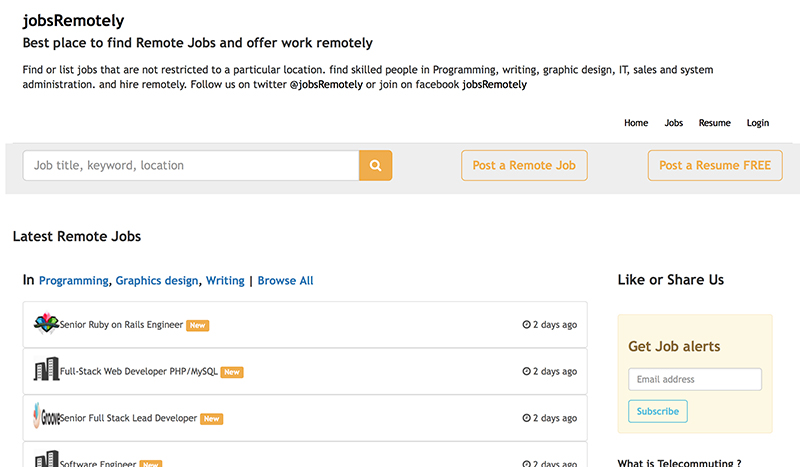
As the title suggests, JobsRemotely only handles remote work opportunities. There are no fees associated with using this site which, is cool. When looking at their job listings, use the ‘Browse All’ option and then you can narrow your search from there, giving you more job options to consider.


They have a Facebook page that lists the jobs as well, that may be more appealing if you prefer to just scroll down and see more details of the job rather than having to click on the job for more information on their main site.


2. Jobscribe


romote=jobs


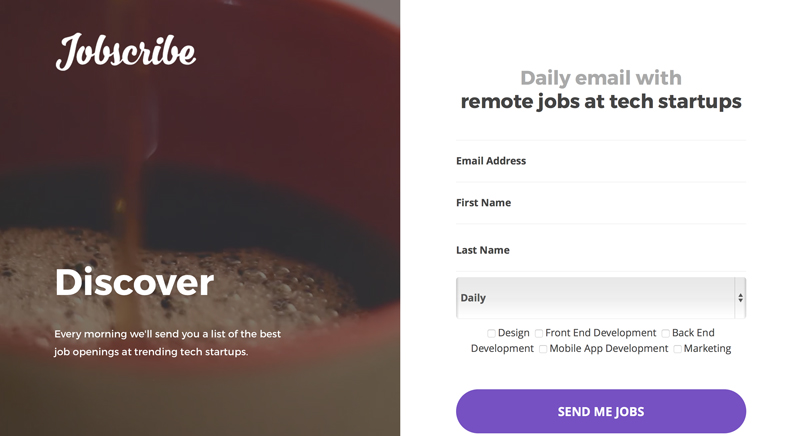
The benefit of Jobscribe is that you can specifically target your area of interest and receive emails that fit your profile. In addition, you receive the option to choose how frequently you want to receive notifications (daily, weekly, or monthly). It’s a hassle-free way to see what’s available out there, no matter what stage your career is in, so you can keep your options open.


3. FlexJobs


romote=jobs


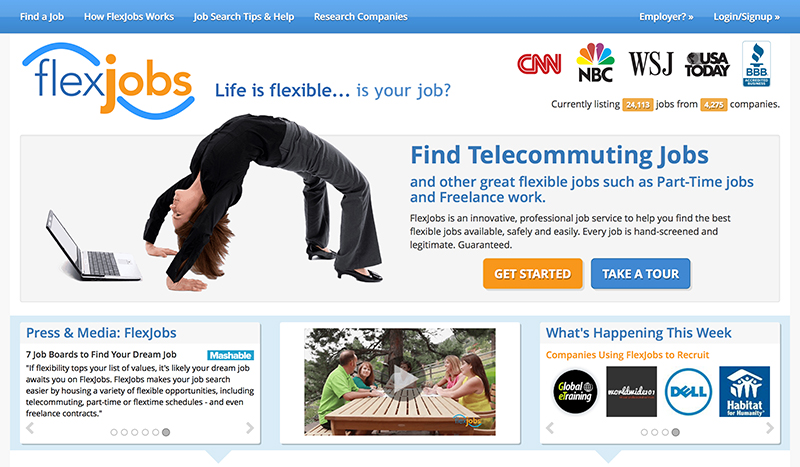
As an A+ business by the Better Business Bureau, FlexJobs has been reported on CNN, USA Today, NBC and other notable news sources. The site is fee based, but reasonable. If you only want to pay for one month, the fee is .95 but if you choose three months for .95, you’re only paying per month. A year long subscription is .95, which is a 61% savings. It all depends on what your objectives are, as in part-time, short-term, full-time, or long-term.


As a visitor to the site, you are able to check out what jobs are available. This is a great tool to see what they have to offer, and if it looks promising, then you can decide to join for whatever length of time you feel you may need. Since FlexJobs also provides jobs at specific locations, should you only want to see remote jobs, be sure to click on the ‘job type’ bar and select ‘remote only’ or you’ll get frustrated sifting through the wide variety they have to offer.


4. We Work Remotely


romote=jobs


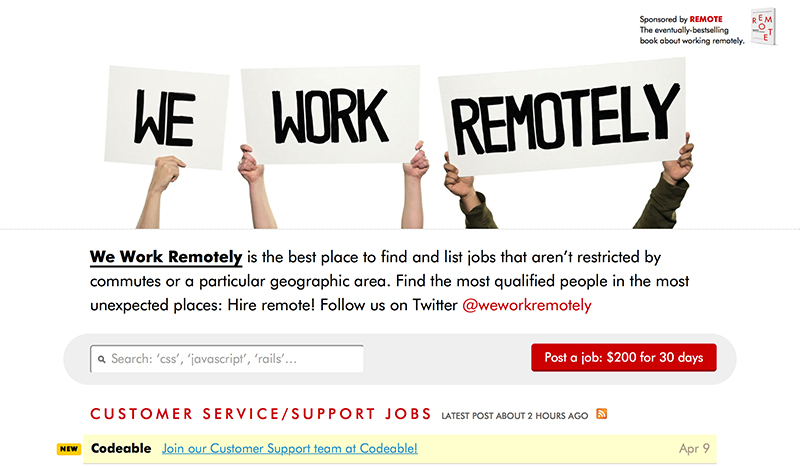
We Work Remotely is a ‘no-nonsense’ site for finding remote design and development work that has no fees associated with job seekers. The only thing that is a bit of a drawback is that the listings aren’t as plentiful as other sites, but the companies they work with are solid.


5. Wfh.io


romote=jobs


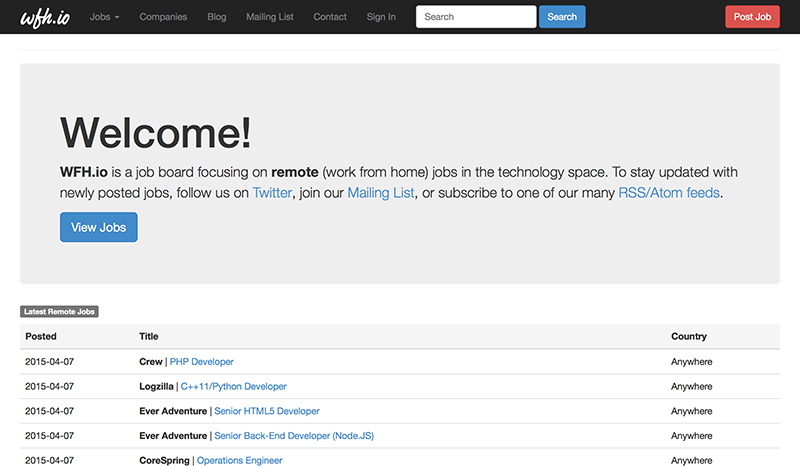
When visiting Wfh.io, just click on ‘View Jobs’ and the opportunities available will be listed by category and date listed. They have a queue ‘mailing list’ where you can sign up for free, checking job categories of interest and then receive an email when jobs in those categories are new listings. You will also receive emails when announcing site updates to keep you in the loop of their activity.


No fees are attached to searching this site. Should you have an interest in gaining remote work with a specific company, check out their ‘Companies’ tab on top which has a very long list of companies they work with and indicate if they have any current job listings.


6. RemoteWorkHunt


romote=jobs


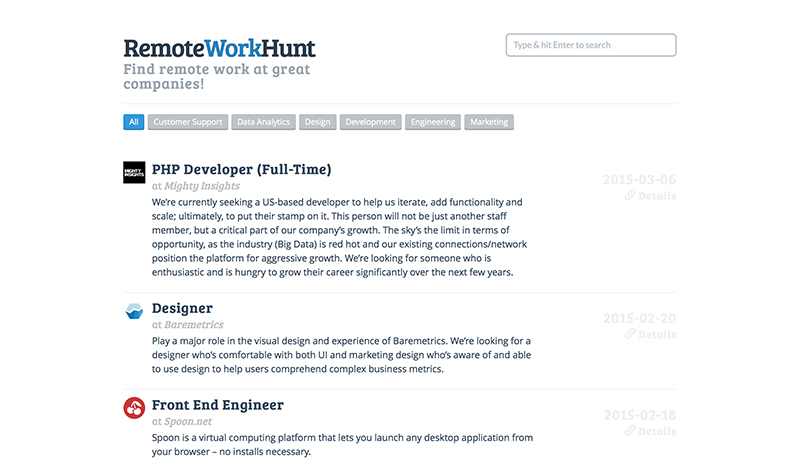
RemoteWorkHunt is one of the easiest sites to navigate through. The top queue bar gives the work categories, so simply clicking on your area of interest provides you with all jobs in your field. If you click on ‘Subscribe’ you can enter your email to receive job notifications. This site offers solid remote positions with great organizations, but the amount of jobs listed is not as large. It’s still worth the viewing if you’re in the hunt!


7. NomadCenter


romote=jobs


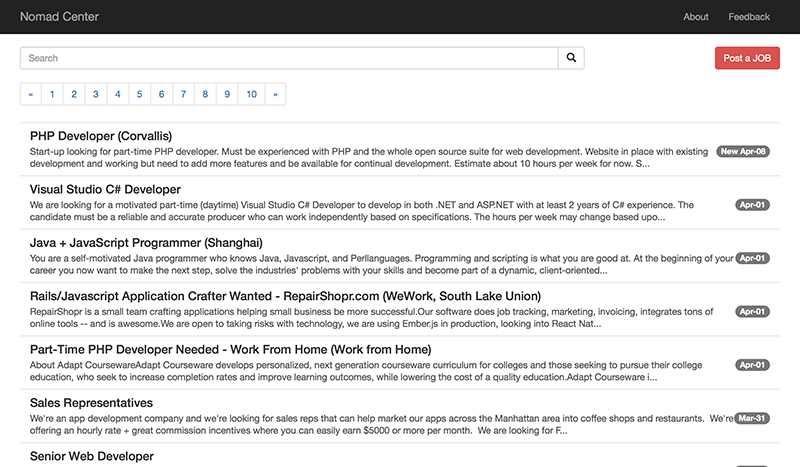
NomadCenter provides one of the larger pools of remote job opportunities and is fairly easy to navigate through. There is no fee for job searchers or, apparently, employee hunters. Yet there is also no line asking what you’re searching for, so it’s important to know what you’re looking for so you can enter it on the site search. With that said, as long as you know what you’re looking for, it’s worth checking into.


8. Working Nomads


romote=jobs


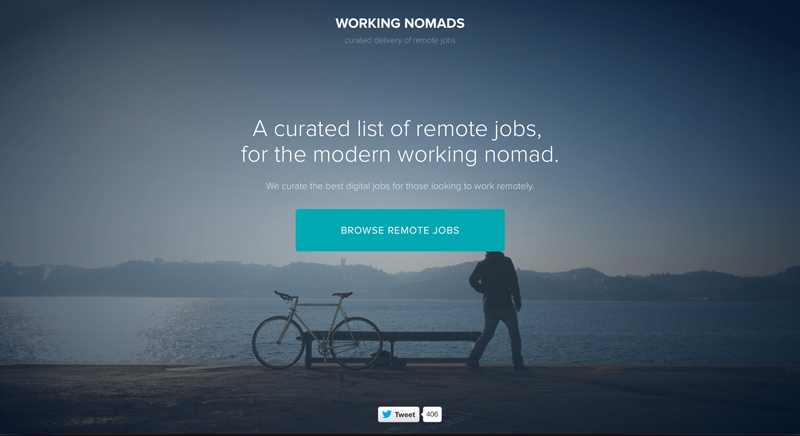
Another site dedicated to remote work, Working Nomads is heavy on design and development positions. Out of 6 job categories listed, development is at the top and design has the second most opportunities. At the time of writing, they have 310 jobs listed for development work and 44 in the design category. Not bad! There is no fee attached and it also provides the option to subscribe for free to receive emails regarding new jobs you may be interested in. Definitely worth having a look.


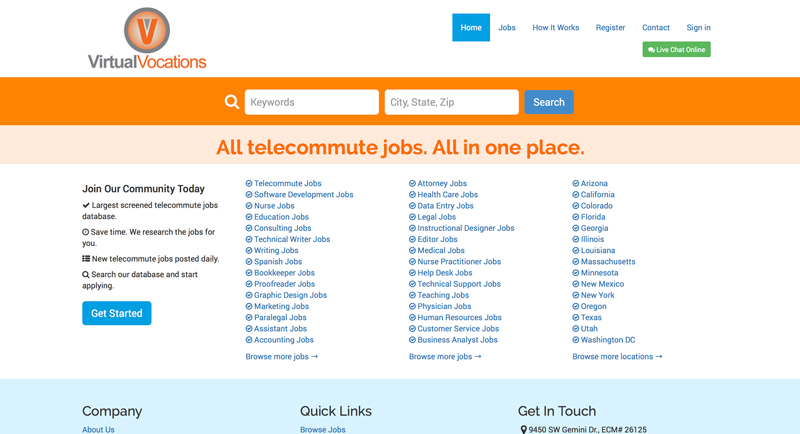
9. Virtual Vocations


romote=jobs


Virtual Vocations is another very comprehensive site. Although currently holding a B+ rating with the Better Business Bureau, they have consistently sought to improve customer satisfaction to up their rating and are close to an A rating. They offer both free and paid memberships. Pricing for paid memberships are listed as .99 for weekly, .99 for monthly, .99 for 3 months, and .99 for 6 months. In the worst case scenario, you’re looking at per month long term to access the site.


With a free membership, you can access jobs, list your resume, access a record of jobs you’ve applied to and create personal notes on jobs applied to. The benefits of being a paid member provide access to a database of telecommuting companies, create a personalized portfolio of work samples and a confidential upload and storage of resume and cover letters to quickly apply to new jobs. They claim to be the largest, screened telecommute jobs database and possibly may be. When you enter the site, there is a list to choose from larger than any we’ve seen so far.


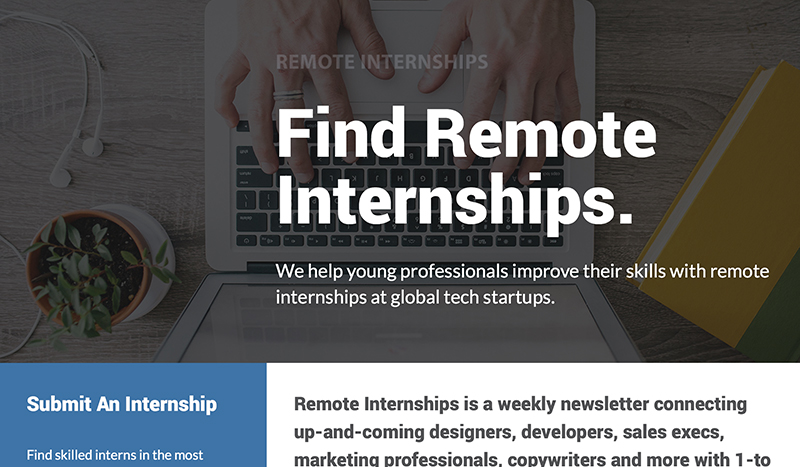
10. Remote Internships


romote=jobs


Remote Internships is a great site to help a designer get their foot into the door of a tech startup. If you want to make your mark on a startup, this is the place to go. Their intern focus is on Programming, Design, Business, Marketing, Copywriting, Customer Support and Miscellaneous. Definitely a good spot for a cutting edge talent.


What’d We Miss?


We searched far and wide for the best remote job sites, but we’ve no doubt missed a few gems. Leave a comment and let us know about any that you’ve seen lately. Also let us know if you’ve tried any of the sites above and whether or not you found them to be valuable.


Work From Home: The 10 Best Sites for Landing a Remote Job

Sunday, March 15, 2015

Free PSD landing page

Free PSD landing page


A landing page concept that you can use to create a beautiful portfolio page. Free PSD designed by Evgenia Kornienko.


The post Free PSD landing page appeared first on Freebiesbug.


Free PSD landing page

Saturday, March 14, 2015

Free PSD landing page

Free PSD landing page


A landing page concept that you can use to create a beautiful portfolio page. Free PSD designed by Evgenia Kornienko.


The post Free PSD landing page appeared first on Freebiesbug.


Free PSD landing page

Monday, December 15, 2014

SantaGo – Christmas Sales & Affiliate Landing Page

SantaGo - Christmas Sales & Affiliate Landing Page

SantaGo is a Bootstrap Responsive HTML Christmas sales and affiliate page template created with great details and a catchy color combination. SantaGo can be used to set up your landing pages, affiliate pages, sales pages and other business websites. SantaGo is fully responsive from top to bottom and fits every mobile and desk device.


Live Demo


Screenshots


SantaGo - Christmas Sales & Affiliate Landing Page


SantaGo – Christmas Sales & Affiliate Landing Page