Showing posts with label Home. Show all posts

Saturday, June 6, 2015

Tips for Staying Productive While Working From Home

For many, the idea of working from home sounds like the dream job. You wake up when you want, work in your underwear and watch reruns of Friends in the background while checking Twitter between productivity sessions. These are the kinds of things I did for the first couple of weeks when I started, and it soon became clear that I wasn’t productive enough or motivated to do the work.


In this article, I’ll give you some tips on how you can start your career from home while staying productive, motivated and healthy, because the truth is, working with the TV on is very distracting and wearing nothing but underwear all day really gets depressing!


tip-1

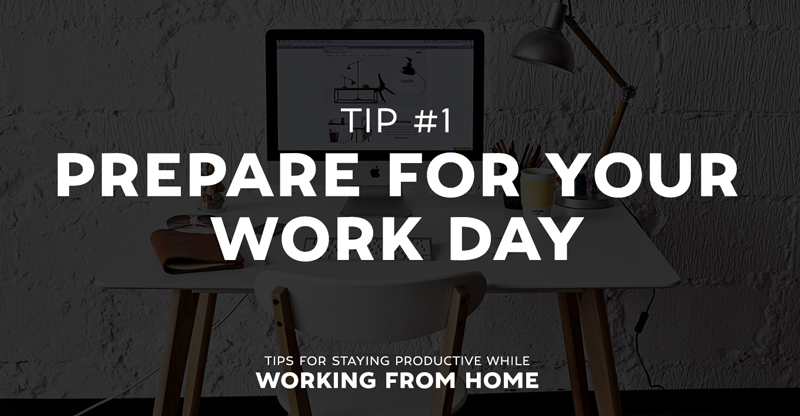
With any regular job, you wake up (usually in the morning), get dressed, have your breakfast then off you go to work for the day. This routine prepares you for what work you do throughout the day. I however, would wake up around 10:00am, open my laptop while slouched on my couch half dressed and start work. After about a week of working like this, my workflow deteriorated and not much work would get done.


Remote work should be treated like any other job. I don’t mean you have to wear your best suit, but wake up at a reasonable hour and wear something respectable. It’s also very important to never skip breakfast and as you’re working from home, you could have whatever you like!


tip-2

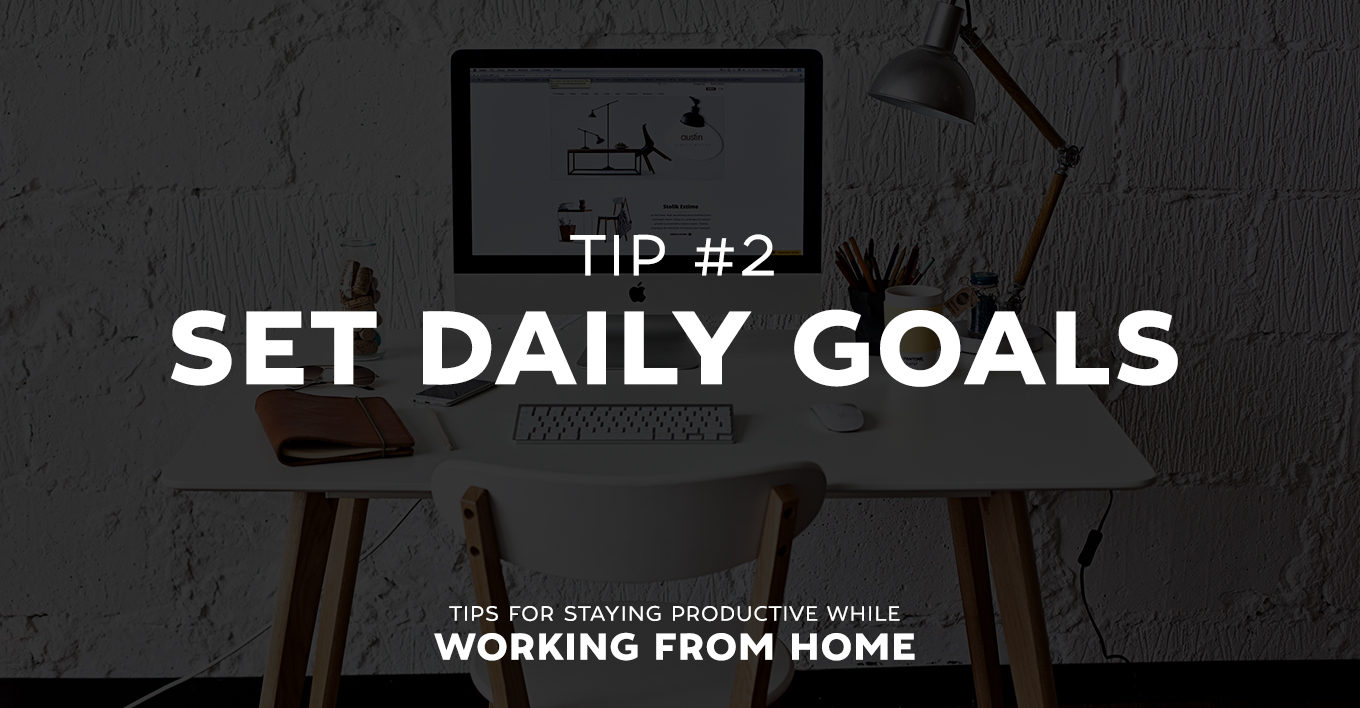
At the end of a day’s work, no matter how much I got done, I would feel like I hadn’t accomplished much. I didn’t give myself goals to aim for and this allowed me to do the bare minimum and simply call it a day.


Before starting work, try writing down a checklist of what tasks you want to get done in that day. Each task doesn’t even have to be a big or complex one, it essentially gives you a clear path to work on throughout the day. Plus, if you manage to complete a full checklist before you check out, you can sit back and relax feeling very smug about yourself.


tip-3

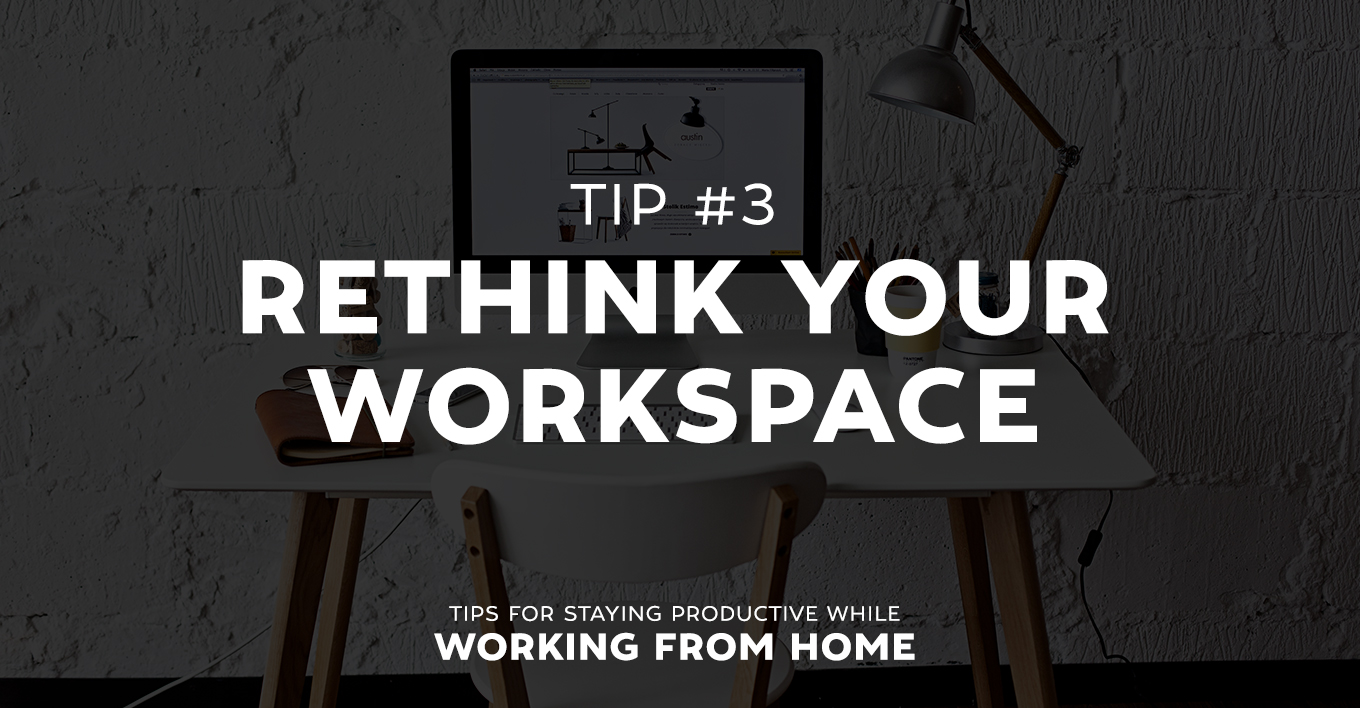
Working on your couch doesn’t get you in the right frame of mind for work. There are too many distractions like television and, in my case, family members.


Instead, head on down to Ikea and grab yourself a desk and all the essentials of a professional work environment. Get set up in a room where there won’t be any distractions. Working like this really makes you more productive. However, it also gets boring, and being isolated drives me crazy so it’s a good idea to vary where you work once in a while. Working remotely means you have more freedom than a regular job, so you could spend your day at the local coffee shop and take advantage of their free WIFI (as long as you buy a coffee every twenty minutes). You might even want to hire out a personal workspace with ShareDesk. If all else fails, libraries are the perfect place to get stuck into your work (and yes, they still exist).


tip-4

Sitting at your desk for hours at a time can get really frustrating. You become less focused and your work slows down. Avoid this by doing what you would do at any other job and take a break.


I tend to give myself 30 minutes break for every 4 hours I work. During this time I have my lunch and do an activity that doesn’t involve a screen of some sort.


Another good point to make is that you could stick to a set amount of hours to work in a day. This would help you organize your time better and to make sure you don’t over work yourself. I prefer to work in 4 hour blocks and try not to work more than 16 hours in a day.


tip-5

When you mix your work life and personal life together, there aren’t many reasons why you should leave the house. In order to stop myself from going insane, I would go for a run each morning a dedicate some time per week to spend time with friends, go shopping or whatever was on the cards. Although there is a blurred line between professional and personal life when working remote, it is possible and important to keep them separate.


What Works for You?


To conclude, I want to say that this article was not intended to put your off the idea of working from home because once you get the ball rolling, remote work is great! You have so much more freedom than working at a regular job, you just need to make sure you’re paying the bills by staying productive.


These are just a few things I do to stay productive and healthy when working from home. I’d like to hear what it’s like for you at home and what you do to stay on top of work. Leave a comment below!


Products Seen In This Post:



getpaidtowrite-banner
Tips for Staying Productive While Working From Home

Tuesday, April 28, 2015

Work From Home: The 10 Best Sites for Landing a Remote Job

A long commute, terrible traffic, constant distractions and impromptu meetings; there are a ton of reasons that you might find your office gig to be more hassle than its worth. If you’re ready to trade in your cubicle for a home office, then it’s time to start your remote job hunt. These days, there are tons of companies who actively recruit remote designers, developers, and other tech-focused roles. The trick is simply finding what’s out there. Hopefully, this list of ten awesome remote job sites will be your first step towards your exciting new career, sans the drive to work!


1. JobsRemotely


romote=jobs


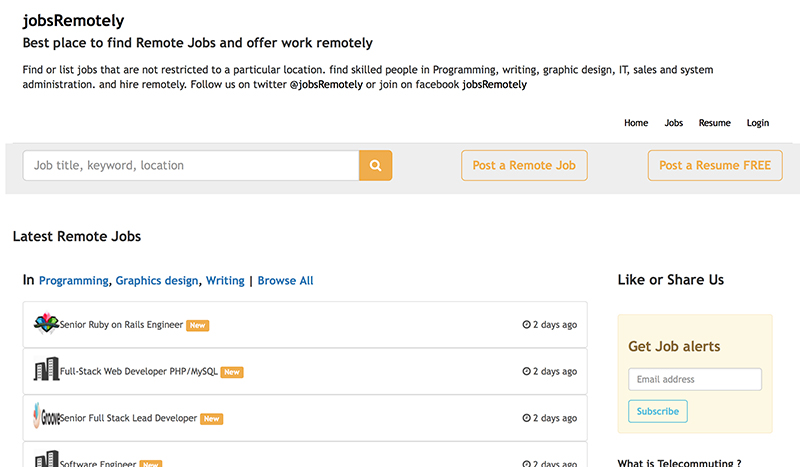
As the title suggests, JobsRemotely only handles remote work opportunities. There are no fees associated with using this site which, is cool. When looking at their job listings, use the ‘Browse All’ option and then you can narrow your search from there, giving you more job options to consider.


They have a Facebook page that lists the jobs as well, that may be more appealing if you prefer to just scroll down and see more details of the job rather than having to click on the job for more information on their main site.


2. Jobscribe


romote=jobs


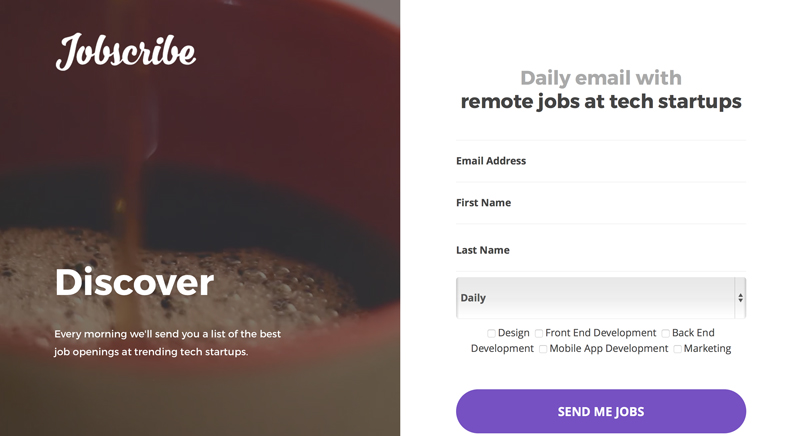
The benefit of Jobscribe is that you can specifically target your area of interest and receive emails that fit your profile. In addition, you receive the option to choose how frequently you want to receive notifications (daily, weekly, or monthly). It’s a hassle-free way to see what’s available out there, no matter what stage your career is in, so you can keep your options open.


3. FlexJobs


romote=jobs


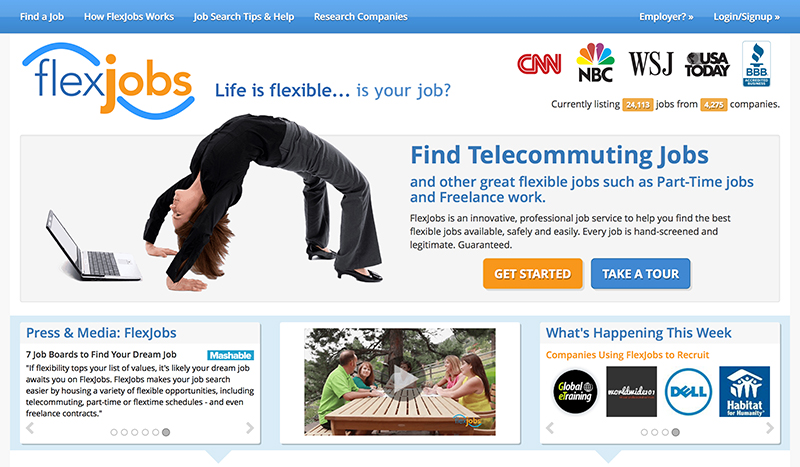
As an A+ business by the Better Business Bureau, FlexJobs has been reported on CNN, USA Today, NBC and other notable news sources. The site is fee based, but reasonable. If you only want to pay for one month, the fee is .95 but if you choose three months for .95, you’re only paying per month. A year long subscription is .95, which is a 61% savings. It all depends on what your objectives are, as in part-time, short-term, full-time, or long-term.


As a visitor to the site, you are able to check out what jobs are available. This is a great tool to see what they have to offer, and if it looks promising, then you can decide to join for whatever length of time you feel you may need. Since FlexJobs also provides jobs at specific locations, should you only want to see remote jobs, be sure to click on the ‘job type’ bar and select ‘remote only’ or you’ll get frustrated sifting through the wide variety they have to offer.


4. We Work Remotely


romote=jobs


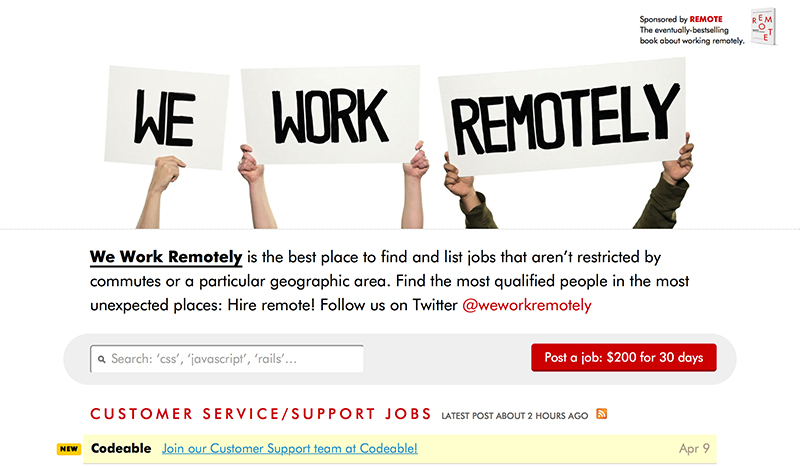
We Work Remotely is a ‘no-nonsense’ site for finding remote design and development work that has no fees associated with job seekers. The only thing that is a bit of a drawback is that the listings aren’t as plentiful as other sites, but the companies they work with are solid.


5. Wfh.io


romote=jobs


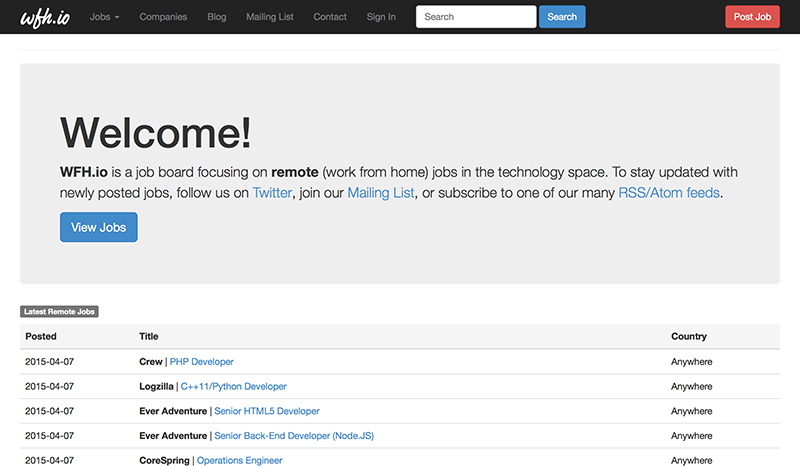
When visiting Wfh.io, just click on ‘View Jobs’ and the opportunities available will be listed by category and date listed. They have a queue ‘mailing list’ where you can sign up for free, checking job categories of interest and then receive an email when jobs in those categories are new listings. You will also receive emails when announcing site updates to keep you in the loop of their activity.


No fees are attached to searching this site. Should you have an interest in gaining remote work with a specific company, check out their ‘Companies’ tab on top which has a very long list of companies they work with and indicate if they have any current job listings.


6. RemoteWorkHunt


romote=jobs


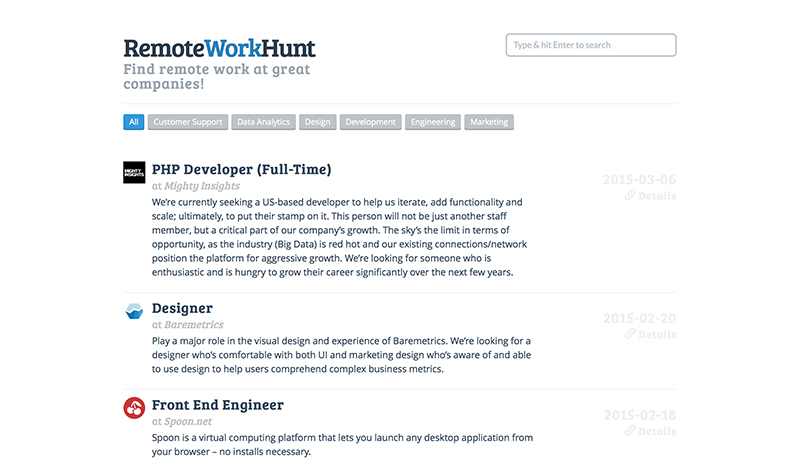
RemoteWorkHunt is one of the easiest sites to navigate through. The top queue bar gives the work categories, so simply clicking on your area of interest provides you with all jobs in your field. If you click on ‘Subscribe’ you can enter your email to receive job notifications. This site offers solid remote positions with great organizations, but the amount of jobs listed is not as large. It’s still worth the viewing if you’re in the hunt!


7. NomadCenter


romote=jobs


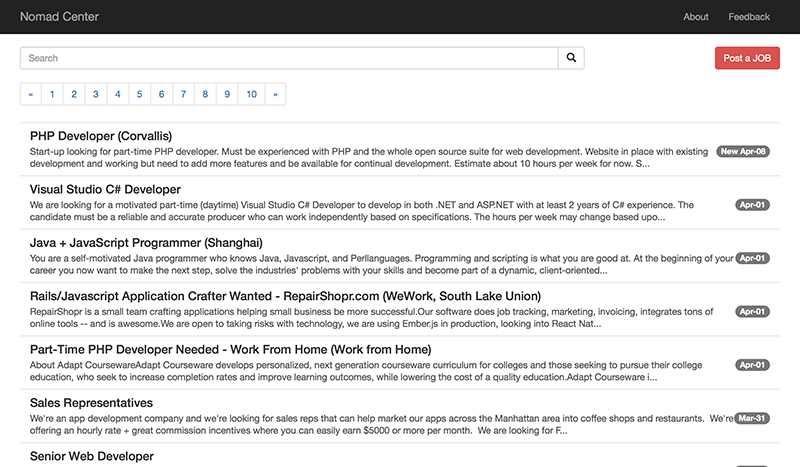
NomadCenter provides one of the larger pools of remote job opportunities and is fairly easy to navigate through. There is no fee for job searchers or, apparently, employee hunters. Yet there is also no line asking what you’re searching for, so it’s important to know what you’re looking for so you can enter it on the site search. With that said, as long as you know what you’re looking for, it’s worth checking into.


8. Working Nomads


romote=jobs


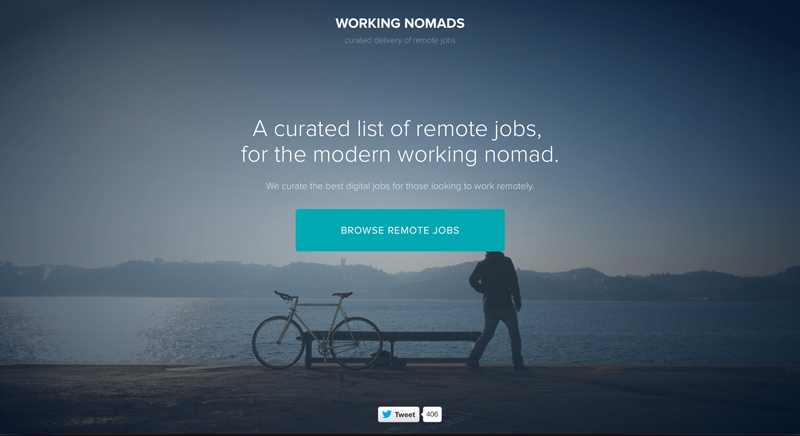
Another site dedicated to remote work, Working Nomads is heavy on design and development positions. Out of 6 job categories listed, development is at the top and design has the second most opportunities. At the time of writing, they have 310 jobs listed for development work and 44 in the design category. Not bad! There is no fee attached and it also provides the option to subscribe for free to receive emails regarding new jobs you may be interested in. Definitely worth having a look.


9. Virtual Vocations


romote=jobs


Virtual Vocations is another very comprehensive site. Although currently holding a B+ rating with the Better Business Bureau, they have consistently sought to improve customer satisfaction to up their rating and are close to an A rating. They offer both free and paid memberships. Pricing for paid memberships are listed as .99 for weekly, .99 for monthly, .99 for 3 months, and .99 for 6 months. In the worst case scenario, you’re looking at per month long term to access the site.


With a free membership, you can access jobs, list your resume, access a record of jobs you’ve applied to and create personal notes on jobs applied to. The benefits of being a paid member provide access to a database of telecommuting companies, create a personalized portfolio of work samples and a confidential upload and storage of resume and cover letters to quickly apply to new jobs. They claim to be the largest, screened telecommute jobs database and possibly may be. When you enter the site, there is a list to choose from larger than any we’ve seen so far.


10. Remote Internships


romote=jobs


Remote Internships is a great site to help a designer get their foot into the door of a tech startup. If you want to make your mark on a startup, this is the place to go. Their intern focus is on Programming, Design, Business, Marketing, Copywriting, Customer Support and Miscellaneous. Definitely a good spot for a cutting edge talent.


What’d We Miss?


We searched far and wide for the best remote job sites, but we’ve no doubt missed a few gems. Leave a comment and let us know about any that you’ve seen lately. Also let us know if you’ve tried any of the sites above and whether or not you found them to be valuable.


Work From Home: The 10 Best Sites for Landing a Remote Job

Thursday, March 26, 2015

33 Reasons Work From Home Parents Are Tougher Than You Think

I work from home along with my husband. He’s a programmer and me, an organic web editor. We practice hands-on parenting with our two kids, a 6-year-old and a 7-month-old. Because my job allows me to work remotely, I do not have to (or get to) work from an office. I also cannot be a stay-at-home mom because well, I have two kids to feed. The only option left is to work from home, which isn’t as rosy as it sounds.


First of all, there is no office for me to hide away from diaper changes, milk feedings, questions about "how to be a princess" and "where do unicorns live". Due to my children’s regular attempts to get me fired, I bend and break so many HR rules, it’s a miracle I still have a job. My work schedule is such a mess, it shouldn’t be called a "schedule" and an abundance of my job is completed ad hoc.


Because my boss has a weird sense of humor, this post is going to shine the spotlight on my chaotic working environment. At the very least, it will take you inside what it’s like to be parents who try to juggle work and their children the way they know how. At the very best, it will give employers a good reason to cut us some slack and to have some faith in parents who choose to deliver results while working from home.


The Chaotic Life Of Work-From-Home Parents


Here’s an inside look at what working-from-home parents are up against (and some tips sprinkled here and there on how to cope).


1. You can throw “work-life balance” out the window because it means squat when you work from home with kids. Even if you can separate business from leisure, your kids can’t. They expect their parents to be available to them so long as they see them around.


2. You get interrupted and hence distracted a lot. And losing track of time becomes the norm. (Oh my Thor, is it Friday already?)


3. There is an unbelievably insane amount of things children need, from complicated tasks like help with their homework to simple things like brushing their teeth.


4. You cannot, under any circumstances, lose your temper. Being angry takes energy, which could be better used elsewhere.


5. You need a truck-load of patience because once you upset a child, you can kiss an hour of your life goodbye, trying to make her stop crying.


6. Try to not be too anxious about the time you are "wasting" waiting for your toddler to finish her broth or tie her shoe or go to sleep. I found staying calm allows you to last longer without breaking down.


7. Even if you are committed to deliver 8 hours a day to work, most of time you end up doing more, to make up for time lost to interruptions.


8. There is no distinction between weekdays and weekends anymore. It’s all a blur, unless you have something that breaks the monotony, like going to church or celebrating special holidays.


9. A majority of time is wasted looking for things: socks, trucks, pacifiers, milk bottles, the TV remote. The TV is the best invention ever. No, wait, the pacifier is.


10. You work in blocks of time because of interruptions. This means a lot of stop-and-go, and bookmarking is needed.


11. Before kids, a quiet house is when you can be most productive. Post-kids, when the house is quiet, you go into panic mode. “Where are the children?”


12. Stickie notes rule: you need to make notes for everything. It doesn’t matter if you use digital or paper notes. Just have them handy and nearby. Apologize to the fridge on a weekly basis.


IMAGE: designmom.com


13. You miss (not fondly) a lot of things like emails, calls, appointments (sometimes) and will need to apologize (often).


14. Expect plenty of rainchecks when it comes to appointments. Like they say, “sh*t happens”; sometimes with kids, that is literal.


15. You apologize a lot to your remote co-workers, and they make compromises for you too. “I have an hour before my kids wake up, we can talk like, right now.”


16. You love naptime: your own, and your kids’.


IMAGE: Pixabay


17. You’re always in a state of urgency – something needs to be done while your kids are napping. For me, it’s emails, spellcheck, a follow up with a writer, discussion for a new topic, and time’s up – they’re awake.


18. The house is always in a state of chaos because you can only clean up after the kids are asleep. Coincidentally, that’s also the time when you can do work that don’t appreciate interruptions, like write. #sophieschoice


19. Sleep is overrated. And your sleep debt is beyond replenishing. Sitting down initiates a nap (which I term “a crash” instead).


IMAGE: DanielleGuenther Photography


20. You take a lot of coffee. Then again, doesn’t everyone?


21. You roll your eyes when a friend who is single tells you they are tired from a gym session or because they didn’t get their full 8 hours of sleep last night.


22. You roll your eyes when someone offers you parenting advice that start with, “you should…”


23. Online shopping is possibly your favorite and only hobby. The toy section is your favorite category to spend hours on. Toys are the best invention ever.


24. You take entertainment where you can find them, because finding two hours of uninterrupted time to watch a movie is like finding Edward Snowden.


25. There is no such thing as a break. You fear weekends and school holidays but not as much as your child getting sick. Work comes to a halt when a child gets sick.


26. Watching the kids is a juggling act between you and your partner. To ensure World War 3 doesn’t happen, always offer, never assign. With a sick kid, both parents are needed to chip in. You might need to take leave from work.


IMAGE: DanielleGuenther Photography


27. Sometimes you feel like your partner is the kindest person in the world (for letting you sleep in), other times you want to murder them in their sleep (for saying things like, “your son is crying for milk again”.)


28. Even if your partner is okay with the idea of working and parenting simultaneously, other family members may have their own opinion. #tradition #itsthemothersjob


29. It’s not a sign of weakness to ask for help with your kids so you can take a short break from both them and work.


30. It is however a sign of weakness when you complain. Complaining weakens the resolve and makes you question your life decisions. You seriously don’t have time for that.


31. You need an extremely understanding and flexible boss. If you are a boss, and you have a work-from-home parent, be flexible.


32. The only way you can handle the needs of toddlers, babies and clients simultaneously, is to get everything done, one at a time.


IMAGE: Camilo Jimenez


33. If people don’t think you are crazy for wanting to be a work-from-home parent, you’re not doing it right. A good sense of humor goes a long way.


If things are so tough, why do it?


Many people would tell you that parenting is a big responsibility, what they fail to convey is how difficult, tiring and demanding this job is. Unlike a job job, you can’t clock out, you can’t protest, and you are at the mercy of your child’s pace (ever tried trying to make a child chew food faster?).


But here’s the thing. If having kids is in your family plan all this while, the first three years of a child’s life will be the ride of your life. The rate at which a child transforms from this small, fragile infant into a walking, talking, salivating machine (with boundless energy) all in 36 months is just amazing – and you’ll want to be around to see that and be a part of it.


Because, in case you forget, there is no rewind button.


IMAGE: nspcc.org.uk


Employers, Should You Hire A Work-From-Home Parent?


This revelation of how things are like for a work-from-home parent may put us parents at a disadvantage. While household conditions may vary and some parents cope better than others, all I can say is that we do have some strengths to offer:


We are pretty good at foreseeing the future (and what can possibly go wrong).


We are paranoid and thus are proactively prepared for the worst.


We are also pretty good working in the midst of chaos, stress, fatigue and conflicting priorities.


We are used to doing things in a way that is not because we want to but because we have to.


Most of all, we get things done. Family isn’t secondary to our work, they are the reason why we work, and there are few other motivations that are as, or more, powerful than that.


33 Reasons Work From Home Parents Are Tougher Than You Think

33 Reasons Work From Home Parents Are Tougher Than You Think

I work from home along with my husband. He’s a programmer and me, an organic web editor. We practice hands-on parenting with our two kids, a 6-year-old and a 7-month-old. Because my job allows me to work remotely, I do not have to (or get to) work from an office. I also cannot be a stay-at-home mom because well, I have two kids to feed. The only option left is to work from home, which isn’t as rosy as it sounds.


First of all, there is no office for me to hide away from diaper changes, milk feedings, questions about "how to be a princess" and "where do unicorns live". Due to my children’s regular attempts to get me fired, I bend and break so many HR rules, it’s a miracle I still have a job. My work schedule is such a mess, it shouldn’t be called a "schedule" and an abundance of my job is completed ad hoc.


Because my boss has a weird sense of humor, this post is going to shine the spotlight on my chaotic working environment. At the very least, it will take you inside what it’s like to be parents who try to juggle work and their children the way they know how. At the very best, it will give employers a good reason to cut us some slack and to have some faith in parents who choose to deliver results while working from home.


The Chaotic Life Of Work-From-Home Parents


Here’s an inside look at what working-from-home parents are up against (and some tips sprinkled here and there on how to cope).


1. You can throw “work-life balance” out the window because it means squat when you work from home with kids. Even if you can separate business from leisure, your kids can’t. They expect their parents to be available to them so long as they see them around.


2. You get interrupted and hence distracted a lot. And losing track of time becomes the norm. (Oh my Thor, is it Friday already?)


3. There is an unbelievably insane amount of things children need, from complicated tasks like help with their homework to simple things like brushing their teeth.


4. You cannot, under any circumstances, lose your temper. Being angry takes energy, which could be better used elsewhere.


5. You need a truck-load of patience because once you upset a child, you can kiss an hour of your life goodbye, trying to make her stop crying.


6. Try to not be too anxious about the time you are "wasting" waiting for your toddler to finish her broth or tie her shoe or go to sleep. I found staying calm allows you to last longer without breaking down.


7. Even if you are committed to deliver 8 hours a day to work, most of time you end up doing more, to make up for time lost to interruptions.


8. There is no distinction between weekdays and weekends anymore. It’s all a blur, unless you have something that breaks the monotony, like going to church or celebrating special holidays.


9. A majority of time is wasted looking for things: socks, trucks, pacifiers, milk bottles, the TV remote. The TV is the best invention ever. No, wait, the pacifier is.


10. You work in blocks of time because of interruptions. This means a lot of stop-and-go, and bookmarking is needed.


11. Before kids, a quiet house is when you can be most productive. Post-kids, when the house is quiet, you go into panic mode. “Where are the children?”


12. Stickie notes rule: you need to make notes for everything. It doesn’t matter if you use digital or paper notes. Just have them handy and nearby. Apologize to the fridge on a weekly basis.


IMAGE: designmom.com


13. You miss (not fondly) a lot of things like emails, calls, appointments (sometimes) and will need to apologize (often).


14. Expect plenty of rainchecks when it comes to appointments. Like they say, “sh*t happens”; sometimes with kids, that is literal.


15. You apologize a lot to your remote co-workers, and they make compromises for you too. “I have an hour before my kids wake up, we can talk like, right now.”


16. You love naptime: your own, and your kids’.


IMAGE: Pixabay


17. You’re always in a state of urgency – something needs to be done while your kids are napping. For me, it’s emails, spellcheck, a follow up with a writer, discussion for a new topic, and time’s up – they’re awake.


18. The house is always in a state of chaos because you can only clean up after the kids are asleep. Coincidentally, that’s also the time when you can do work that don’t appreciate interruptions, like write. #sophieschoice


19. Sleep is overrated. And your sleep debt is beyond replenishing. Sitting down initiates a nap (which I term “a crash” instead).


IMAGE: DanielleGuenther Photography


20. You take a lot of coffee. Then again, doesn’t everyone?


21. You roll your eyes when a friend who is single tells you they are tired from a gym session or because they didn’t get their full 8 hours of sleep last night.


22. You roll your eyes when someone offers you parenting advice that start with, “you should…”


23. Online shopping is possibly your favorite and only hobby. The toy section is your favorite category to spend hours on. Toys are the best invention ever.


24. You take entertainment where you can find them, because finding two hours of uninterrupted time to watch a movie is like finding Edward Snowden.


25. There is no such thing as a break. You fear weekends and school holidays but not as much as your child getting sick. Work comes to a halt when a child gets sick.


26. Watching the kids is a juggling act between you and your partner. To ensure World War 3 doesn’t happen, always offer, never assign. With a sick kid, both parents are needed to chip in. You might need to take leave from work.


IMAGE: DanielleGuenther Photography


27. Sometimes you feel like your partner is the kindest person in the world (for letting you sleep in), other times you want to murder them in their sleep (for saying things like, “your son is crying for milk again”.)


28. Even if your partner is okay with the idea of working and parenting simultaneously, other family members may have their own opinion. #tradition #itsthemothersjob


29. It’s not a sign of weakness to ask for help with your kids so you can take a short break from both them and work.


30. It is however a sign of weakness when you complain. Complaining weakens the resolve and makes you question your life decisions. You seriously don’t have time for that.


31. You need an extremely understanding and flexible boss. If you are a boss, and you have a work-from-home parent, be flexible.


32. The only way you can handle the needs of toddlers, babies and clients simultaneously, is to get everything done, one at a time.


IMAGE: Camilo Jimenez


33. If people don’t think you are crazy for wanting to be a work-from-home parent, you’re not doing it right. A good sense of humor goes a long way.


If things are so tough, why do it?


Many people would tell you that parenting is a big responsibility, what they fail to convey is how difficult, tiring and demanding this job is. Unlike a job job, you can’t clock out, you can’t protest, and you are at the mercy of your child’s pace (ever tried trying to make a child chew food faster?).


But here’s the thing. If having kids is in your family plan all this while, the first three years of a child’s life will be the ride of your life. The rate at which a child transforms from this small, fragile infant into a walking, talking, salivating machine (with boundless energy) all in 36 months is just amazing – and you’ll want to be around to see that and be a part of it.


Because, in case you forget, there is no rewind button.


IMAGE: nspcc.org.uk


Employers, Should You Hire A Work-From-Home Parent?


This revelation of how things are like for a work-from-home parent may put us parents at a disadvantage. While household conditions may vary and some parents cope better than others, all I can say is that we do have some strengths to offer:


We are pretty good at foreseeing the future (and what can possibly go wrong).


We are paranoid and thus are proactively prepared for the worst.


We are also pretty good working in the midst of chaos, stress, fatigue and conflicting priorities.


We are used to doing things in a way that is not because we want to but because we have to.


Most of all, we get things done. Family isn’t secondary to our work, they are the reason why we work, and there are few other motivations that are as, or more, powerful than that.


33 Reasons Work From Home Parents Are Tougher Than You Think

Sunday, February 8, 2015

Desktop & Mobile Tools For Creative Home Design

In this day and age, no architect or home constructor would consider designing a smart home without their set of power tools. The attempt to cut costs by using paper and pen for design purposes doesn’t have a significant impact on production ROI as compared to the increased productivity from software and mobile tools.


You can use such tools for creative home design, including 2D and 3D designs. They come with a plethora of features to suit the user’s needs. There are even features that can be used by those who are just starting out in home architectural designs and some options have sophisticated features for experienced architects.


The list below features the top desktop and mobile tools for creative home design that are easy to use and understand:


HomeStyler


Homestyler

This is a web-based interior design software that’s easy to use. It gives you the option to design your windows, doors, rooms, etc. as well as experimenting with placing products in the room and converting the design into 3D images. The user can drag and drop several shapes onto the grid, and more objects can be placed in this manner and then edited for different shapes and sizes. The software also gives you a wide range of tools for landscaping around the design.


Punch Home & Landscape Design


Punch

This software includes multiple features with different viewing options that include final view, aerial, and dollhouse. It also boasts exceptional construction tools, and superb quality. One advantage of using this software is a large object library, and a handful of customization tools make this tool unique. A unique feature is QuickStart Preview, which lets you design a floor plan without making individual walls for a room.


TurboFloorPlan 3D


TurboFloorPlan_3D

With this tool, you can visualize a new room with custom cabinets, bath, kitchen, appliances, lightning, and much more. The room design can be spruced up with flooring, light fixes, paint colors, etc. You can also view the pre-existing professionally designed home plan templates as well as 100 videos in the Training Center to boost your skills.


Mobile tools are important too…


Procore


Procore

This company has a mobile construction application that gives you and anyone on your team access to real time project data from any location. Constantly revising and updating paper-based drawings and documentation is expensive, time consuming, and difficult to manage in an efficient manner. With this app, you can keep your projects moving forward and have all the data at your fingertips. Its drawing management feature automatically splits your drawing sets and enables you to annotate drawings directly from a smartphone or tablet.


Home Design 3D


Home_Design_3D

This app lets you add 3D renderings to a visual home, and then fill it up with design elements. The user can even add texture to the color to make it appear as a wallpaper. Home Design 3D also has options to add hardwood or carpeting or tiled flooring, and fill the room with accessories and furniture.


Houzz


Houzz

Houzz’s mobile app lets you share design ideas with teammates and professionals, as well as save them to a virtual design ideabook. You can also use the app to find more design ideas and shop a variety of accessories and furniture to go along with the design.


Desktop & Mobile Tools For Creative Home Design

Saturday, December 27, 2014

Ecommerce Mobile Home Page Design Gallery

Ecommerce Mobile Home Page Design Gallery


I am (finally) working on a mobile design for the main ecommerce website I run. As I started thinking about the layout of the site and of the home page, I wanted to see what approaches leading online retailers were taking for their mobile designs, and what ideas and best practices I could apply.


The sort of questions I was looking for feedback on were wide ranging, including: Would a short or a long home page be more effective for my customers? What balance should there be between providing category navigation on the home page and on presenting featured offers and products? Should the search box be open or closed by default? How many links should go in the footer?


So, I pulled together a showcase of over 100 mobile ecommerce home page designs, mainly taken from the larger online stores, as a source of inspiration.


I won’t claim that every one of these examples represents mobile home page design best practice, but they all caught my eye for one reason or another, and collectively, provide an insight into the current trends in ecommerce design for mobile devices.


To capture the screenshots, I used Chrome’s mobile emulation mode set to iPhone 6 to get a wider page width. This worked fine for the most part, except that I couldn’t hide the scroll bar on the right side of the page.


I’d love to know a better way to capture these types of screenshots, ideally on an iPhone 6 sized screen. These alternatives for capturing mobile website screenshots might be worth checking out too:


Ecommerce Mobile Home Page Design Gallery