Showing posts with label Icon. Show all posts

Monday, June 22, 2015

Top 50 Free Icon Sets for Web Design


Last year was all about icon fonts, metro-style, retina, and the rapid explosion of flat design. This year, with flat design is still clearly popular, but we have also seen a huge rise in popularity of SVG icon sets, with the actual design of the sets being heavily influenced by iOS8’s line-styled icons and Material Design’s subtle style.


View the entire collection here: Top 50 Free Icon Sets for Web Design.


The post Top 50 Free Icon Sets for Web Design appeared first on Speckyboy Design Magazine.


Top 50 Free Icon Sets for Web Design

Tuesday, June 16, 2015

50 Flat Icon Set

50-Free-Flat-Icon-Pack

This set of 50 Flat Icons is an exclusive freebie from Ray Cheung. Cute, quirky and super detailed, you won’t find a set like this anywhere else.


Screenshots


50 Flat Icon Set


50 Flat Icon Set

Saturday, June 6, 2015

Top 50 Free Social Media Icon Sets


The free social media icon sets we have for you below have been categorized into Web Fonts, Glyphs & Pictograms, Flat Sets, Long Shadow Sets and Minimal, and an amazing selection of miscellaneous and uncategorizable icon sets. They all include the icons and logos of all the major social services, as well as many of the lesser known, and come in a variety of popular formats (Icon Fonts, PSD, AI, EPS, Sketch, PNG and SVG) as well.


Read the rest of this entry here.


The post Top 50 Free Social Media Icon Sets appeared first on Speckyboy Web Design Magazine.


Top 50 Free Social Media Icon Sets

Sunday, May 31, 2015

Top 50 Free Icon Fonts for Web Design


Way back in 2012 we published our first Icon Font round-up, which included both premium and free sets, in this post we have collected 50 of the best free icon fonts that have been released since then. Here they are:


Read the rest of this entry here: Top 50 Free Icon Fonts for Web Design.


The post Top 50 Free Icon Fonts for Web Design appeared first on Speckyboy Web Design Magazine.


Top 50 Free Icon Fonts for Web Design

Wednesday, April 15, 2015

15 Cross Icon Set PSD – Freebie No:157

Icons are not just a decorative element anymore. They are graphic representation of information’s. Icons are an important part of any user interface design, especially on mobile interface designing. Icons can abstract information, at the same time they can be the decorative part of the design. If you are a designer, good icons are the first thing you need to have in your hand.


Today we are giving away a beautiful set of 15 free icons in PSD format. You can see the preview of this beautiful icon set icons below. All the icons are photoshopped vector shapes, so you are in full control of editing them.


15 Cross Icon Set


Download Cross Icon Set


Format : PSDSize :159.94KBLicence


The post 15 Cross Icon Set PSD – Freebie No:157 appeared first on CSS Author.


15 Cross Icon Set PSD – Freebie No:157

Tuesday, April 7, 2015

Thinking Heads Icon PSD

Todays awesome icon set comes exclusively from http://www.freevectors.net/ specially for BlazRobar.com! How exciting! You’ll love these greta little icons to through into your


The post Thinking Heads Icon PSD appeared first on BlazRobar.com.


Thinking Heads Icon PSD

Saturday, April 4, 2015

How to Create a Simple Icon Font

Icon fonts are an incredibly useful way to implement your favorite icons quickly and in almost any environment, from Photoshop to the web. Today, we’re going to learn how to create a custom icon font using the icon set of your choosing.


What Is an Icon Font?


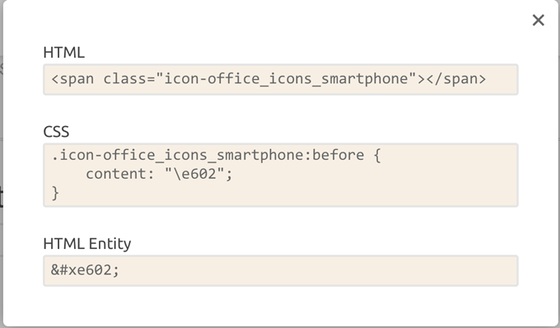
Icon fonts are typical fonts that simply contain symbols and glyphs instead of letters or numbers. Each character or symbol can be easily displayed in HTML or CSS. For example:

css_html


There are some great advantages to using icon fonts instead of bitmap images:


  • Scalability: because they are vector graphics, you can easily scale them up or down without losing their quality

  • Fast loading time: since they have a small size, your website will load much faster than it would load if you used bitmap images

  • Effects: you can add CSS3 effects and animations to them

  • Lightweight: icon fonts are more efficient because they require only one http request to load one font file

  • Retina display: since the icon font uses .SVG, your icons will look great on retina

How to Create an Icon Set


To create an icon font, you need to design your icons first and then turn them into a font. Think about the theme of your icons and the style that you want to achieve. Some popular themes are: business, technology, sports, or social media. Minimal, flat, and light design seems to be a popular trend for iconography nowadays, so you might start with this one. This type of design uses thin lines as the basic form, so just make sure you take this into consideration when you set the weight of your strokes in Illustrator.


The first step is to design your icons and save them as SVGs. You can use any software you want to create vector files – but now I will show you how to do it using Adobe Illustrator.


Step 1


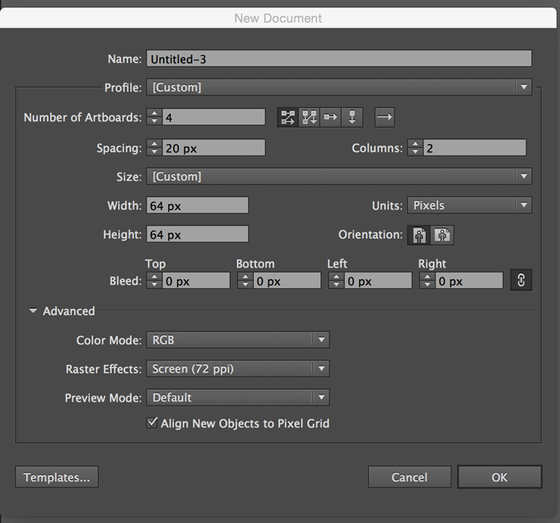
You can start with a 64x64px Illustrator document. Using the “Number of Artboards” option, you can indicate the amount of artboards you want to create.

new_document


Step 2


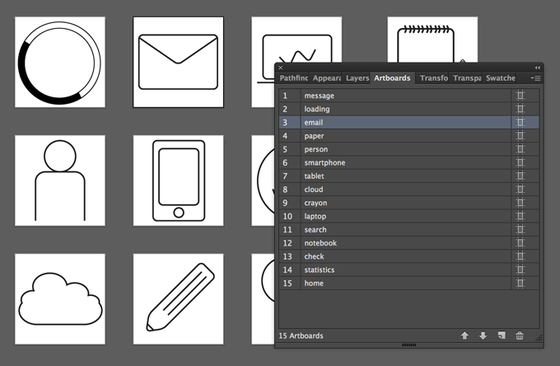
Draw an icon on each artboard. As you draw, give each artboard a logical name. This will come in handy when you save your files because it will be the name of the SVG file!

artboards


Step 3


Take these things under consideration before saving:


  • You must have transparent backgrounds

  • Glyphs will be interpreted as black

  • use the Pathfinder panel to combine overlapping shapes

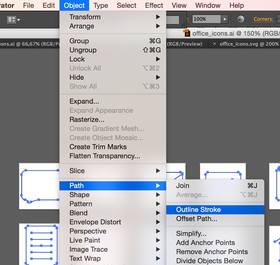
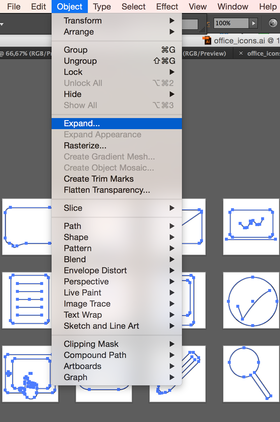
  • Convert paths to filled shapes by using Expand (Object>Expand; Object>Path >Outline Stroke)
expandoutline_stroke


Step 4


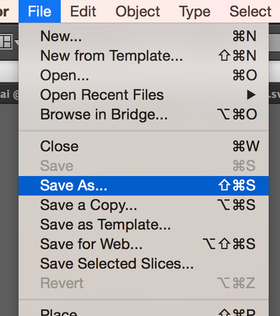
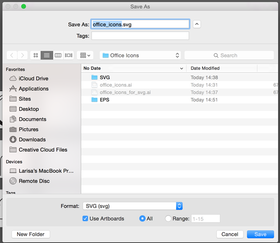
Use “Save As” to export the SVG file. Select SVG from the dropdown menu and make sure the option “Use Artboard” is checked.
save_asdropdown_SVG


Now that your icon set is ready, you can move on to the next step!


How to Create an Icon Font


Creating an icon font on your own sounds difficult, but there are lots of tools out there that make the task quick and painless. IcoMoon is my personal favorite, so that’s what we’ll use.


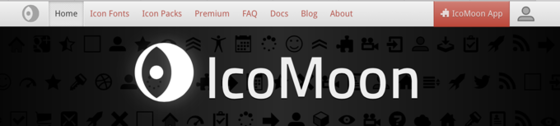
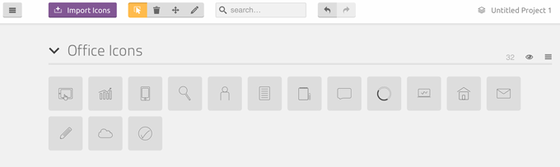
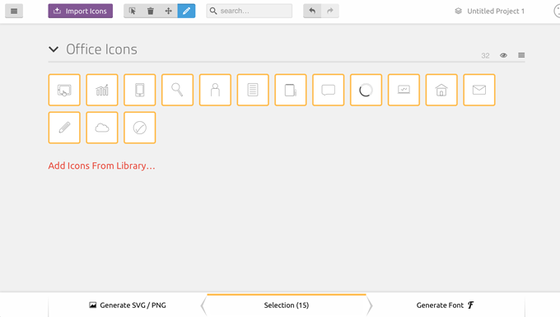
Since your icon set is done, you can now upload your files to IcoMoon. To begin, click on “IcoMoon app” on the right side. Use the “Import icons” button to upload your SVG files. Your set will appear at the top.

ico_app


importset


Step 1


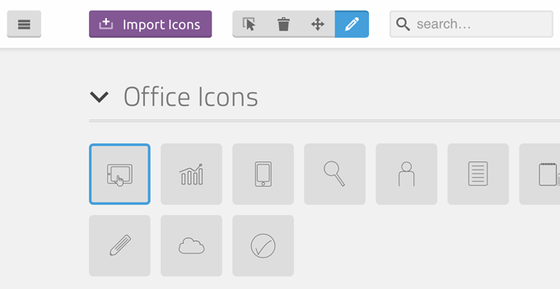
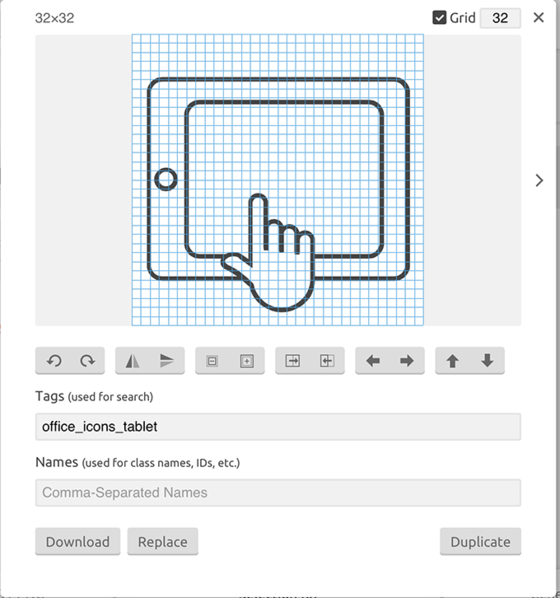
From the top panel, select Edit to resize your icon (if you need to). Click on Edit, select one icon and the Edit window will open. Here you can resize or move the icon, download the SVG file or replace it.
edit_button


edit_window


Step 2


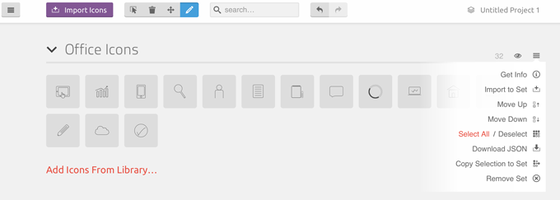
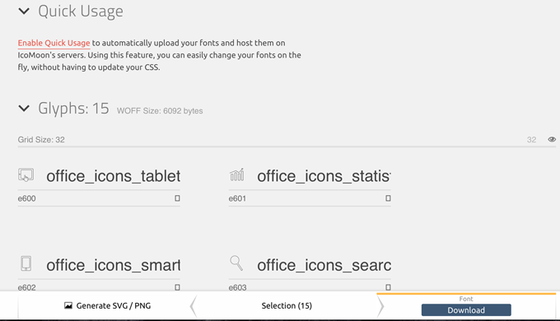
From the hamburger menu, select all icons (the selected ones will have a yellow frame). Click Generate Font at the bottom of the page. Add a font name. Now download your font and add it to your CSS.
select_all


generate_font


download


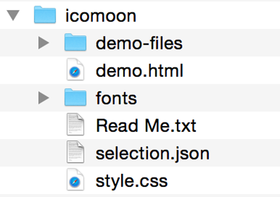
The downloaded .zip file contains the font in various formats (.eot, .svg, .ttf, .woff), a demo file, a .json file that you can use to restore your project and a .css file.

icomoon


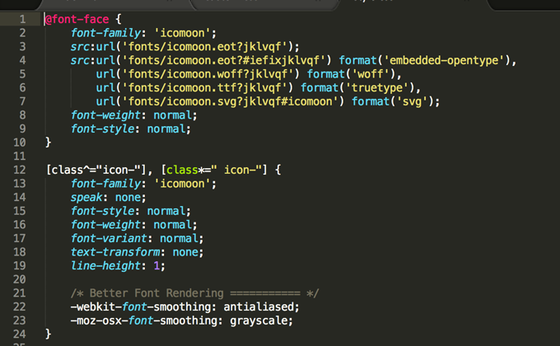
This is an example of how the CSS will look:

css


Try It Out!


Using an icon font saves a lot of time and fixes all your problems with size, effects, retina display and performance. There are some solid alternatives to IcoMoon, such as fontastic.me and fontello.com. Try them and see which one suits your project needs best.


In the meantime, if you need some inspiration to design your icons, check out these great icon sets:


Share on PinterestMinimalistic icon set by Larisa Deac

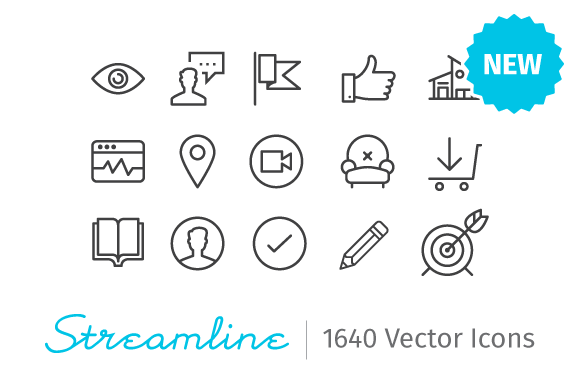
Share on PinterestStreamline Icons by Vincent Le Moign

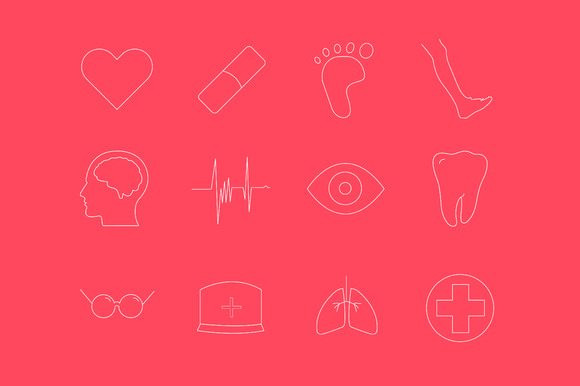
Share on PinterestHealthcare Icons by Larisa Deac

Share on Pinterest2090 icons in UniGrid set by Icojam


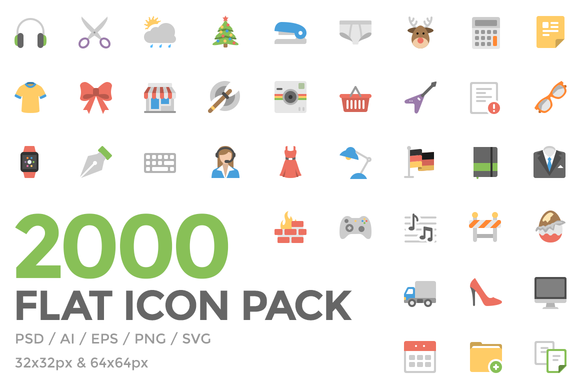
Share on PinterestSquid Ink Flat Icon Pack by Web Icon Set


Larisa Deac is a designer and photographer from Romania, who lives and works in Finland. She creates user interfaces and prototypes for web and mobile at Affecto (part of Affecto Design team). In her free time, she creates resources for designers and photographers on Creative Market and runs a design blog at www.larisadeac.com



getpaidtowrite-banner

How to Create a Simple Icon Font

Friday, February 27, 2015

50 Glyph Icon Set

50 Glyph Icon Set

The awesome glyph icons keep coming, with this high quality package of 50 glyph icons. Thin lines and crisp edges keep the glyphs clean and modern, and there are a few unique icons in there, such as headphones and gift boxes, that make this set a must-have for your design toolbox. The download package comes with an editable AI file with preserved layers.


Screenshots


50 Glyph Icon Set


50 Glyph Icon Set

Tuesday, February 17, 2015

50+ E-commerce Icon Set – Freebie No:155

Good icons are essential for any kind of e-commerce websites or apps, today we are giving away a beautiful e-commerce icon set designed by Freepik exclusively for CSS author readers. This Set contains general icons for day to day designs particularly for e-commerce websites or apps. You can grab a copy of this beautiful ecommerce icons from the link below.


50+ Ecommerce Icon Set


Download Ecommerce Icon Set


Format : PNGSVGSize :460.78 KBLicence


The post 50+ E-commerce Icon Set – Freebie No:155 appeared first on CSS Author.


50+ E-commerce Icon Set – Freebie No:155

Friday, February 6, 2015

Puppets Icon Set

Puppets Icon Set

The Puppets Icon Set comes with 100 unique glyph icons with fine attention to detail. The icons come in two versions: 64px / 128px – Basic and 24px / 32px – Simplified. They are designed with thin strokes and minimal colors and will work well with any creative projects.


You can visit the Dribbble shot of Puppets Icon Set here.


Screenshots


Puppets Icon Set


Puppets Icon Set

Thinking Heads Icon PSD

thinking-head-icon-set-header

Todays awesome icon set comes exclusively from http://www.freevectors.net/ specially for BlazRobar.com! How exciting! You’ll love these greta little icons to through into your next design! This collection of icons includes a PNG file, a PSD file, AI formats and EPS files.


The post Thinking Heads Icon PSD appeared first on Free PSD Web Design Templates.


Thinking Heads Icon PSD