iPixel Creative is a Singapore web design and development Company. At iPixel Creative, we provides web design solution which helps your company stand out from the competitors. Our Solutions includes web design, website development, cms development, ecommerce solution and hosting solutions.
There’s no one guaranteed route that will score you your first job. Instead, it’s usually a combination of several controlled factors, that when used together will dramatically increase your presence on the radars of potential clients. Here are some tips to help you out along the way.
Work Hard
This should go with out saying. A career, whether freelanced or salaried, will not come to you unless you put in the hours. Fortunately for most designers, this comes slightly easier than normal, since it is largely a passion and less a job.
I consider myself lucky, even after working a fourteen hour day; because it always amazes me that there is a market, a means by which I can generate a living doing what I am passionate about.
Carefully Curate Your Portfolio
Create, create, create! Your portfolio is going to be pivotal to landing a client, especially those you may never meet face to face, so invent reasons to be creating. Early on, I would create practice case studies to challenge myself. I could then use these case studies in my portfolio until more real world projects were complete. Even to this day, some of my most viral projects are ones I created and haven’t left my portfolio.
In general, I aimed to keep around six to ten pieces in my portfolio, removing items that were under performing when I completed a new project. In addition to restricting the number of projects, try to keep on target. Avoid sending mixed messages about what kind of designer you might be, and what services a client may get from you. If you want solely branding gigs, for example, then your portfolio should have only branding samples.
Word of mouth is powerful, so shake some hands and be sure to ask for work. It may feel weird at first, but if you don’t ask you will not receive.
Afterwards, get online; your clients can come from anywhere, and will. My experience was that limiting your social networks will let you focus more time on a single avenue, instead of being split between many. So pick one or two social networks to engage people with and own those before spreading out.
Swing and Miss
Apply for everything initially; play the odds and even submit for jobs you may consider out of your reach. You might get a lot of rejections, but again, you don’t know until you have asked.
Early on, I would shamelessly ask everyone and anyone if they were looking for a graphic designer. Inadvertently I was marketing myself by letting others know that I was open for business, even if their answer was no, they may pass your name on to another prospective client.
Be a Brand
Consistency is crucial to creating a coherent image of yourself. This doesn’t mean you need to have a brand as tight as major corporations, instead it could be as simple as using the same profile picture across social medias, or having the same font across all your marketing materials.
You can get a great feel for your image by taking advantage of branding mock ups like the one below. Share on Pinterest
How Did You Land Your First Client?
It may seem like an over simplification of the process, but a refined focus on these suggestions will increase your chances of getting that first freelance cheque, or perhaps open that door to the interview of your dreams.
We’d love to hear about your very first client. Tell us the story in the comments below.
Are you considering making your own app? This is what you need to know. Learn about the app ecosystem, programming languages, toolsets, and time and effort involved. Let’s not tell you what you should know, but rather explain how you can actually get started today to get an app published in the App Store.
An app is just a piece of computer software running on a smartphone. It’s written by a programmer, and put together with graphic assets created by a designer.
Apps for iPhone are made with a Mac application called Xcode, and programmed in either Swift or Objective-C. Many apps are connected to the internet, which means that they have a back-end that allows storage of data in the cloud or functionality that interconnects users.
Xcode is the application you can use for making native iPhone apps, and it’s only available for Mac OS X. It includes Interface Builder, a tool to visually create the graphical foundation of your app. It’s a scaffolding tool: you can’t make a functional app with it, but you can lay down the groundwork for the GUIs of your app.
Xcode has many useful features, such as Auto Layout for making your interface work on multiple screen resolutions and an iPhone Simulator for testing your app without an actual iPhone.
In order to publish apps in the App Store you need a developer account from Apple. It’s available for $ 99 USD a year, and needs to be renewed each year. Apple has a comprehensive online toolset available for managing new and published apps, called iTunes Connect, as well as an extensive set of documentation.
Additionally, iTunes Connect now features a beta distribution tool called TestFlight. It can be used to distribute your app to beta testers.
2. The App-Making Process
Any app development process roughly follows these steps:
Design. Make a mockup of your app and layout all the components on the screen.
Develop. This step involves coding the app, tying up interfaces with if-this-then-that actions.
Test. Send the app out to beta testers and gather feedback on its performance. Then, solve any errors that arise.
Publish. Get your app past the review process and push it to production in the App Store.
Modern process management often work with iterations on a micro and macro level.
When you’re making a new feature, you always design it first, then code it, then test it, and then push it live. Whether it’s a small component or an entire new part of the app, follow this process.
3. On Swift and Objective-C
iPhone apps are all written in Swift or Objective-C. Swift is the new programming language invented by Apple, announced on June 2, 2014, and subsequently released as a stable 1.0 version on September 9, 2014. It’s a fairly new language and apps entirely written in Swift are just now hitting the App Store.
Swift is gaining rapidly in popularity and its features are highly acclaimed by both beginner and advanced programmers. The great thing about Swift is that it’s interchangeable with Objective-C. This helps the adoption of Swift by programmers, because they don’t have to rewrite their entire codebase to be compatible with the new language.
People that already have an intermediate-level proficiency in any programming language will need less time to pick up Objective-C or Swift. Especially those that have worked with languages that are similar to Swift, such as Java, PHP or Ruby, should have no problem learning Swift.
But which is better, Swift or Objective-C?
Objective-C is a little bit harder to tackle because it uses a unique syntax. For beginners, Swift is clearly the better option. It’s easier compared to Objective-C and removes overhead from the development process, making the barrier-to-entry for beginners considerably lower.
Despite that, Objective-C is still the standard in many firms around the globe, so legacy code will be Objective-C for the coming years. As an employed iOS developer, you’ll see more Objective-C than Swift.
4. Middleware: Build Once, Run Multiple
Middleware (or cross-platform) like Cordova or PhoneGap, is a popular choice for app developers, because it enables them to write code once and deploy it to both Android and iOS.
Apps for Android are written in Java and they’re not compatible with iOS apps. If you want to make an app for both platforms, but do not want to program the same app twice, middleware is a time-saving option.
Many of these cross-platform tools are based on web technology, such as HTML5, CSS and JavaScript.
PhoneGap is the most widely adopted: it’s being used by 400.000 app developers. PhoneGap has its own build tools and technically it exports an app that can be run and built inside Xcode, making it a "hybrid app" — native components combined with HTML5.
PhoneGap now features PhoneGap Build, which replaces the Xcode compiler with a cloud-based solution. PhoneGap is free and released under the open-source Apache Public License v2.
PhoneGap outperforms these alternatives by supported devices (iOS, Android, Windows Phone, BlackBerry OS, Ubuntu and Firefox OS) and supported hardware (accelerometer, camera, etc.).
Downsides To Middleware
Using middleware such as PhoneGap has two major downsides.
Since such tools are all based on web technology, they’re unable to make use of hardware-accelerated native components. Animations, transitions and high-resolution graphics don’t work as well as in a native app, which makes it impossible to use for games or visually intense apps.
Also, using middleware requires good knowledge of compilers and build tools, which makes it an inconvenient option for beginner developers.
5. Design: How Your App Is Used
Not all that is apps is programming. Graphic design is big in the app industry; it’s a requirement for any app that wants to be taken seriously. Are you considering programming your own apps? If your budget allows it, hire a graphic designer. There’s plenty of those around on outsourcing sites like Elance or oDesk.
That being said, you don’t need a graphic designer if you’re just starting out. On iOS, you can work with the many pre-fab components that Apple is using in their own apps and throughout the operating system’s UI. The standard iPhone user interface components don’t look exceptional, but they’re not bad either. It’s a great way to get started without spending too much time on the graphical look of your app.
Icons: Consider using an icon kit such as Glyphish (commercial). They’ve put together hundreds of icons, optimized for iPhone apps, including social media icons, play/stop buttons, and symbols for app-related tasks such as new, edit, and send.
Mockups: Another tool you definitely must use is Balsamiq Mockups (free trial, commercial). It’s a point-and-click editor for making mockups of your apps. A mockup is a rough sketch and it shows and explains how your app works and what it does. Never just start programming: take a step back and rethink your apps UI and layout by making a mockup.
Did you make a sketched mockup, but can’t get a feel for how the app will actually look? Work with the design PSDs from Teehan+Lax (free). They’ve extracted all the GUI components from iOS and made them available as vector graphics. Perfect for making a graphical mockup!
6. How To Enable An App For The Internet
Is your app connected to the internet? Creating a custom back-end with server-side languages like NodeJS, Ruby or PHP can take up lots of time, money and effort. It’s easier to use a Platform-as-a-Service tool, such as Parse.
Parse is a cloud-based solution for storing data offline and online in your app. Say, you’re making a social app with a stream of pictures and status updates. You could use Parse to store that data in the cloud and use their SDK to get it from and to your users.
Using a tool such as Parse completely removes the need to build a custom back-end. Parse’s basic usage tier is free, subsequent tiers start at USD100/month.
Alternatives to Parse are Appcelerator (middleware + PaaS, commercial) and App42 (PaaS + analytics, free tier).
7. Going From Beta To Live
Before an app gets published in the App Store, you need to upload it with iTunes Connect. You enter your app’s basic information like a description, app categories and what app icon to use.
Your app then enters the review process, a requirement from Apple. A reviewer from Apple checks if your app adheres to the Review Guidelines and whether it has bugs. It’s a quality check to ensure only good apps enter the App Store, and from the point of uploading it takes about 2 weeks to get your app reviewed.
Of course at this point you might still have some burning questions related to creating your very first iOS apps. We’re going to take a look at the top 10 questions new app developers are concerned about.
1. How much does an app cost?
The cost of development of an app can really differ from one contracting company to the other. Outsourcing freelancers can create a simple app for around USD3000. Bigger companies can ask from USD25,000 to USD100,000 for a complex application, including graphic design and back-end programming. Companies like Tinder, Pinterest, Facebook, etc. can spend hundreds of thousands to millions on developing and marketing one app. Just like anywhere else: you get what you pay for.
2. I’m stuck with a programming bug. How do I get help?
A lot of beginner programming questions have been asked already on sites such as StackOverflow. Search for the error message or bug you found, and you’ll most likely find a solution. When asking a question yourself, always search first, and make sure you explain your problem thoroughly and tell the steps you’ve already taken to solve it. Quora is a good medium for asking non-technical questions, such as about business and UX/UI topics.
3. I have a brilliant idea for an app. Where do I start?
If you’re serious about creating a business based on an app, don’t start with programming immediately. First, validate your business idea by pitching to your target audience.
Get in touch with potential customers and survey them, asking for feedback.
Keep in mind that most successful apps solve an immediate problem, in such a way that customers want to pay for it. When you’ve validated your idea, and created a relationship with your first customers, proceed with design and development of the actual app.
4. Do I need an iPhone to create apps?
No, but it’s recommended. Xcode has an iPhone Simulator, that runs your apps just like a physical iPhone would. Holding a real iPhone with your app in your hands is different from seeing it on your computer’s monitor, so testing your app on an actual device is recommended.
Keep in mind that Xcode only runs on Mac OS X.
5. I’m not good at maths, do I need it for programming?
Yes, and no. It’s an urban myth that to be able to code you must be good at maths. A lot of programming principles find their roots in mathematics, but they’re not required for a basic understanding of how to make apps. When you dive deeper and become more proficient at programming, you’ll find that you have picked up some maths skills along the way.
6. I work for a company. Do I pursue my app idea with the company, or in my own time?
It depends on the company and your position. Are you an engineer and is your company’s core business online, digital or closely related to apps? Then you might want to build a prototype and convince your supervisor or employer to pursue the idea.
If you think your employer won’t see the value, you can pursue the app idea in your own time. Be mindful of your contract with your employer. Inventions made during your time with the company could be regarded as the company’s intellectual property, not yours.
7. My app idea already exists in the App Store. What do I do now?
The fact that it exists doesn’t mean it’s a good app. You can always create a competing app and make it better than what’s already out there.
Likewise, the fact that an app doesn’t exist yet doesn’t make it a good idea to create it. It could well be that an app has been published multiple times, but was pulled from the App Store because there was no need for it.
Always validate your app idea by the problem it is solving and the value it has for its users.
8. Why is the iPhone sometimes called iOS?
There’s a slight difference: iPhone is the name for the actual hardware smartphone and iOS stands for “i Operating System”. Going back into Apple’s history, the iMac computer was the first product to have the prefix “i”. Later on, they’ve followed this style and created more products: iTunes, iPod, iPad and iPhone. It’s only natural to call the operating system that runs on the iPhone, iOS.
9. How do you effectively market an iPhone app?
Entire books have been written about this question! It’s a hard one, but not impossible to answer. All successful apps solve one problem, in such a way that people want to pay for it.
You can either come up with a problem and find people that need your solution, or find an audience and survey them for problems you could make a solution for. Keep in touch with this customer group and give them a way to tell others about your product. Referrals and word-of-mouth is an effective and cheap marketing machine.
10. What’s the worst way to learn programming?
Giving up is one of the worst ways to learn programming. Learning a new skill has ups and downs, and you can only keep going by celebrating the ups and seeing through the downs. Giving up is not part of the equation.
Also, find out what your learning style is. There’s no point in watching videos, when writing code and trial-and-error suits you better.
Finally, don’t randomly pick a book on programming from the library but find a proven learning method or path. When learning Spanish, you don’t start with reading a dictionary, right?
Learning Resources To Get Started
If you still want to go through with creating your first iOS app, this section is where you find all your learning resources to get started.
App development involves a lot of components, and when you’re new it can be quite a challenge to get acquainted with all the tools. Fear not! You can make your first app in a day at max, with no prior programming experience. The only thing you need is a good resource that shows you the ropes and focuses on one toolset at once. There’s plenty of beginner tutorials on the internet, as well as premium courses.
The Learning Process: In Brief
What’s your learning style? Consider that before you pick a resource.
When you’ve built your first app, it’s a great plan to briefly dive into a number of components after one another. Learn about:
Using navigation controllers, such as tab bars and hamburger menu’s
Using hardware, such as the camera and accelerometer
Using layouts, such as the table view controller and the page view controller
Working with animations and view transitions
The app lifecycle
Compilers and build tools
Most of these topics require a couple of days (24 to 32 hours) of tinkering, trial and error, and looking up resources.
Once you got the basics figured out, get straight into working with internet sources and cloud-based solutions such as Parse. All apps are connected to the Internet one way or another.
Regardless, those who are used to learning new things often can outline their own learning plan and do not necessarily need to follow a program such as a course or a book.
Wrap Up
Wouldn’t it be great to have your own app in the App Store? You now have a basic outline of the tools involved in making apps, and what it takes to learn how to make your own apps. Get started with Swift by reading a book or following a tutorial, craft a great looking interface with Balsamiq, get yourself a developer account and publish that app!
Editor’s note: This is written by Reinder de Vries for Hongkiat.com. Reinder is an entrepreneur and app developer, who believes that there are not enough app makers in the world. He has developed 50+ apps and his code is used by hundreds of thousands of users all over the globe. When he’s not coding, he teaches aspiring developers how to make their own apps at LearnAppMaking.com.
Adelle Charles is more than just a master of pixels. In 2009, she co-founded Carbon Ads and was also the managing editor for Fuel Brand Network. These days, she is one of the expert hands guiding Bitly as visual designer. We got the chance to sit down with Adelle about having the courage to start, getting an education, and where she’s headed next.
Creative Spotlight is a series of posts that focuses on highlighting interesting people in and around the greater creative community. We chat with industry professionals that we respect about their passion and recent projects, which we hope serves as great inspiration for you in your own endeavors.
Can you tell me a little about the creative projects you’re working on right now?
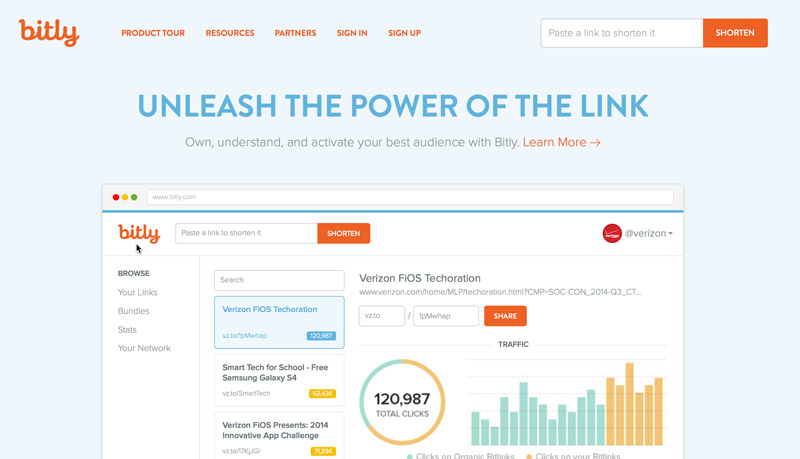
Adelle: I’m a Visual Designer on the product team at Bitly. There, I’m working on a wide variety of projects but one recent release I am very excited about is our new “Your Bitlinks” design. We see more than 250 million clicks on Bitlinks every day, and about 55% of those clicks come from mobile devices. Knowing that our users do more on mobile every day, our new view is a responsive design that provides a consistent experience across desktop, tablet and mobile devices. Some features to support this responsive framework include the multi-pane page layout, infinite scroll, and a third action pane that supports the filter, edit, and share features. Our team is working really hard to bring the same experience to the whole Bitly product.
I am fortunate enough to be able to work on a small amount of freelance projects in my spare time. Aside from design I enjoy cooking, photography and learning new things.
Tell me a little bit about your path to being a designer. Did you have any other interests you considered pursuing?
Adelle: Growing up, I was always an artist. Starting in middle school I got into the fine arts and did a lot of drawing and painting. I was finally able to convince my parents to buy a computer in the late 90s and that opened up a whole new world for me in terms of graphic design. That’s what I got my degree in.
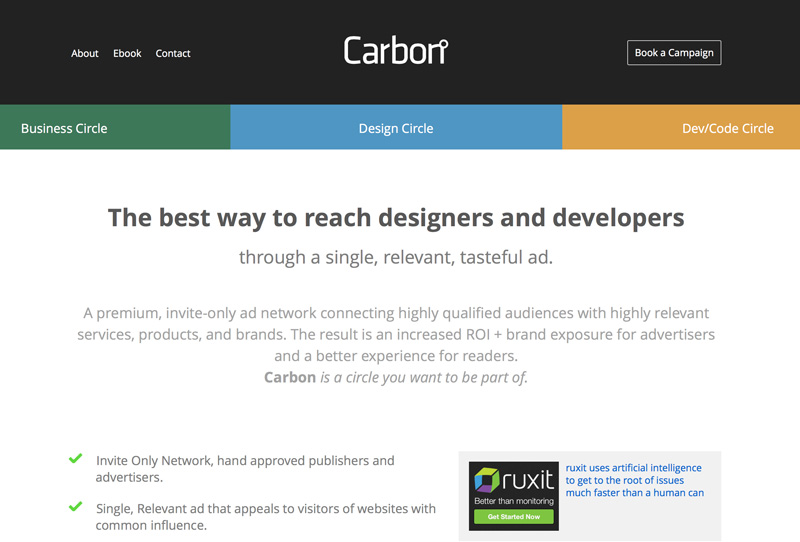
Once I graduated, I was working mainly on print advertising. During this time I started pursuing web design on my own. As I learned about this stuff, I blogged about it on a site I started, Fuel Your Creativity. That type of editorial site just grew from there and before I knew it, the Fuel Brand Network of sites was born. From there I become co-founder of Carbon Ads, an invite-only, targeted Ad network that grew to reach over 20 million creative professionals through over 200 publishers before it was acquired in 2012.
Can you remember one of the first things you designed or created that you were proud of?
Adelle: When I was in college, I was the editorial designer at the school’s (Rochester Institute of Technology) internal magazine ‘The Reporter’. It was kind of my first real life experience with something that was distributed out to people. At that moment, I knew choosing graphic design as my path was the right choice!
You have some experience teaching design. Is a college degree is still the right path for designers?
Adelle: I don’t think a formal design education is necessary. I’m glad that was the path that I took but I think that if you have real, raw talent, then you definitely can develop your skills out in the working world just as much (or more) than you would in a classroom.
You are a designer with an entrepreneurial streak and have founded some great brands. Is there any advice you’d give to a designer wanting to start something of their own?
Adelle: Just jump. Just do it. I kept putting it off because “it was never the right time.” But there never seemed to be a right time so one day I just took a deep breath and did it. I quit. The uncertainty was terrifying but it was the best decision I’ve ever made.
Creative bucket list time: is there one creative experience or project you’d love to complete in the next couple years?
Adelle: I want to learn screen printing and maybe from that, I’ll be able to create a tangible line of goods. I don’t know exactly what that would be yet, though!
Thanks, Adelle!
Amanda Hackwith is a writer and editor who regularly blogs about writing, creativity, and other nerdish obsessions over at amandahackwith.com. She has her first modern fantasy novel, Fable Fires, coming out this spring. Say hi and follow her @ajhackwith on Twitter.


 Share on Pinterest