Friday, January 2, 2015

Fresh Resources for Web Developers – January 2015

It’s here! We’ve finally left the tumultous year of 2014 and as we usher in a new beginning with the new year, we have new hope, wishes, and certainly new tools to try out. In this post, we have put together a handful of perfect tools and plugins to get this rolling.


From a handy online test tool to something for easy access to mobile design patterns, there are quite a few choices to get your 2015 on the right track.


Seti UI


Seti UI is a Sublime Text theme, not to be confused with Sublime Text Color Scheme. The theme in Sublime Text affects the app interface such as the tab and the sidebar. Seti UI is a ported theme. Its flat look is really nice to look at. A perfect choice of theme if you are using Sublime Text in Windows 8 or OS X Yosemite.


Seti UI


IXD Check List


Having a checklist can help you keep track on what has been done and what is to come. If you are a UI designer, you should probably add IXD Check List in your bookmark.


IXD Check List contains a collection of common to-do lists to check. Each item is supported with link references, so you can also learn why it’s on the list. If you prefer, there is a little button on the left where you can print the page and check the list offline.


IXD Check List


Coolors


Well, we have a handful of tools for picking out a color scheme already. But none is as easy as this tool, called Coolors. Simply hit the Space key and it brings up a new color scheme. It will generate new color scheme infinitely, derived from its algorithm and outsourced from its users contributors, as you repeat hitting the Space key.


Coolors


Nibbler


Nibbler is an online test tool that evaluates and scores your website for various factors including Code Quality, Mobile Compatibility, and Accessibility. It’s handy if you want to run a final check for your website before launch.


Nibbler


Velositey


Velositey is a Photoshop plugin to make the process of creating a website prototype in Photoshop easyil and quickly. This plugin allows you to quickly create a new document with a preset grid, adding preset web components, and generating icons or favicons. An indispensable Photohop plugin for every web designer.


Velocitey


Vagrant Manager


If you are using Vagrant in OS X, install Vagrant Manager. This app lets you manage multiple environments in a more convenient way. Once it is installed, it adds a new icon in the OS X task bar where you can monitor and control your virtual machines with only a few clicks. No more messing with command lines.


Vagrant Manager


CSS Specificity


CSS Specifity is one notorious topic of CSS which is not easy to digest. This tool is created to illustrate how this specificity concept works in an interactive manner. Draw several selectors and it will tell you which selector to apply.


CSS Specificity


CSS Dig


CSS Dig is a Chrome extension. And as the name implies, it will dig into your website and parse its CSS. It will show you a report which you can evaluate to perform required optimizations.


CSS Dig


Material Up


For those of you who might not aware of it, Google has just introduced Material, a new philosophy of its product design. Material Up is a collection of apps and websites that has already adopted this new philosophy. A good source of inspiration for web designers.


Material Up


Tindddle


Tindddle helps you enjoy Dribbble in a more streamlined manner. It will feed you with a selection of the best “Shots” from Dribbble. If you don’t like the particular Shot, hit the left arrow key of your keyboard, and if you like it hit the right arrow key. All the Shots that you have liked will appear in your Dribbble account — here’s a sample.


Tindddle


Mobile Design Pattern


The Mobile Design Pattern book is a collection of selected common mobile design pattern applied in mobile in 2014. Not only does it provide inspiration, the book also covers the decision and reasoning behind such design. A good book that should be on the digital book shelf of any web and app designer.


Mobile Design Pattern


FontAwesome Photoshop


FontAwesome is… awesome. To make it even more… awesome, install this plugin in Photoshop so that you can quickly add it in your design.


FontAwesome Photoshop


Fresh Resources for Web Developers – January 2015

40 Fancy Cursive Fonts to Add to Your Collection

A well-designed cursive font can seriously kick your design up a notch. Unfortunately, a truly great one can be hard to find. I mean, I think we’re all a bit tired of Lobster at this point, aren’t we? Fortunately, we’ve got a fantastic selection of premium cursive fonts that are sure to make your next project look awesome.


1. Bandung


Bandung captures the natural feel of brushstrokes. It goes well with the Aceserif font, and it’s especially good for t-shirt design, tattoos, logos and posters.


2. Nabila


Nabila is a stylized, playful take on a modern typeface. Use it for logos, packaging, t-shirts and more.


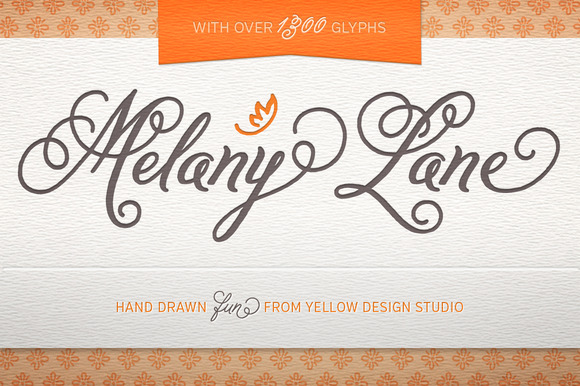
3. Melany Lane


Yellow Design Studio’s Melany Lane font is traditional, yet features the quirk and homeyness of hand-drawn type.


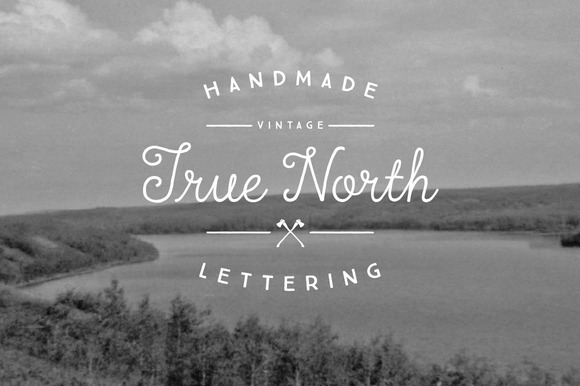
4. True North


Truth North is a vintage handmade font and monoline script. The Truth North family package includes 16 styles, as well as vector banners, page dividers and more.


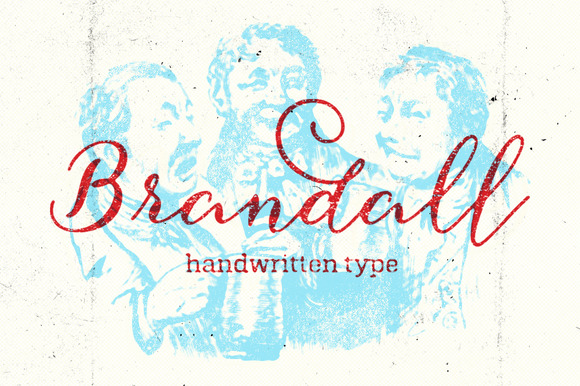
5. Brandall


Those who enjoy the natural feel and texture of hand lettering will love Brandall. It’s great for formal uses like announcements and wedding invitations.


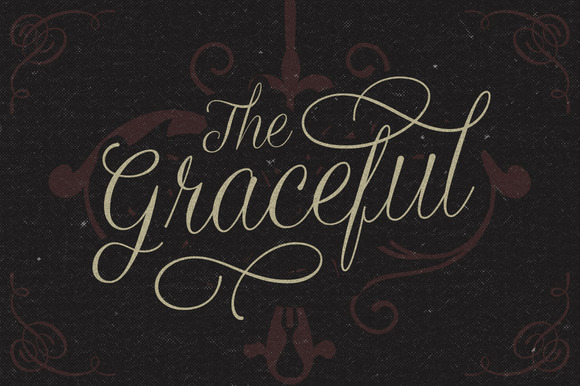
6) Graceful


Graceful combines the formal with the intimate. It’s perfect for vintage themed events, and it features 317 glyphs and 144 alternate characters.


7. Stringfellows


Stringfellows is another hand-written typeface. It looks lovely on quote posters, invitations and custom stamps.


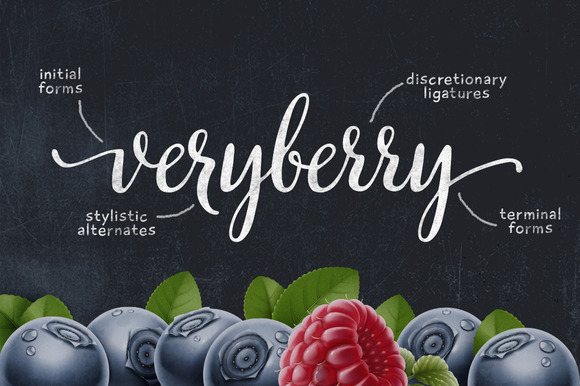
8. Veryberry


Veryberry is a luscious handwritten font with many open type features. It has over 750 glyphs, including ligatures, initial and terminal forms.


9. Hummingbird


Hummingbird recalls old-fashioned penmanship that’s both disciplined and uniform.


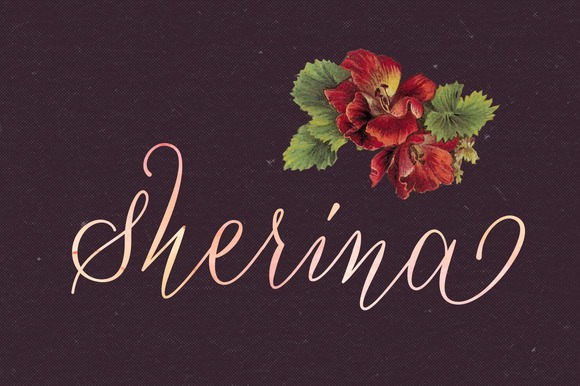
10) Sherina


This hand-written script is casual in design and fun for use on wedding invitations, greeting cards and anything retro.


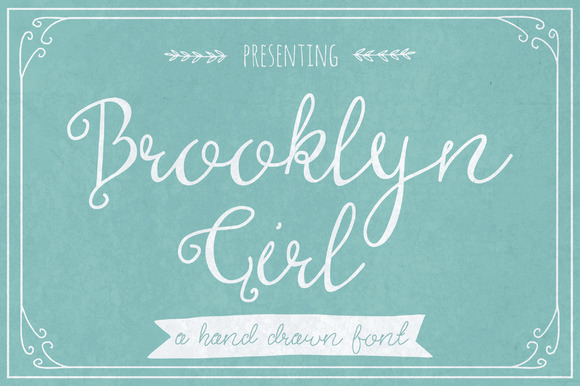
11. Brooklyn Girl


This hip, young font is stylized with curly capitals and flowing lowercase. Brooklyn Girl is a playful font for expressing your inner hipster.


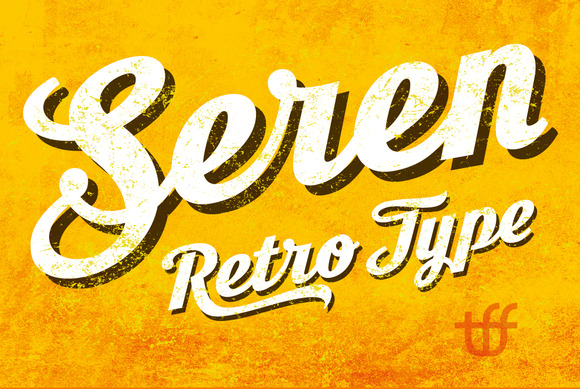
12. Seren Script


Seren Script is derived from the Moonface font. It has 430 glyphs, with an OpenType feature for creating custom type and designs.


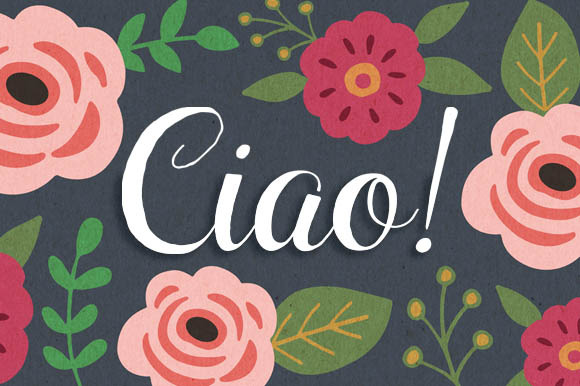
13. Ciao Bella


Ciao Bella is a hand-drawn script designed by Cindy Kinash and Charles Gibbons. Its international suite of characters and use of OpenType give it a genuine aesthetic.


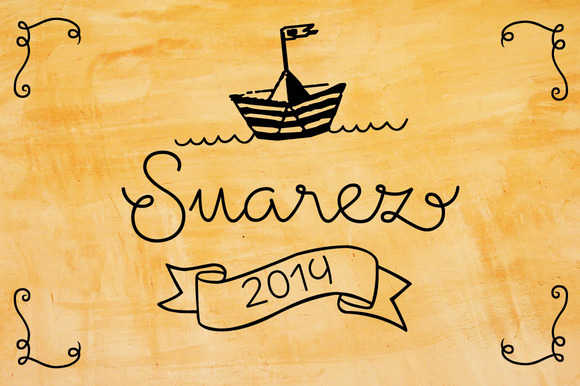
14. Suarez


Suarez is a stylized handwritten cursive font with ligatures for improved flow and reading comprehension. It’s best for invitations, greeting cards, books, menus and posters.


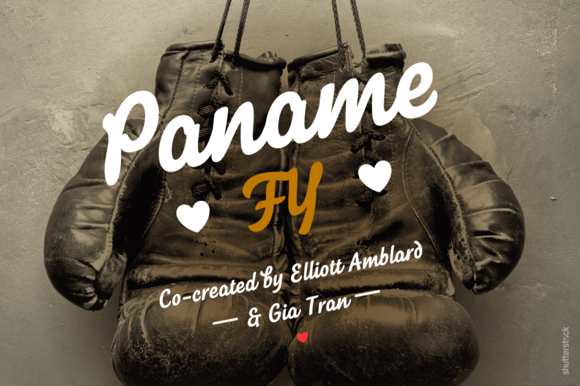
15. Paname


Paname is a relaxed script font with a bold vintage aesthetic. It’s comprised of 74 ligatures and alternates with swash.


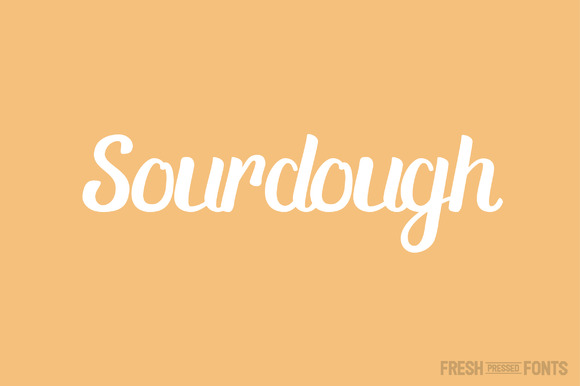
16. Sourdough


Sourdough draws its inspiration from hand-lettered sign art, with lots of contrast between its thick and thin lines.


17. Bringin


This informal script letter font features a slew of alternative characters. It also utilizes OpenType features like swash, ligature and alternates for use in Adobe Illustrator or Adobe InDesign.


18. Peaches and Cream


Peaches and Cream is a script family with three weights, an ornament set and an all-caps font. It’s excellent for designing eye-catching headlines, logos and posters.


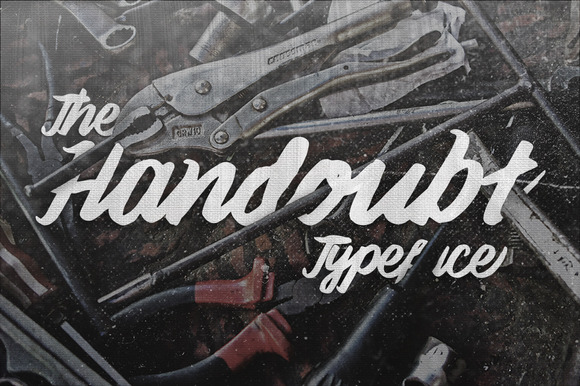
19. The Handoubt Typeface


The Handoubt Typeface is a pen-brush script with purposeful doubts and jagged imperfections.


20. Steady


Steady contains 315 glyphs and 126 alternative characters, each with a script typeface that oozes personality. Useful for logos, badges, headlines, posters, t-shirts and much more.


21. Shepia


This monoline cursive font is both classic and fun. It features nearly 390 glyphs and 188 alternative characters with OpenType features.


22. Monday


Monday features inky brush lettering and vintage hand-written style.


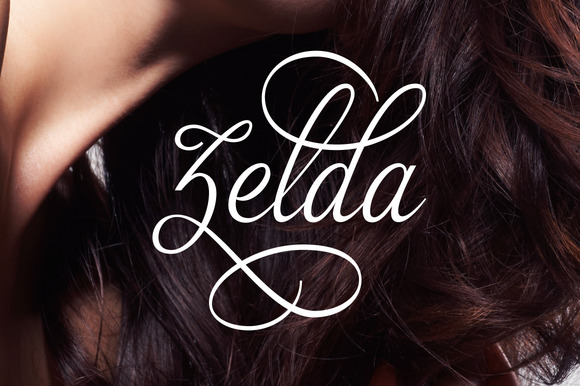
23. Zelda


Zelda is an elegant, feminine font with a hint of fierce.


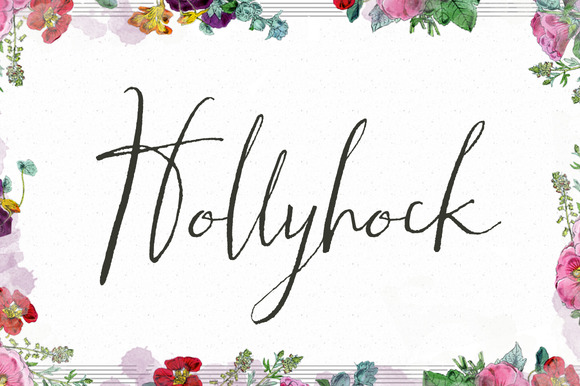
24. Hollyhock


Hollyhock is a messy, modern calligraphy font with tall letterforms. It has two sets of capital letters, including one that is wild and another that is more tame.


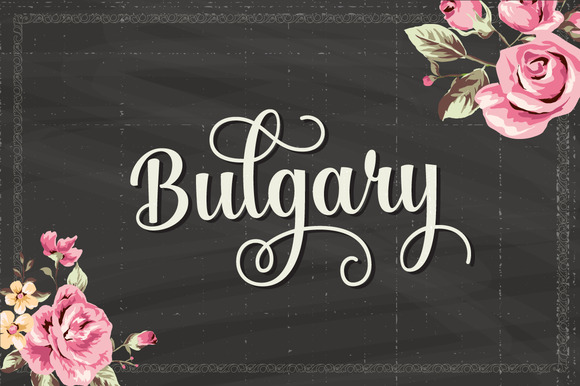
25. Bulgary


Bulgary is a flexible font that matches easily with other typefaces to create unique and beautiful projects. Use it for anything from wedding invitations to vintage designs.


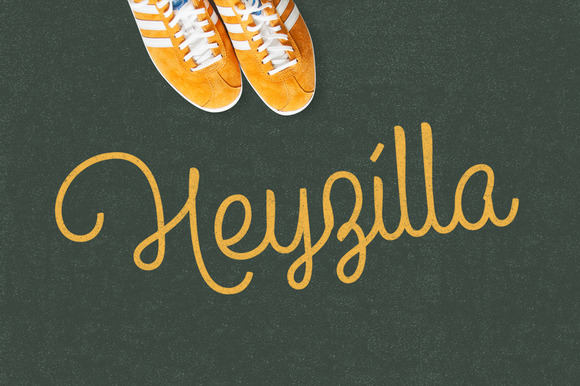
26. Heyzilla


Heyzilla is a multipurpose cursive font. Use it in OpenType with features like ligature, contextual alternates and swash.


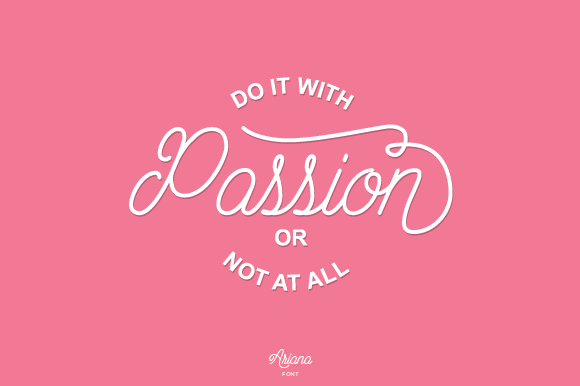
27. Ariana Script


Arianna Script is a passionate, monoline typeface. It’s best used for projects like logos, invites, greeting cards and posters.


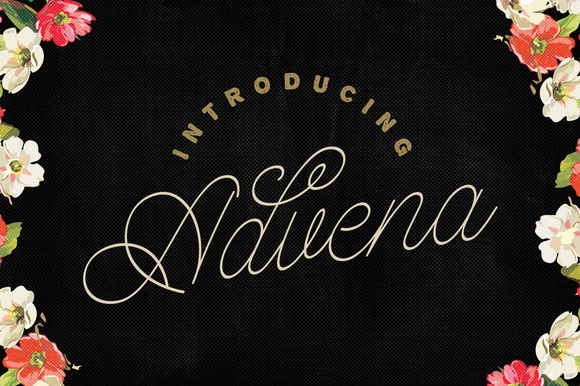
28. Advena


Advena’s elegant monoline script is reminiscent of calligraphy, with a hand-written aesthetic that’s great for wedding invites, greeting cards, vintage designs and much more.


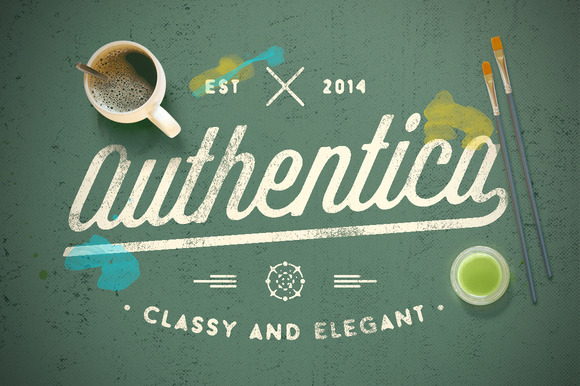
29. Authentica


Authentica offers a modern, hand-painted feel that’s great for logos and t-shirts. Mix it with alternate characters to complement any design.


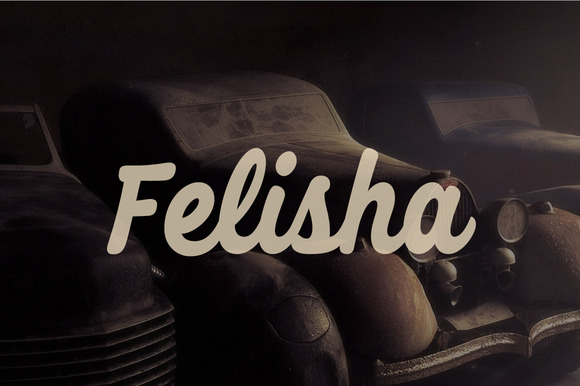
30. Felisha


Felisha is another multi-purpose typeface that’s great for retro badges, brands and posters.


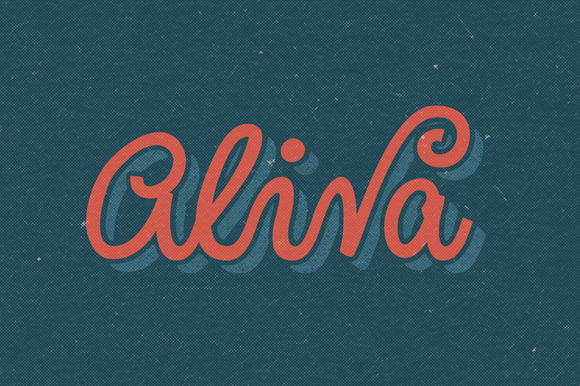
31. Aliva


Aliva is fun and casual, with strong letters and lots of style. It’s useful for anything from clothing to invitations.


32. No. Seven


No. Seven is a bold typeface with a solid brush style for creating a custom-made feel.


33. Everglow


Everglow is a script retro font that’s bold and classic. It features almost 560 glyphs, 322 alternative characters, OpenType features and loads of fun.


34. Home Brush


Home Brush is a graffiti-style font with an urban vibe. It’s great for headlines, clothing, posters and more.


35. Laskar


Laskar is script typeface with bold brush styles. It has a bit of a suburban retro feel, too.


36. Thirsty Soft


Thirsty Soft is a warm, rounded cursive with a vintage screen-printed style.


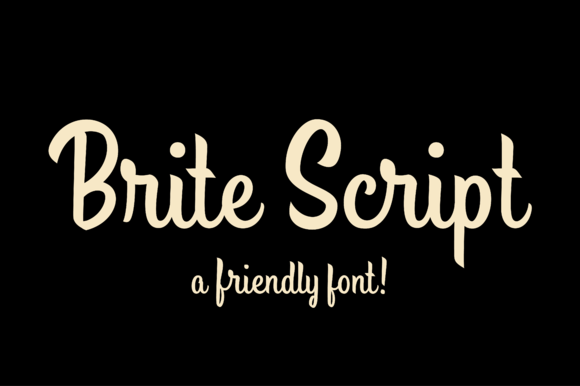
37. Brite Script


Brite Script is a friendly, stand-up font with a personal feel. Use it for invitations to your wedding, birthday cards and more.


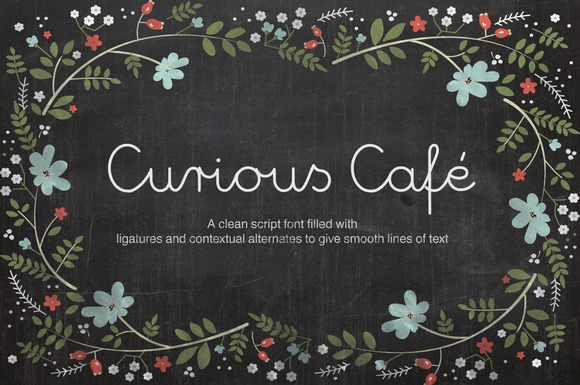
38. Curious Cafe


This monoline script font is influenced by retro handwriting. Use it for chalkboard effects, headlines, logos, adverts and much more.


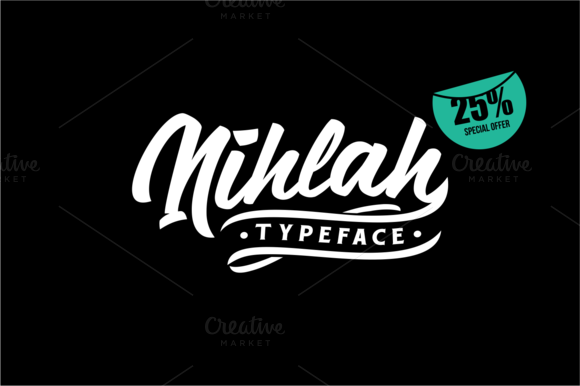
39. Nihlah


Nihlah is an ambitious, energetic script typeface with a modern vibe.


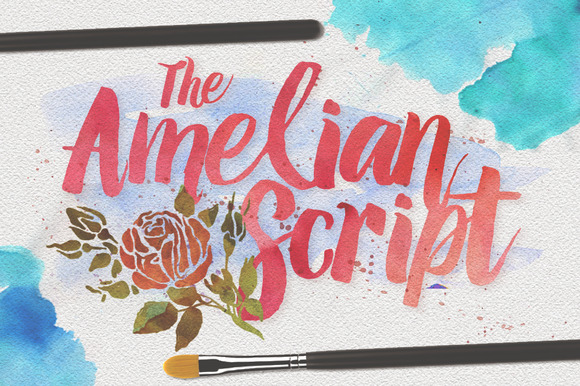
40. Amelian Typeface


This watercolor typeface features traditional brushstrokes. It’s ideal for fashion branding with a vintage feel.


Which is Your Favorite?


Whew! You’ve just seen 40 of the best cursive fonts on the web! Which is your favorite? Which is the perfect choice for that project you’re working on?


40 Fancy Cursive Fonts to Add to Your Collection

Thursday, January 1, 2015

Guide To Boosting Your Freelance Career With Pro Bono Work

People who are new to web design and development, writing or any other sort of creative work have little to show in their portfolio. And that’s a potentially major problem as thousands of experts with strings of portfolios are already out in a saturated market. What advantage could a newcomer have over someone who’s had years of experience and a reputation to boot?


Well, you can always go pro bono to build up your professional portfolio first. Want to know how? I’ve put together a quick guide on how to leverage pro bono work to gain more work.


What Is Pro Bono?


Pro bono is basically work done by a professional for free for the public. But in the freelance scene’s context, it’s for a freelancer’s image. Pro bono work is tricky. I say tricky because there are two different opinions on this. There’s the professionals who hate pro bono work and the ones who are for it.


The group against pro bono work feel that artists are getting ripped and selling themselves short of what they are worth. Alongside that you have many clients that prey on beginners to get free or extremely cheap labor.


The professionals are right; you should never ever sell yourself short. Hate on these predators (for lack of a better term) however you want, but why not you use them to your advantage instead?


The Sad Truth About Starting Freelancing


Only the experienced ones are given the high-paying projects. It doesn’t really matter if you are an experienced developer, designer or writer, if your online profile is basically zero, you’re out of luck.


You need to have an online presence.


When I started writing as a freelancer, 5 months after finishing university, no one wanted to work with me because I didn’t have any published articles online. I only started getting work because I did one free work. After which, I was recommended to and by people.


If you are new to the scene, I highly recommend selling yourself short (that’s a sentence I never thought I’d ever write). Suppose a project’s budget is around 00. If you think you can offer a 25-50% price slash, do it. If it’s a project that can be accomplished in just one day, you could even offer your services for free.


There is a catch though. Being the lowest bidder might give the impression that you are a low-quality worker. To turn this to your advantage, explain your situation: you are offering to work for less because you are new to the scene, but your client should expect no less than exceptional work.


Projects Worth Pursuing


Of course you shouldn’t just accept any project you see. You need to be meticulous and make sure that the project will potentially lead to other projects.


If you are looking for work on job boards like Elance, Freelancer, and the like, be sure to only talk to project owners with a robust history of projects. That way, you can ask them to contact you for future projects if they like your work.


Another thing you can do is to contact businesses or organizations in your area and offer your service. Try contacting the following in your locality; usually they have very little requirements and you’ll not get too much feedback (or additional input) and will be left on your own to do your magic. Plus, if you do it for free, you can always ask them to provide a good testimonial for you or to recommend you to others.


  • Schools

  • Churches

  • Orphanages

  • Interest groups

  • Your favourite local band

  • Your favourite restaurant

  • Politicians (if you are feeling adventurous)

When selecting your organization of choice, there are 3 important things to consider:


Is the organization connected with other organizations?


Organizations like to keep in contact with other similar organizations e.g. musician bands and indie groups know of other similar groups and if you were to make one website for one group, word may spread quickly of your services within the community.


Does it have a good image?


Where possible, you should steer clear from organizations with a bad image. Doing pro bono work should steer towards developing a positive image for yourself, not ruin it before it launches.


Is there potential for growth?


If the atmosphere suggests that the organization you’d want to work with has a great potential for growth, hop in without a second thought. You’ll be riding to the top with them as they popular and bigger.


Note that these are mere guidelines, not rules. You may prefer to work with individuals first instead of organizations. That’s fine too as it helps add to your ever-growing portfolio, giving you the boost you need in a different way.


How To Know What Works


A lot of companies and experienced freelancers do pro bono work on a regular basis. For example, web hosting companies do a lot of giveaways, offering a year’s worth of web hosting and domains for free. While they are not getting paid for their services, they are getting back free publicity. The same can be seen in graphic artists who release business card designs, logos, icons, fonts, artwork and the like on design blogs and creative outlets like Behance, Dafont, DeviantArt, and Dribbble.


Why does this work? People love free stuff. They will flock to you. And that’s the kind of publicity you want, a positive one. For web designers and developers, one effective method of driving people to your site is by giving away free website templates which, mind you, you can also include in your portfolio.


Do you see the trend here now? The gateway to success is basically to give your stuff for free at first, because if people loved your product or work, you will eventually be led to people who are willing to pay for more of your work.


Say No To spec Work


Urgh, spec work. Do not mistake pro bono work with… spec work. Unlike pro bono work which will probably get you leads to better-paying work in the future, spec work is just downright evil. It operates like this: the client behind a project will ask many individuals (mostly freelancers) to produce a work based on a specific list of requirements.


The bad news is, they pick, and pay, only the one result they want. After investing all that time and effort into producing spec work, you might leave empty handed, with no testimonial, publicity or leads to future project. Never engage in spec work — you’ll just encourage them to prey on other newcomers if you do.


Pro bono doesn’t only work for people who are just starting freelance work online. This also applies to seasoned freelancers who are experiencing "rainy days”, days when projects seem hard to come by. Start building your portfolio now. Remember, always move forward, even if it’s just one small step.


Guide To Boosting Your Freelance Career With Pro Bono Work

6 Free Design Goods To Download This Week: Dec 29, 2014

We’re working hard to make Creative Market the world’s best marketplace to buy creative digital goods. Even if you’re not ready to buy something though, you can still enjoy the site. We give away not just one, but six free goods every single week! This weekly blog series from Matt Borchert will walk you through each weekly free good so you can get a good idea of what you’ll be getting before you download anything.


Free Goods Video Walkthrough


Free Goods This Week


Stop by our Free Goods page to download all of this week’s great freebies. Keep in mind that these premium goods are free this week only and will return to their normal prices soon!


Pastel Colors Lightroom Presets


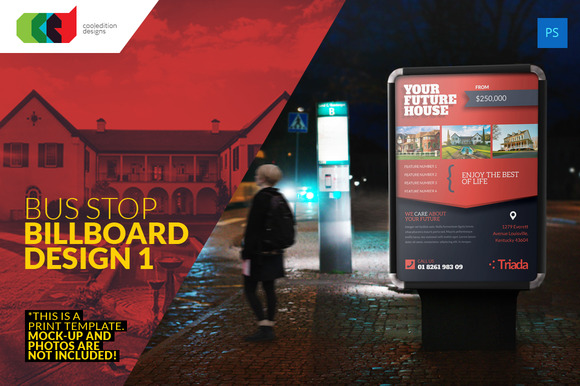
Bus Stop Billboard Design 1


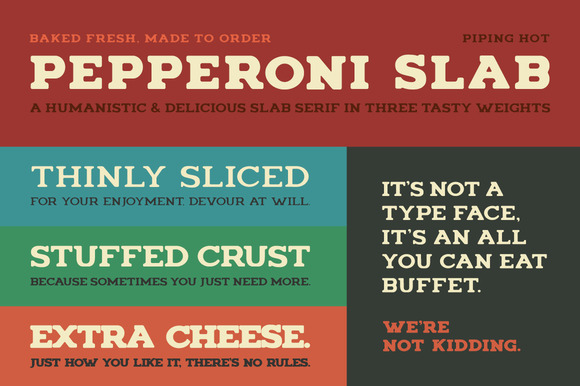
Pepperoni Slab


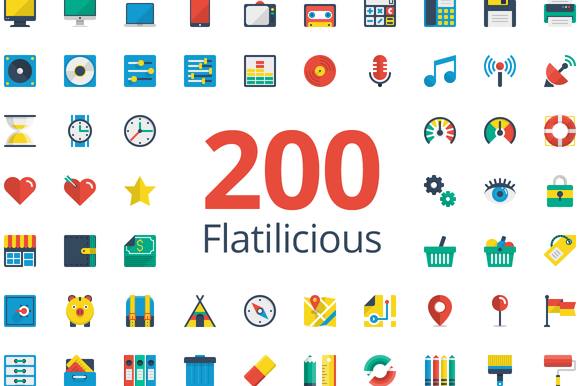
Flatilicious 200 icons


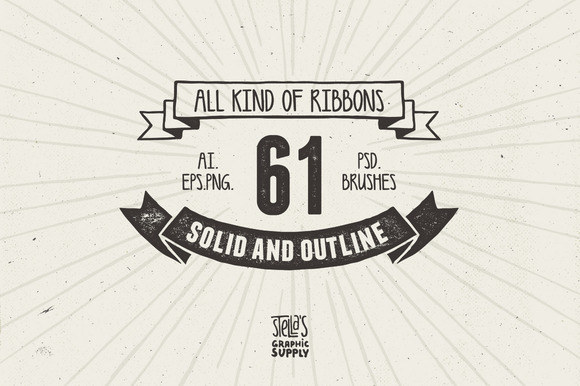
All Kind of Ribbons


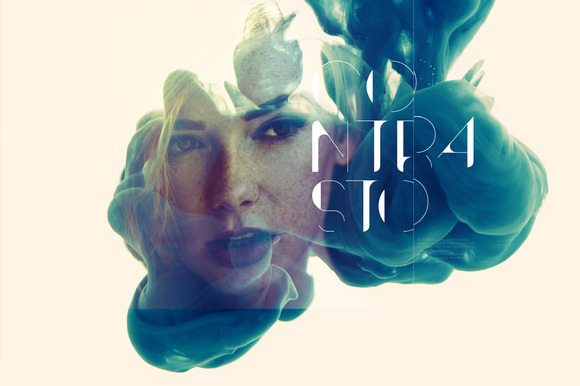
Contrasto


Earn Money By Sharing Our Free Goods


Odds are, if you love our free goods, so will your friends. If you sign up for our Partner Program and share our free goods on social media every week, you’ll likely refer tons of your followers.


So how does this make you money? You’ll earn 10% of every purchase for an entire year from all new customers you refer to Creative Market using your Partner URL! How cool is that?


Matt Borchert is a graphic designer from Minneapolis, Minnesota who creates resources for designers and illustrators on Creative Market. He also runs a YouTube channel that creates content for designers in the form of tutorials and resource reviews.
6 Free Design Goods To Download This Week: Dec 29, 2014