Showing posts with label Shop. Show all posts

Sunday, May 31, 2015

New Shop on the Block: Typopotamus

Ghilky Gerdian is a 27 year old motion graphic designer from Bandung, Indonesia. He’s also the man behind the Creative Market shop, Typopotamus.


Portrait


“New Shop on the Block” is a series that introduces you to the finest new shop owners in the Creative Market community. Help us give these talented individuals a warm welcome!


How did you become a “creative”?

The son of a journalist mother and politician+lecturer father, artistic endeavors aren’t really something that run in my family. Even looking at my extended family, I’m still the only one who got into art, but that hasn’t held me back. In 2010, I graduated from the National Technology Institute (ITENAS) in Bandung, Indonesia with a degree in visual communication design. After graduating, I spent two and a half years working as a graphic designer for an advertising and design agency, before resigning to pursue work as a freelancer.


It can be a scary thing to leave a 9-5 and jump into freelance work full time. What did that journey look like for you?

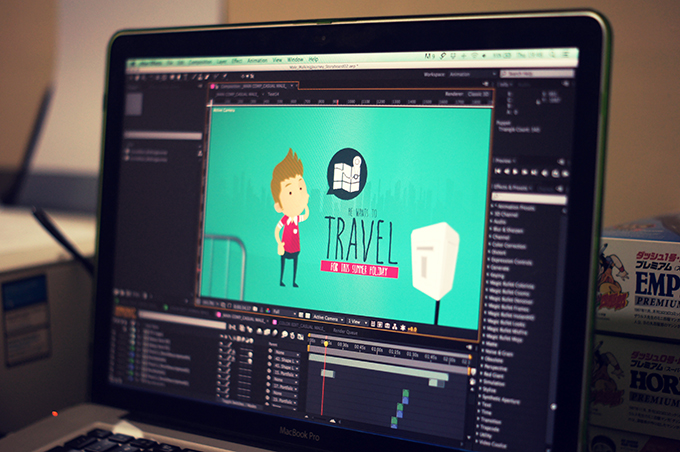
As I previously mentioned, I’m actually a motion graphic designer. Interestingly enough, I didn’t learn much about animation while I was in school. My journey towards animation really started when I was a child. In elementary school, my teacher once asked our class what we would like to be when we grew up. Many of the other students gave the usual answers of “doctor,” “president,” and “singer.” I, on the other hand, was the only one who spoke up and said that I was going to be an animator (because I liked watching cartoons so much). So, when a friend of mine needed help on a motion graphic project he was working on about two years ago, I decided this was my chance to follow that dream. I took the opportunity to learn as much as I could about motion graphics. That was the beginning of an all new, and much better life for me. In all honesty, it was a dream come true.

MyMotionWork01


Now, I spend my days working on motion graphic projects from clients in the USA and Switzerland. As a freelancer, I’m able to work from home, where I can take care of my son with my wife, and watch my little boy grow everyday.


Aww, that’s definitely a HUGE plus! I know freelance work can often lead to long hours, strange hours, and a hefty amount of stress. Is this something you’ve dealt with?

I love my freelance motion graphic work, but, as with anything else, it can get stressful and repetitive at times.


How do you combat that?

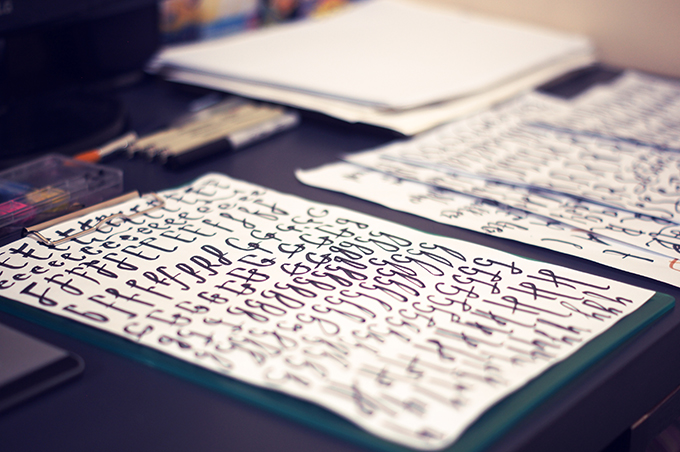
When I start to feel this way, I enjoy turning to other creative areas to help relax and clear my mind. For example, I started playing around with typography to take my mind off of other stressful projects. I never thought I would be able to create a font, but I friend of mine was nice enough to teach me the ropes, and I quickly found that I enjoyed the font creation process. It’s not easy work, and now and then you can find yourself getting a little bored as you’re working to create every single glyph, but when everything comes together and it’s time to test things out, that hard work pays off.

Paper
   
That’s such a great tip! Is there any one area of typography that interests you the most?

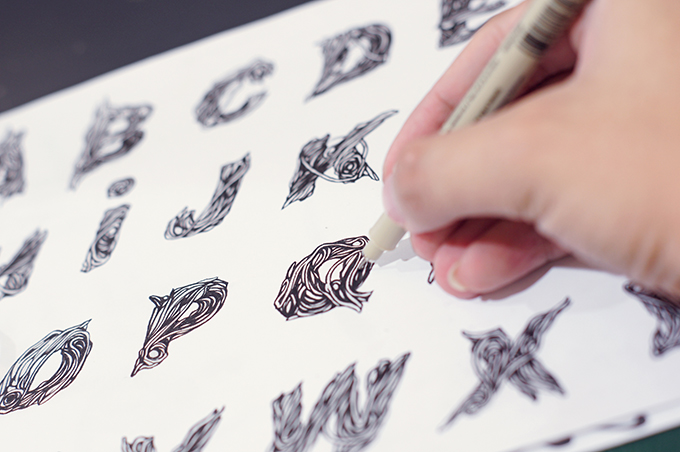
I specifically enjoy creating handmade fonts. Generally I’ll use drawing pens, brushes and ink, and/or brush pens to get the look I’m going for. One time, I even experimented with one of my two year old son’s pens. The point of the pen was broken, and it created a great grunge affect. It turned out so well, that I decided to add it to my Creative Market shop!


That’s an awesome story! It’s so great when creative experiments turn out that way. Speaking of Creative Market, what compelled you to open up shop here?

My very first introduction to Creative Market was though a friend of mine who was already selling fonts here. At the time, I was selling motion graphic templates on another marketplace, and I decided to add a few of my templates to Creative Market as well. I quickly noticed that there wasn’t a motion graphics category here, but my friend encouraged me to start a font shop. Suddenly, a thought popped into my head, “I can start doing manual drawing again!” I was excited just thinking about it. So now, here I am, a font seller on Creative Market.


You said, “again.” I’m guessing that means you were interested in drawing in the past?

In collage, i was actually pretty good with hand drawn illustration. I had the opportunity to do some illustration work for a couple local hardcore bands. My inspiration, and idol, is Dan Mumford so I often practice and apply some of his style to my illustrations. Even though I enjoy the 2D motion graphic work that I get to do every day, I do sometimes miss manually drawing with a pen and paper.


My-Illustration01


My-Illustration02


It’s so great that your Creative Market shop can help bring some of that love for drawing back into your life. Have you found Creative Market to be beneficial in any other ways?

Being a part of Creative Market has already been an amazing journey. I’ve gained a new perspective on working in this modern age. I’ve lost the stress of crazy deadlines, angry clients, and traffic jams. Most importantly, the work I’m doing makes me happy, which is incredibly important for a creative worker.
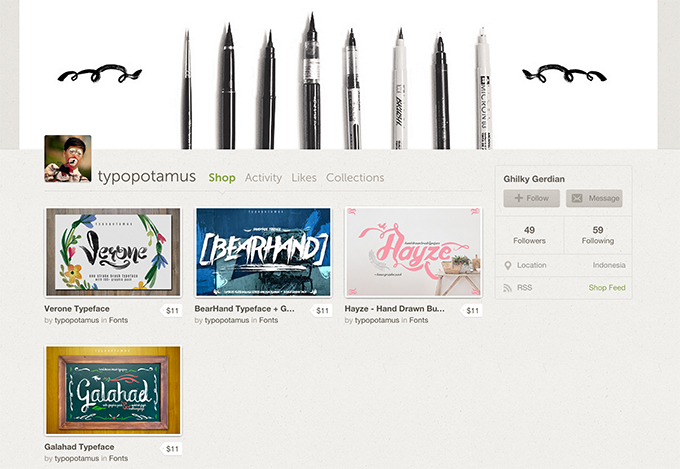

typopotamusShop


What would you say is the most valuable aspect of being a part of this creative community? The Creative Market community can inspire people in so many ways. People are inspired to sell their design, inspired to try something new, or even inspired to take a big leap in their life. Everyone here is extremely welcoming; rather than being full of unhealthy competition, they respect each other.


Okay, last question, do you have any exciting new projects or products in the works for your Creative Market shop?

I have a couple new typefaces that I’m currently working on. Like i said earlier, the work of Dan Mumford is a huge inspiration for me, so one of the typefaces I’m working on is kind of grungy with some detailed lines and curves. When I create a font, I try to focus more on what I want to create, and less on what I think is going to sell really well. While selling my products is important to me, I find that I’m happier working when I enjoy myself and put less pressure on the process. I really hope to finish these typefaces soon and add them to my shop.

NextItem


New Shop on the Block: Typopotamus

Friday, April 17, 2015

What Makes An Exceptional Shop Banner Design?

3 weeks ago I started a discussion and asked other shop owners to share a link to their Creative Market shop if they had an especially exceptional shop banner, and optionally they could review other shop banners. It received about 40+ replies and I was ecstatic to see some familiar, well-known faces and also some hidden wonders. But it made me think, what makes a shop banner design exceptional, and why attempt it anyway?


My second question is rhetorical. As artists we tend to fill blank spaces with beautiful things; but it’s more than a space, it’s your space, and it says a lot about you and your shop.


So lets take a look at the ways that we can create stunning shop banners, convey our brand, and ultimately make more sales.


First Impressions Are Everything


A shop banner is the most obvious and foremost thing a customer will see when they find your Creative Market shop. Personality and branding is important; we all have one, and it’s your job to make sure that your shop banner conveys it in the best light. It’s also an opportunity to explain what your niche topic is.


Don’t worry if you have many different types of items, in fact I’d encourage it, but having a niche and clearly depicting it in your shop banner will help customers understand more about you.


Ian Barnard uses a lot of vintage themes in his work and his shop is aptly named Vintage Design Co. He uses unsaturated, brown colours in his shop banner, and also his very own InkPad Rubber Stamp effects on the text. Pick a niche that resonates with you and design your shop banner based on that.


Ian Barnard


Demonstrate Your Best Product


What better way to impress the customer than showing off your best creation? It doesn’t have to be a full-blown sales monologue; you might want to simply use one of your Photoshop brushes or actions (if that’s what you make) in the background. Place.to for example creates splendid custom scene mockups and samples one of them in their shop banner. It took me about half a second to understand exactly what their shop was about, and I bought the mockup!


Place.to


Don’t Forget Text


By default, your name appears underneath the shop banner in a sans-serif font at 26px. While it’s quite readable, it’s likely that the typeface doesn’t represent your brand. It might sound like a no-brainer, but every shop banner needs to display your shop name, and it’s deadly important not to confuse this with your logo (the avatar space is for that). Many Creative Market shops that have a font in their repertoire often stylise their shop name with one of their fonts.


Nicky Laatz does this exceptionally well. She also explains her design focus in the subtext, showcases her watercolour textures in the background, and uses another of her fonts to tell fans to find her on Instagram and Twitter for updates and freebies. Nicky is consistently featured in the “Popular” section because she knows how to sell herself by designing with her own resources and crafting her shopfront with care.


Nicky Laatz


Getting Feedback


When in doubt, ask. And that’s exactly what discussions are for. Creative Market is a tight-knit community, and the discussions area of the site has sections for both shop owners and feedback requests. Customers, other shop owners, and even Creative Market staff are always there to help lend a hand and offer advice.


Make It Your Best Work


You should incorporate the same amount of effort into designing your shop banner as you do for crafting your design resources; every section of your shopfront is an opportunity to show the customer your creativity, your brand and niché, and your level of commitment as a maker. By neglecting this area of your shopfront, a customer can easily assume that you’ll apply the same lack of effort into your customer service, and this will ultimately hinder your sales. And nobody wants that.


Do you have any useful advice that I may have missed? Share it in the comments below, I’d love to hear your thoughts!


Great Shop Banner Examples


Here’s some more brilliant shop banners curated by myself and Jaanus Kaasik, check out the full board on Pinterest.


Ken Weaver


Sean Coady


Dominik Martin


Olga Kostenko


FilterGrade


RetroSupply Co


TomAnders


Cultivated Mind


And heres mine!


Airwalk Design


getpaidtowrite-banner
What Makes An Exceptional Shop Banner Design?

Saturday, March 7, 2015

6 Time-Saving Apps for Online Shop Owners

Work smarter, not harder. We’ve all heard this before, but how? If you’re looking for ways to save time and increase your productivity the right apps can help. I use each of these apps every day and they’ve saved me hundreds of hours.


1. TextExpander


TextExpander


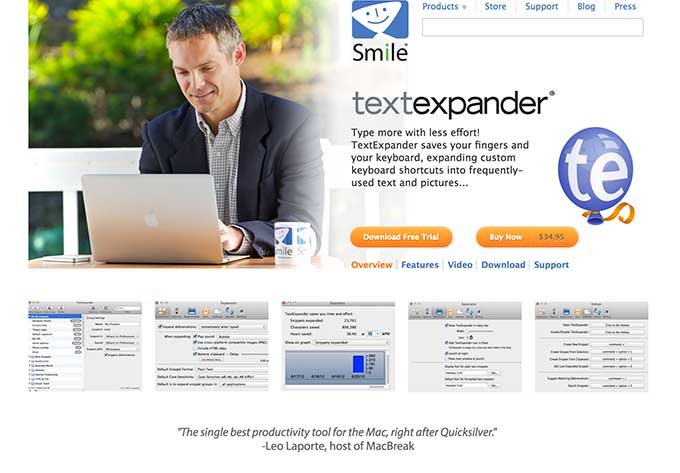
TextExpander has easily saved me dozens, if not hundreds of hours writing emails. This app lets you assign short word snippets to expand into anything you want.


I could easily write an entire article on different ways you can use TextExpander.


Here’s some time saving ways you can use it:


  • Respond to common customer questions with snippets.

  • Write your most common emails in seconds instead of minutes.

  • Create custom signatures (for example, one for your design clients and one for Creative Market customers).

2. CloudApp


CloudApp


Do you send a lot of small to medium sized files? CloudApp makes it easy to send files quickly. Just drag them from your desktop to the icon on top of your menu bar. CloudApp instantly uploads the file and pastes a link in your clipboard.


I use CloudApp as a hassle-free way to send customers free gifts and updates. Instead of having to upload something to the cloud and send a link I can just drag into into my menu bar and paste it in my Creative Market message.


3. Evernote


Evernote


Evernote is one of those apps that’s hard to explain. The best way I can describe it is as a simple and powerful work environment.


You can use it to write, collect any type of media and create presentations. Plus, it works on all your devices including laptops, tablets and smartphones.


Here are some of my favorite uses:


Create Idea Files. I love to collect ideas for new products. I can save collections of images I’ve taken on my iPhone or found on the web in well organized folders. Then refer back to them with ease when I’m looking for inspiration.


Develop Products. Recently, I started organizing entire products in Evernote. I’ll create a folder that includes product descriptions, preview images, mood boards, tutorial videos and more.


Organize Business Paperwork. I recently finished my taxes for the year and Evernote made it crazy easy. I scanned receipts and tax documents with my iPhone and sent them to Evernote in less then 10 minutes. Then I shared the file with my accountant. Done!


4. Rescue Time


RescueTime


Do you ever spend all day working on a project and then wonder where all your time went?


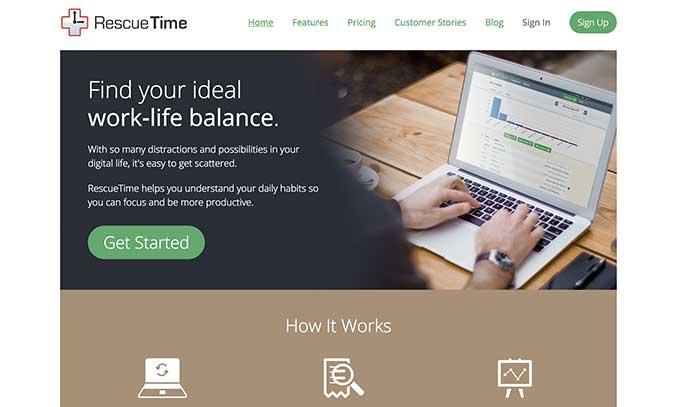
RescueTime is a powerful app tracks your time and improves your productivity. It tracks every place you work on your computer and logs it based on how productive you’ve ranked the activity.


Here are some of the useful features for Creative Market shop owners:


  1. Analyze your work day and find your most and least productive activities.

  2. Launch focus sessions where RescueTime will block you from time sucking sites like Facebook and Reddit.

  3. Create goals for how much time you spend working on different parts of your business. Then have RescueTime monitor them to make sure you hit them all.

5. ColorSnapper


ColorSnapper


This is a quick and simple little app. But I had to include it because I use it saves me time every day.


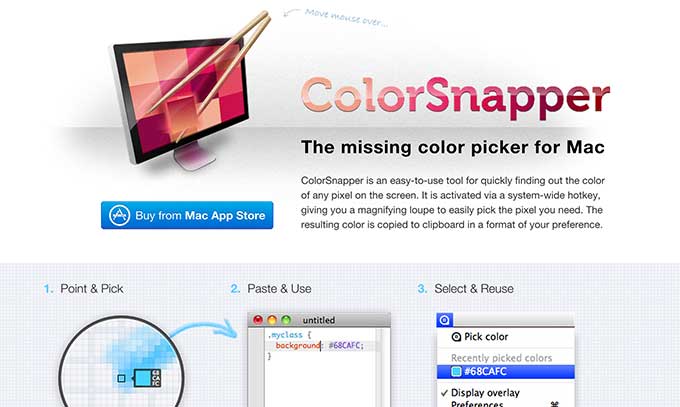
Have you ever tried to find the color of something online by looking for the HEX value in the code. Or even worse, tried to get it by eye. ColorSnapper is a tool in my top bar that let’s me grab colors quickly.


This tool is really simple, but you wouldn’t believe how much time it’s saved me.


6. WunderList


Wunderlist


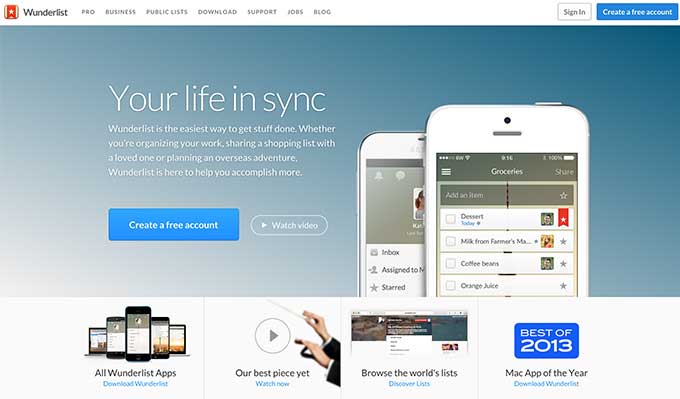
I’m a huge fan of keeping things simple. Make a piece of software too complicated and I’ll never use it. That’s why I love WunderList. It’s a dead simple to-do list app that makes it easy to add, prioritize and rearrange tasks (it was voted Mac App of the year in 2013).


At the beginning of my day I prioritize my tasks by typing them into Wunderlist. Then check them off as I go. I know, this sounds really simple. But trust me, the simplicity of this is extremely freeing!


Here’s my favorite way to use Wunderlist:


  1. Make a list for each day of the week.

  2. Add tasks that I want to get done each day.

  3. Arrange by importance.

  4. Move tasks that don’t get completed to new days.

What Apps Do You Use to Save Time?


I’d love to hear from you. What are your favorite apps to save time and get more done? Let me know in the comments below.


Products Seen In This Post:


getpaidtowrite-banner

Dustin Lee is the owner of RetroSupply, a Creative Market shop focused on unconventional retro inspired design goods. He also has a newsletter for shop owners you can sign up for here.


6 Time-Saving Apps for Online Shop Owners

6 Time-Saving Apps for Online Shop Owners

Work smarter, not harder. We’ve all heard this before, but how? If you’re looking for ways to save time and increase your productivity the right apps can help. I use each of these apps every day and they’ve saved me hundreds of hours.


1. TextExpander


TextExpander


TextExpander has easily saved me dozens, if not hundreds of hours writing emails. This app lets you assign short word snippets to expand into anything you want.


I could easily write an entire article on different ways you can use TextExpander.


Here’s some time saving ways you can use it:


  • Respond to common customer questions with snippets.

  • Write your most common emails in seconds instead of minutes.

  • Create custom signatures (for example, one for your design clients and one for Creative Market customers).

2. CloudApp


CloudApp


Do you send a lot of small to medium sized files? CloudApp makes it easy to send files quickly. Just drag them from your desktop to the icon on top of your menu bar. CloudApp instantly uploads the file and pastes a link in your clipboard.


I use CloudApp as a hassle-free way to send customers free gifts and updates. Instead of having to upload something to the cloud and send a link I can just drag into into my menu bar and paste it in my Creative Market message.


3. Evernote


Evernote


Evernote is one of those apps that’s hard to explain. The best way I can describe it is as a simple and powerful work environment.


You can use it to write, collect any type of media and create presentations. Plus, it works on all your devices including laptops, tablets and smartphones.


Here are some of my favorite uses:


Create Idea Files. I love to collect ideas for new products. I can save collections of images I’ve taken on my iPhone or found on the web in well organized folders. Then refer back to them with ease when I’m looking for inspiration.


Develop Products. Recently, I started organizing entire products in Evernote. I’ll create a folder that includes product descriptions, preview images, mood boards, tutorial videos and more.


Organize Business Paperwork. I recently finished my taxes for the year and Evernote made it crazy easy. I scanned receipts and tax documents with my iPhone and sent them to Evernote in less then 10 minutes. Then I shared the file with my accountant. Done!


4. Rescue Time


RescueTime


Do you ever spend all day working on a project and then wonder where all your time went?


RescueTime is a powerful app tracks your time and improves your productivity. It tracks every place you work on your computer and logs it based on how productive you’ve ranked the activity.


Here are some of the useful features for Creative Market shop owners:


  1. Analyze your work day and find your most and least productive activities.

  2. Launch focus sessions where RescueTime will block you from time sucking sites like Facebook and Reddit.

  3. Create goals for how much time you spend working on different parts of your business. Then have RescueTime monitor them to make sure you hit them all.

5. ColorSnapper


ColorSnapper


This is a quick and simple little app. But I had to include it because I use it saves me time every day.


Have you ever tried to find the color of something online by looking for the HEX value in the code. Or even worse, tried to get it by eye. ColorSnapper is a tool in my top bar that let’s me grab colors quickly.


This tool is really simple, but you wouldn’t believe how much time it’s saved me.


6. WunderList


Wunderlist


I’m a huge fan of keeping things simple. Make a piece of software too complicated and I’ll never use it. That’s why I love WunderList. It’s a dead simple to-do list app that makes it easy to add, prioritize and rearrange tasks (it was voted Mac App of the year in 2013).


At the beginning of my day I prioritize my tasks by typing them into Wunderlist. Then check them off as I go. I know, this sounds really simple. But trust me, the simplicity of this is extremely freeing!


Here’s my favorite way to use Wunderlist:


  1. Make a list for each day of the week.

  2. Add tasks that I want to get done each day.

  3. Arrange by importance.

  4. Move tasks that don’t get completed to new days.

What Apps Do You Use to Save Time?


I’d love to hear from you. What are your favorite apps to save time and get more done? Let me know in the comments below.


Products Seen In This Post:


getpaidtowrite-banner

Dustin Lee is the owner of RetroSupply, a Creative Market shop focused on unconventional retro inspired design goods. He also has a newsletter for shop owners you can sign up for here.


6 Time-Saving Apps for Online Shop Owners

Monday, December 15, 2014

5 Apps To Shop From Home For The Holidays (Reviewed)

December is here which means the obligatory soul-searching and gift-finding marathon has begun. For the latter, there are plenty of gift ideas available on this site and on many others, but that is no reason for you to actually shop til you drop. There are plenty of apps out there to help you shop smarter this Christmas holidays.


We have here 5 apps that can help you have better control over your shopping tendencies, monitor your spending, track your online purchases, find discounts as well as browse and find what you need (and want) more efficiently. Now you don’t even have to leave the house to do your shopping (yay for technology, especially if you are in the US because these apps work best there).


1. Wanelo Shopping


If you love shopping, you’ll want to try out Wanelo Shopping. It’s basically a combination of social media and shopping – think Pinterest, but for shopaholics. With Wanelo, you can follow your favorite stores as well as your favorite Fashionistas (if they’re on the app, of course). It has an interface that is easy to navigate through on your mobile, and a fun color scheme which can really brighten up the shopping mood. Wanelo is available on the Web, Android, and iOS services.


Platforms: iOS | Android | Website


What I Liked


Category Browsing


There are plenty of different categories to choose from such as “Trending”, “Home” and “Newly Added” just to name a few.


They even got a” Holidays” and “Browse by Style” category, which can be real helpful.


Take for instance, “Browse by Style”. There are plenty of subcategories that you can experiment with for instance fantasy, minimalist, soft grunge and more.


Tinder-like Swipe


If you don’t want to go through every item like you’re digging through a bargain bin, you can use this feature.


Swiping right lets you choose what items you like, left, what you don’t like.


What you do like will then end up in the “Quick save” section of your profile.


Follow Stores & Personalities


Want to keep up with what is coming to your favorite stores?


You don’t have to visit the store every single day, just use the “follow” feature to stay updated with the latest.


As a plus, you can also know what other fashionistas are currently raving about and jump onto the latest trends ahead of the crowd.


What I didn’t like


Automatic push notifications. I don’t know about you but the push notifications, to me, are frequent and they get annoying after a while. If you are like me and prefer to be left alone to browse at your own sweet time, you can turn this feature off.


2. Coupon Sherpa


A sucker for coupons? Well, then Coupon Sherpa is going to be your best friend. It started out as an iPhone app back in 2009, providing shopaholics with the mobile version of money-saving coupons. All you need to do is show the mobile coupon with your phone or print it out if you want to use the deals. If you’re shopping via the website then you can use the codes for more savings. The Coupon Sherpa app is available for Android, Apple and you can even access the deals via the site.


Platforms: iOS | Android | Website


What I Liked


Organized Tabs And Layouts


The layout of the app works really well and with tabs like “Hot deals” and “In-store” that you can choose from.


I found it useful for quick and easy navigation. The system itself works well too as I could easily spot the brands and deals that I would be most interested in.


Huge Retailer Variety


There’s a great selection of brands to choose from like Banana Republic and H&M.


To top it off, it’s not just select brands but departmental stores and factory outlets that give out these coupon deals too.


Location-Based Searches


If you’re looking to save money within your area, this feature will prove to be useful.


After enabling location services, you can see the best deals that are near your location with this feature.


You can even search via your zip code, if you don’t want to share your location data.


What I didn’t like


The Coupon Sherpa mascot. I’m just not loving the mascot design but other than that, I have no complaints.


3. Monefy – Money Manager


If you’re an impulse shopper, like myself, the holiday sales may feel like a bit of a curse especially if you are trying not to break your budget this year. Monefy is a budgeting app that can help. Generally used for everyday spending, Monefy can also be used to help you watch your Christmas shopping. Create a category specifically for Christmas, to keep tabs on whom or what you’ve been spending on.


Platform: Android – Free | Pro


What I Liked


Clear Chart Expenditure


Like other similar apps, you can use categories to determine what goes where in terms of your expenses.


However, for Monefy the use of icons and a chart make it easy to see at a glance and keep track of what and where your money is going month after month.


Monitoring Cash Or Card Spending


Under “accounts”, you can choose if you want to log in your expenses under Cash or Card.


The Card option is absolutely crucial for those who love shopping with credit cards – and who would like to outlive their credit card debts.


You never know when you might get carried away with purchase after purchase.


Security and Backup


Monefy comes with passcode protection, Dropbox syncing and the option of additional data backup.


When it comes to your finances, you can never be too careful.


What I Didn’t Like


Ads. If you want more categories, you will need to allow the ads to roll. There are a few other apps out there that lets you do this for free, so this was a bit of a letdown.


4. ShopAdvisor


ShopAdvisor is an app that can help and advise you whilst you’re out shopping for those holiday gifts. All you need to do is input the item that you’re looking for and it will search through different retailers and bring up available options for you. The results vary depending on how detailed your search is. The app is available on iOS, Android and as a website.


Platforms: iOS | Android | Website


What I Liked


Different Search Methods


You can speak, scan a product’s barcode or type out your search query to find what you’re looking for.


This is a great feature for quick general searches or if you’re just browsing through the store and want to know if you can get a better deal elsewhere.


Watchlist


This lets you keep up-to-date with a particular item. There are 2 types of alerts you can set for yourself: time alert and price alert.


The time alert reminds you at a preset time daily about the progress of the item.


The price alert only takes effect if the item goes under a certain price change that you’ve predetermined.


The “Refine” function. If you know what you want, the refine function will help you narrow down your choices according to manufacturer, material, style, size, length and color.


What I Didn’t Like


Navigation. Tabs help in general navigation but it gets a bit complicated when you’re looking for something like how to view it in map form. It’s all in the details. Also, the Android app looks amateurish compared to the iOS and Web version. Would have loved for their presence to be more consistent on all platforms.


5. Slice – Online Shopping Tracker


If you make a lot of online purchases, then this is the tracker for you. Slice helps you keep tabs on all your purchases. You can sign up via social media (Google+, Yahoo and Facebook) or via your email address. No more wondering if your Christmas gift has been shipped yet or not. On top of that, it has a couple of fun features. You can access Slice online via the website or on your mobile phones using the app for iOS or Android.


Platforms: iOS | Android | Website


What I liked


“Discover” Function


Browsing for deals and bargains online is made easier thanks to this. It’s divided to “price drops” and “recalls”.


You can get your money’s worth and know if a product you’ve ordered online previously has been recalled.


“Slice And Dice” Function


It helps you keep track of your budget. You can see how much you’re spending in different categories in terms of online purchases.


It’s presented in the form of a colorful pie chart that’s easy to intrepret.


What I didn’t like


Some purchases were’t valid. Not sure if it is just me but when I used Slice, it actually showed me items that were merely promotional emails.


5 Apps To Shop From Home For The Holidays (Reviewed)