Showing posts with label Didn’t. Show all posts

Tuesday, June 16, 2015

12 YouTube Tricks You Probably Didn’t Know

YouTube has always been a great source for entertainment. We love the plentiful web design lessons we can find on the video-sharing site, as well as the 20 best YouTube tech channels to subscribe to. And when things get tough and stressful at work, here are 40 Youtube channels you can unwind with during the weekends.


This post however is on a few tricks you can use on YouTube, for instance, did you know that you can make GIF files from any YouTube videos with just a few clicks? You might like that trick and a few others that are great not only for video lovers but also for video makers.


For more tricks, check out the two earlier posts we have on YouTube tricks (Part 1, Part 2) as well as this post on keyboard shortcuts you can use on YouTube.


1. Adding Watermark Or Branding Logo


YouTube allows the addition of a logo of watermark of a brand for your channel, company or organization in your YouTube videos. Sign in to your YouTube account and click on the Creator Studio button.


Click on CHANNEL > Branding > Add a watermark > Choose File Button > Save > Update.


Then, you can define the Display time for the watermark or logo to be displayed on your video. You need to only do this once and the watermark will appear in all of your uploaded videos.


2. Multi-Camera Option Under "Choose Your View"


What if you can view videos of concerts and sport matches from a variety of angles? You can watch your favorite artists perform their act from the side of the stage, from upfront, from above or real upclose.


YouTube is now testing this feature and will make it available soon to the users uploading videos that can take advantage of multiviews. Here’s a sample of what you can expect from this cool feature, courtesy of Madilyn Bailey.


3. Extracting A GIF File From A Video


Bet you didn’t know that you could turn a portion of a YouTube video into a GIF file. Here’s how. Here’s an example of a video I want to create a GIF from.


All I have to do is add the word “gif” before the word "YouTube".This will take me to a third party service where I can pick the starting time, length of GIF, title and caption to use for the GIF file I want to create.


Alternatively, just go to the gifyoutube site, then paste a link to the Youtube video you want to give the GIF treatment to. Customize the section you want to be taken out, then click CREATE GIF to get your file.


4. Adding Interactive Cards To Your Video


Here’s a feature that introduce some interactivity in your YouTube videos. It’s called Cards. Cards can be displayed on your videos for multiple purposes including to link to another video or even a playlist that the viewer might like. Alternatively, you can also add a related website as a card to the video.


To add a card to your YouTube video, Sign in and select a video that is already uploaded. When you find the video, look for the Cards button below the video (see screenshot).


Then, choose from any of the 6 types of cards available. On top of the recommended video, playlist and relevant website cards, you can also put in cards for fundraising, merchandise and fan funding purposes. Read more about them here.


Note: Not all videos can get this feature inserted – only videos that are in "good standing", which means no copyright strikes or community guidelines strikes, and you shouldn’t have had a global content ID block on any of your uploaded videos. Deleting videos that were affected will not help improve your standings.


5. Viewer-Contributed Subtitles & Closed Captions


Did you know that you con contribute subtitles and closed captions to videos that are not uploaded by you? Some channels allow viewer-contributed subtitles, so if you feel like doing a bit of translating or if you want to fix annoying subtitles that were wrong in the first place, here’s how you do it:


If video has subtitles or closed captions already, click on More > Transcript or CC menu in the player > Language > Add Subtitles/CC. If video does not have subtitles or closed captions then click on More > Transcript > Add Subtitles / CC.


Once subtitles are submitted and approved then the pre-existing subtitles will be overwritten.


6. YouTube TV Mode for Big Screens


YouTube TV is an interface for viewers who prefer to watch YouTube videos on their television, with popcorn, on a nice comfy couch. What’s not to like? The problem with watching YouTube on a TV is that you can’t use a mouse to do your clicking. Instead, it’s the video arcade era "letter-by-letter" shift that you have to deliver via keyboard.


Ain’t nobody got time for that! Pair your smartphone with your smart TV with this interface then use your smartphone to do all your video choosing and pausing and more.


7. Advance Search & Filter Options


Do you know that in YouTube, there are many advance search and filtering options that may be handy to get the exact video you are looking for? When you search for a query, and you click on any of the suggestions, you will arrive at a list of returned results. At the top left there is a Filters button. Click it to unveil a list of search options.


You can filter your search by Upload date, Type, Duration, Features or Sort by depending upon the requirements.


If you directly want to search a video with some specific filtering criteria then you can do it easily by separating the search phrase and filtering criteria using a comma ( , ). For example, you want to search a video on computer basics with duration less than 4 minutes then type in: basics of computer, Duration, Short and hit the search button.


8. Embed Video With Specific Start & End Time


So you found a video you want to embed in your blog but you don’t want to embed the whole thing, just the part you find interesting, funny, or worth sharing, what do you do? You can actually embed a portion of the video with a specific start & stop time.


Click on Share > Embed and right at the end of YouTube video link insert ?start=ss&end=ss, where ss represents seconds, start = ss means start time in seconds, end = ss means end time in seconds.


Replace the "ss" with the time in seconds, from the start of the video, e.g. start=11 indicates 0:11 as the starting time for the video.


Here’s an original embed code:


<iframe width="560" height="315" src="https://www.youtube.com/embed/cXBVMyKQ3ZY" frameborder="0" allowfullscreen></iframe>

Here’s how to share only the portion that starts from the 11th second and ends at the 20th second.


<iframe width="560" height="315" src="https://www.youtube.com/embed/cXBVMyKQ3ZY?start=11&end=20" frameborder="0" allowfullscreen></iframe>

9. Embed Video With A Specific Video Size


You can also set the resolution of the video to be shown, in your embedded link. Go to the video you want to share. Locate the Share > Embed option below the video. Click SHOW MORE to see a preview of your video.


Under the video, is the option to choose the Video size you want to embed. There are other options there that you can tinker with including showing other recommended videos at the end of your embedded video and more. Grab the embed link once you have made your choices.


10. Add A Subscription Link And Button To Your Video


To add a subscription link, login to YouTube account, go to your Video Manager and click Edit on any of your uploaded videos. Head over to the Annotations section.


You can choose 1 of 5 types of annotation: Speech Bubble, Note, Title, Spotlight or Label. Pick any one, for instance, Note and write "Click here to subscribe"


Select the font size and color, then specify the start and end time to show this subscription link.


Click on Link check box, select Subscribe and enter your YouTube user name. You can also specify whether to open subscription link in new tab or not.


Once you are done with all configurations for your subscription link then click on Save > Apply changes.


If you prefer the use of a button for your CTA, then you can upload a Subscribe button image as your watermark, using tip #1.

11. Adding Audio & Video Effects


If you want to replace the original playback audio of your YouTube video with some other audio file, go to select an uploaded video and choose Audio. To the right of the video, there are playback tracks to choose from in multiple categories.


Choose a track, then click on Save as new video. You can also discard changes, by clicking on Revert to Original.


12. Enhance Your Videos With Fixes, Filters And Effects


Apart from audio enhancements, your video can also enjoy other forms of enhancements. Go to the Enhancements section for


The Quick fixes to auto-fix problems in your video, stabilize shaking footage, change the speed or timelapse of your video, trim and rotate your video.


You can also apply a color filter on your video under the Filters option. Lastly, if you would like to blur faces in your video, go to the Special effects section. You can see the original and a preview of the changes you chose in a side-by-side comparison before saving your enhancements.


Additionally, you can combine multiple clips to publish a new supercut video from all your uploaded clips, by clicking the YouTube Video Editor.


12 YouTube Tricks You Probably Didn’t Know

Friday, May 8, 2015

10 Things I Should"ve Learned In Business School, But Didn"t

Think back to graduation day. You felt on top of the world. You survived all the cramming, testing, terrible group projects, and pop quizzes they could throw at you. You were officially prepared to take on the world. Then graduation day ended and you realized that college and the working world aren’t exactly the same thing. In fact, there’s a ton of really basic stuff that you feel like you should’ve learned, but was never even mentioned in any class.


The College Bashing Trend


I’ll start this conversation by fully admitting that posts/books/videos on this theme are a bit of a trend. Here are just a few I found in a quick search:


Having read and watched these, I wanted to throw my own experience into the mix. I’ll be the first to say that I learned a ton in college. I really value my education and wouldn’t trade it for anything. But there are some very specific things that, looking back, I feel were a bit lacking. So here are the ten things I personally believe that I should’ve learned in business school, but didn’t.


1. How Taxes Work


whatIdidntLearn-2


In my finance classes, we briefly covered taxes, but holy crap, I was not prepared for how insanely complicated they would be. When you have a normal full-time job, everything is fine. Fill out your 1040EZ and you’re ready to go. But then you decide to work on your own and become a sole proprietor, and things get crazy fast. Now you’re deducting business expenses, paying new fees that you’ve never even heard of, and trying your best not to break any laws you don’t know about. Finally, you get organized and start your very own LLC. I literally have a huge book of paperwork that was involved in this process. It’s enormous, and I have no clue what any of it is for. Not one page.


The most important thing I learned? Get an affordable accountant. The piece of mind that I have about not going to prison for screwing up is worth every cent I pay my accountant. I know I’ll get plenty of comments about how “easy” it all is and how I’m throwing away my money paying someone else to do it, but when tax season comes and all I have to do is show up and sign a few documents, I couldn’t be more thrilled.


2. How Startup Funding Works


Bootstrap vs. fundraising, angel investors, VCs, series A vs. series B, seed funding; huh? What’s a Y Combinator and why do I need one?


In business school, we may have skimmed some of these topics, but as soon as I started working with Silicon Valley startups, I realized that they had their own finance language and I didn’t understand a word of it.


And speaking of different languages…


3. A Foreign Language


whatIdidntLearn-3


I received a degree in marketing and global business management. I spent countless hours learning about business customs and norms in foreign countries. This knowledge proved to be invaluable as I would go on to lead diverse teams of people from almost every continent. However, I’m still amazed that there were zero foreign language requirements in a global business program. I received my degree without taking a single foreign language class. When you work with people from all around the world who are each fluent in at least 2-5 different languages, you realize how much we tend to suck at this in the United States.


If you’re thinking about next semester and which electives you should take, for crying out loud, pass up the class on Renaissance painters and learn some Spanish.


4. How To Handle Failure


I feel like business schools should pick a random class for every student, wait until the end of the semester, and fail them after they’re finished with their huge term project, even if they did great on it. This is what real life is like.


I’m kidding of course, but the lesson I’m driving at is an important one. Sometimes you do all you can to make something work, and it just doesn’t. It sucks, and few are remotely prepared for it the first time it happens.


5. Passive Income is Awesome


Some of the shop owners on this very site will earn thousands of dollars tonight while they sleep. They created digital products that can be downloaded an infinite number of times without ever running into supply constraints. Rather than working for 40 hours and getting paid for 40 hours, these geniuses work for 40 hours, then make money from that work for years to come.


I don’t remember hearing about these people in school (granted, it was quite a few years ago now). There should be entire classes on passive income strategies and techniques. Heck, you should be able to major in it. The Internet has turned what used to be an idea that existed mainly in mail-order scams into a reality for countless hardworking people all over the world.


6. No One Cares About Your Grades at a Job Interview


This one really bugs me, but it has proved true. I aced college. I showed up early to every class, literally never missed a single lecture in four years (ok, five), and got an A in every course I ever enrolled in. Summa cum laude FTW! At graduation, I had these fancy ropes around my neck (honor cords) that most other people didn’t. I was clearly superior. Graduation was the one and only time that ever mattered.


It turns out, those guys and girls sitting next to me who didn’t study all weekend, who totally phoned in their finals and mid-terms, yeah, they graduated too. And got great jobs. I’m not saying you shouldn’t try hard in college, just remember that a B isn’t the end of the world.


7. Modern Marketing Techniques


whatIdidntLearn-1


I majored in marketing at a terrible time. The world was changing, and as always, universities were way behind the curve. I remember evaluating newspaper ads in class, then checking my Facebook in the library as soon as class was over. There was obviously a huge disconnect between how marketing was being taught, and how it was happening in the real world.


I never learned how to create a Google AdWords campaign, or how great free content can earn clicks and drive user acquisition. Sure, the core principles understanding basic human needs (thanks Maslow) are exactly the same, but the practical skill application is very different in a world gone digital.


8. Work/Life Balance


In business school, we talked about business. How to identify your target market, how to appeal to customers who don’t need or want your product, how to open up shop in a land that’s entirely foreign to you, but we never talked about how an endless pursuit of success can kill you. Or how sometimes you have to tell your client that you can’t perform last minute revisions on the project this weekend because you promised your family that you’d be around for once.


I learned how to balance work and life the hard way, as a newlywed freelancer, working a million hours a week. I burned out, hard. I loved my work and hated it all at the same time. I missed my wife and was tired of telling her that I was going to pull another twelve hour Saturday. Eventually, I figured out my priorities, and eight awesome years of marriage later, I now gladly shut my laptop at 5pm and enjoy most evenings the way the good Lord intended: with my wife and Netflix.


9. Outsource The Things You Suck at Doing


In college, you learn so many different skills, even within a given major. Sometimes the goal seems to be to make you a jack-of-all-trades. I carried that mindset into my professional life. I’m decent at writing, coding, design, photography, you name it. I’m not sure I’m amazing at any of these things, but I can get by.


The really hard lesson was that there are things that I really suck at, and rather than spending my time trying to master them, I’m often better off outsourcing them. This is why I pay that accountant I mentioned above. Is tax law really beyond my mental capacity? No, but I’m not interested in it in the least and would rather spend my days figuring out how to write better CSS or take better photos. And that’s ok! It turns out I don’t have to know everything.


10. Everything In The Book “Rework”


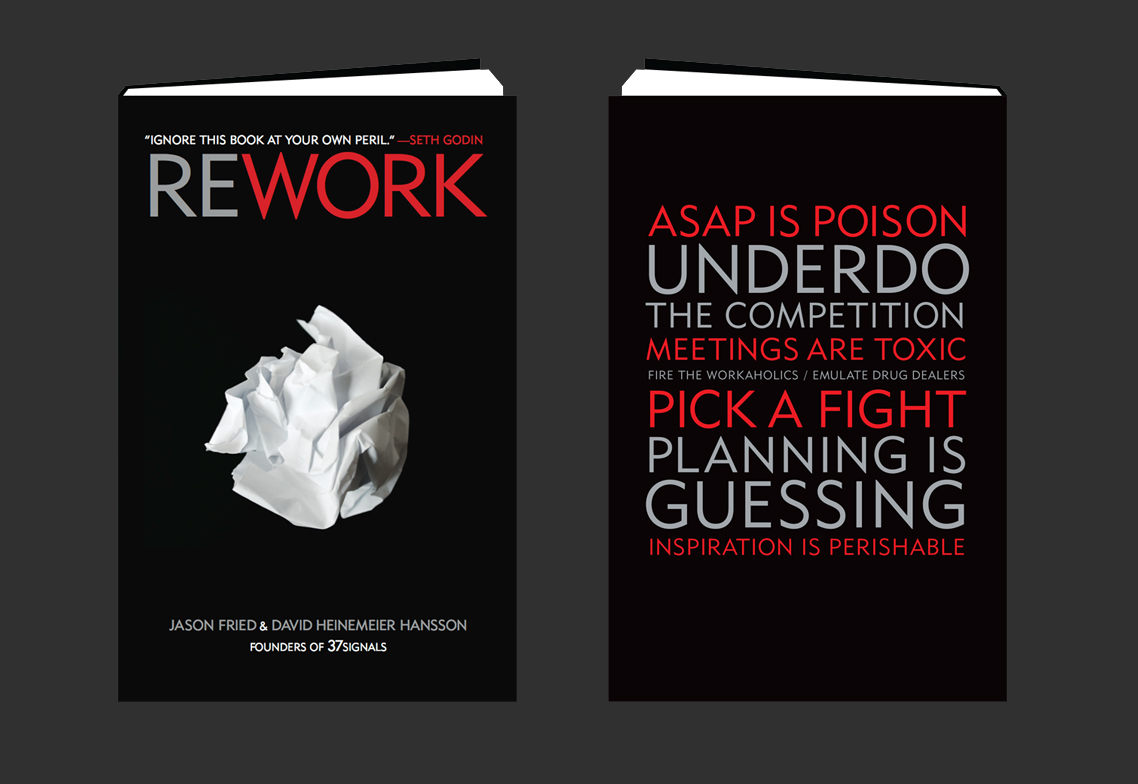
Rework, by Jason Fried and David Heinemeier Hansson, wasn’t merely a book full of things I didn’t learn in business school, it felt like a direct assault on everything I was taught. And I loved it.


whatIdidntLearn-1


Jason Fried has now become famous for pushing crazy ideas like how growth isn’t as important for your business as you think, how meetings are often a productivity-sucking waste of time, and how it doesn’t really make sense to force your workers to come to an office and sit in the same room every day. Depending on the type of person you are, you’ll either love Rework or hate it. Either way, you should definitely read it.


How About You?


Now that you’ve read my rant, it’s your turn. Leave a comment below and let us know which valuable life skills you wish you’d learned in school.


Products Seen In This Post:


getpaidtowrite-banner
10 Things I Should"ve Learned In Business School, But Didn"t

Tuesday, February 3, 2015

10 Random Facts About Valentine’s Day You Probably Didn’t Know

Valentine’s Day is coming soon and the obligatory exchange of roses, chocolates, dinner and date rituals will begin come mid-February. Meanwhile I get thrown a challenge to write about 10 interesting things I didn’t know about Valentine’s Day.


The bad news is I can’t write about the usual stuff like how Valentine’s day got its name or what the color or number of roses in a bouquet symbolizes. The good news is I get to extend the scope to cover love, February 14th, traditions, weird facts and quirky deviations. Whether you’re 1/2 of a couple or if you’re living up the single life, there’s actually quite a bit about love that most of us don’t know.


More on Hongkiat.com:


Here are 10 nuggets of info about the Day Of Love you can share with your better half over candlelit dinner.


1. The Phrase "Wearing Your Heart On Your Sleeve" Came From A Real Event


The saying "wearing your heart on your sleeve" is a common expression used to indicate the feeling of love. We’ve heard this so many times before but do you know its origins? There are plenty of different stories but my favorite is the one that takes places during the Middle Ages.


(Image Source: Fabrics And Frames Furniture)


There was a Roman festival held anually in honor of Juno, the queen of Roman gods and goddesses. Men would draw names to determine who would be their potential sweetheart. These men would then wear the name on his sleeve for the remainder of the festival. This makes it quite similar to being a lady’s champion during a jousting match.


2. Chocolates Is Synonymous With Valentine’s Day Gifts Because Of Cadbury


Chocolate and Valentine’s Day go together like Peanut Butter and Jelly. It’s an image that many of us are used to seeing but just where did this tradition come from?


(Image Source: Valentines Images)


Richard Cadbury from the Cadbury chocolates family is responsible for the earliest box of Valentine’s Day chocolates. In 1868, he gave chocolates to his beloved in a heart-shaped box. He apparently also made the boxes more unique by using his own paintings to decorate the box lid.


3. The Longest Marriage on Record Spans 8.5 Decades


If you have come across more breakups and divorces than everlasting love and successful marriages, this might cheer you up. The official world record for the longest marriage for a living couple belongs to Herbert and Zelmyra Fisher, who were married for a total of 86 years and 290 days, before Mr. Fisher passed away. Talk about a marriage that lasts a lifetime.


(Image Source: Pozitivnap)


However, there is a couple in the UK who have been married for 88 years, it’s just that the marriage betwen the 108-year-old and his 101-year-old wife wasn’t officially noted. But who’s keeping score?


4. Pets Can Be Your Valentine Too


There are very few things that we can say that we really love in this world. For most of us, pets aren’t just pets, they are family. So, it’s really not surprising to find out that come Valentine’s day 2015, pet owners in the US will be spending 3 million on their gifts for their pets.


If you think that is a lot to spend on a pet, it’s only a fraction of what couples will be spending on each other — USD18.9 bilion’s worth — for Valentine’s Day.


5. There Is Such A Thing As A Record-Breaking Kissing Event (And There Is More Than One)


Here’s a little interesting fact: kissing increases a person’s pulse to at least 110 beats per minute (bpm). Well, people in the Philippines came together to get their hearts pumping by locking lips at a particular event called Lovapalooza.


(Image Source: China Daily)


More than 5300 couples came together in a mass kissing record attempt back in 2004. This was to beat the previous Guiness World Record of 4445 couples held by Chile. Unfortunately, this record was beaten by a similar attempt in Hungary where 5,875 couples kissed at the Elisabeth Bridge in Budapest in 2005. Not to be outdone, 6124 couples locked lips in Pasay to reclaim the record back for the Phillipines in 2007.


6. Vengeance From The Jilted Got This Valentine’s Day Custom Banned


In France, there used to be a Valentine’s Day custom called “The Drawing For Love”.


Single people of various age groups would enter into houses that were opposite each other and call out through the windows till they paired up. If a male wasn’t happy with his partner, then he could leave her and pair up with someone else.


The women who were left single would build a large bonfire and conduct ceremonial burning of the pictures of men who left them high and dry — cursing was included. Of course, it’s easy for feelings to spiral out of control (whether good or bad) and when things got out of hand (as expected), the custom was eventually banned by the French government.


7. The Chinese Has An Alternative Valentine’s Day Inspired By Lost Love


It is better to have love and lost than never to have love at all. The Qixi Festival is a celebration of love that is based on the love story between a weaver girl and a cowherd. The weaver girl was actually a celestial being; the cowherd, mere mortal. They fell deeply in love and had two children together before they were forced to part, separated by a river until the end of days.


(Image Source: Wikimedia)


Magpies took pity on the two and form a bridge for them every year on the 7th day of the 7th lunar month of the Chinese calendar, reuniting the two and their children for a brief but special moment. Today, the festival is also known as the Magpie Festival as well as the Chinese Valentine’s Day. It inspired similar celebrations in Japan, Korea and Vietnam.


8. South Koreans (Sort Of) Celebrate Romantic Holidays Every Month


In South Korea, the 14th of every month marks a romantic holiday of some sort. That’s 12 presents to prepare. Here’s a quick list of what’s celebrated every month in order: Candle Day, Valentine’s Day, White Day, Black Day, Rose Day, Kiss Day, Silver Day, Green Day (seriousy), Music Day, Wine Day, Movie Day, and Hug Day.


Black Day, celebrate on April 14th is the one aimed primarily at single folks. Singles will come together and eat Jajangmyeon, a noodle served with a black bean sauce (like this one below).


(Image Source: Wikimedia)


They also dress in black, wear black accessories as well as black nail polish. It isn’t all gloomy though; think of it as an annual support group where people eat and talk about their singlehood… until they pair up and become a couple.


9. Singles Get Their Own Day In China


If you didn’t know, Valentine’s day is also Singles Awareness Day. But we’re going to talk about China’s single’s day instead. Celebrated on Nov 11, Singles Day (aka Bachelors Day) is more famously known for online shopping, than it is for moping around because you don’t have a partner to buy you roses.


Nope, rather than wallow in self-pity, singles (and even those who are part of a duo) sit behind a computer and shop til they drop with China’s version of "Black Friday" sales.


(Image Source: Miui)


Scratch that, it’s way bigger than any Black Friday sale you know of. In 2012, China spent billion on Single’s Day; by 2013, that rose to .75 billion. In 2014, China spent billion on online shopping bargains — all within 24 hours. Who needs love when you can shop from the comforts of home instead?


10. You Can Help End Gender Violence Via The Other V-Day


Valentine’s Day is a day to show the people around you that you care for them but how about this year, you show the world you care? V-Day is an activist movement that helps raise awareness to end violence against women and girls. It started out as a benefit back in 1998, in New York, inspired by the work of Eve Ensler, the playwright and activist behind The Vagina Monologues.


Since 2012, V-Day had been organizing major campaigns all over the world to help put a stop to gender violence, particularly on February 14th. This year it is no different. You can join or contribute to their efforts, and find out more by checking out their page: 1 Billion Rising Revolution.


10 Random Facts About Valentine’s Day You Probably Didn’t Know