
Here is a very complete iOS 9 UI kit for Sketch. Freebie created and released by Philip Amour.
The post iOS 9 UI kit for Sketch appeared first on Freebiesbug.

iOS 9 UI kit for Sketch
Here is a very complete iOS 9 UI kit for Sketch. Freebie created and released by Philip Amour.
The post iOS 9 UI kit for Sketch appeared first on Freebiesbug.
A set of 21 outdoor vector icons created with Sketch app. A freebie released by Vincent Tantardini.
The post 21 outdoor Sketch icons appeared first on Freebiesbug.
A set of 35 iOS line icons created with Sketch. A freebie created and released by kalachakravarthi.
The post Sketch iOS line icons appeared first on Freebiesbug.
Sketch is getting a lot of traction among web designers and developers. This is probably because it is intuitive, easy to learn and comes with many features that makes it a lot easier to create a website prototype. It may also be because this application is extensible i.e. you can add new features to the application easily with the help of plugins.
Here are 10 plugins that can help you to boost your productivity when working with Sketch. There are diverse, ranging from content generators, color palette selector, and they can help you to display layer measurements or automatically add padding to a layer.
CSS Buddy allows you to add the CSS to your layer in the Sketch workspace. Basically, you can apply width, height, opacity, box-shadow, border, and background to the layer using CSS.
With this plugin installed, just select a layer then select Apply to Selected from the plugin menu. A dialog will prompt you to enter your stylesheet. Add the CSS content without the CSS class and watch your layer take shape.

If you follow the trend of Material Design, a prominent thing you will notice is the use of distinctive colors. Material Design has an awesome color palette. Now you can bring that to your workspace with Material Design Color Palette Plugin.
This plugin will generate color palettes in seconds without you having to close your workspace. Choose Hue, Value, or Swatch to generate a color palette that is suitable for your project.

Sometimes we need to show what we do in a comment or via documentation. If you are working on projects with other designers or a client’s involvement, this is also necessary so you can ensure that the outcome is what the everybody was aiming for.
Sketch Notebook is a plugin for documenting your design in Sketch with ease. It will add an additional sidebar to your workspace, which contains comments you add to any element on your design. You can reorder comment, realign, delete and toggle comment visibility.

Before using real images in a design, we often use placeholder images to speed up the design process. For Sketch, you can use Day Player to add customized placeholders to any layer on your Sketch workspace from 6 placeholder image services including Placehold.it, LoremPixel and Unsplash. Once activated, you can set the image’s width, height, and other information.

We already have a plugin to insert placeholder images, how about one for general content? Content Generator helps you add dummy data such as avatars, names, geolocation data and more. Works great for mockup designs and for reducing headaches from trying to figure out how to generate data on the spot.
To add the dummy data, just select a layer, then select Plugin > Generator, and choose Geo, Persona or Photos.

Sketch Measure is a measurement tool for Sketch. It measures the length or size of a layer (or layers) in your design. You also get the padding and margin of a layer as well as the distance between two layers. Sketch Measure can also print the layer properties, such as color, border, and opacity. All measurements can be brought up via keyboard shortcuts.

Dynamic Button helps you create button with fixed paddings easily. It will automatically adjust the padding based on the value you give, no matter the length of your text. With the plugin installed, a text can be converted into a structure with the shortcut Command+J. The amount of padding required can then be punched in to the (0:0:0:0) text layer (under flex button group).

Typographic Scale is a plugin to turn selected text layer into typographic scale. To use this plugin, just select text layer (single or multiple), or mixed layer that contains at least one text layer, then select Plugin > Typographic Scale and adjust the value on the dialog. The result is a set of scaled text that follows the rules of typographic scale.

With Modulizer you can control the paddings for button, module, or areas on your design with the keyboard shortcut Shift + Command + M. You can combine all your layers, group it then use the shortcut to automatically adjust your padding based on the padding value you need. Watch the video demo to see this in action.

Have you ever thought about converting your design from sketch to HTML? If so, you probably should get Blade, a Sketch plugin that automatically generates HTML files from your design. It will convert group into div, text into p and so on.
When using Blade, you can tell the plugin what DOM element to generate by adding a special name to the layer, such as [btn] or input[text] so Blade knows what it should do. Check out this video demo for an inside look.


Sketch is getting a lot of traction among web designers and developers. This is probably because it is intuitive, easy to learn and comes with many features that makes it a lot easier to create a website prototype. It may also be because this application is extensible i.e. you can add new features to the application easily with the help of plugins.
Here are 10 plugins that can help you to boost your productivity when working with Sketch. There are diverse, ranging from content generators, color palette selector, and they can help you to display layer measurements or automatically add padding to a layer.
CSS Buddy allows you to add the CSS to your layer in the Sketch workspace. Basically, you can apply width, height, opacity, box-shadow, border, and background to the layer using CSS.
With this plugin installed, just select a layer then select Apply to Selected from the plugin menu. A dialog will prompt you to enter your stylesheet. Add the CSS content without the CSS class and watch your layer take shape.
If you follow the trend of Material Design, a prominent thing you will notice is the use of distinctive colors. Material Design has an awesome color palette. Now you can bring that to your workspace with Material Design Color Palette Plugin.
This plugin will generate color palettes in seconds without you having to close your workspace. Choose Hue, Value, or Swatch to generate a color palette that is suitable for your project.
Sometimes we need to show what we do in a comment or via documentation. If you are working on projects with other designers or a client’s involvement, this is also necessary so you can ensure that the outcome is what the everybody was aiming for.
Sketch Notebook is a plugin for documenting your design in Sketch with ease. It will add an additional sidebar to your workspace, which contains comments you add to any element on your design. You can reorder comment, realign, delete and toggle comment visibility.
Before using real images in a design, we often use placeholder images to speed up the design process. For Sketch, you can use Day Player to add customized placeholders to any layer on your Sketch workspace from 6 placeholder image services including Placehold.it, LoremPixel and Unsplash. Once activated, you can set the image’s width, height, and other information.
We already have a plugin to insert placeholder images, how about one for general content? Content Generator helps you add dummy data such as avatars, names, geolocation data and more. Works great for mockup designs and for reducing headaches from trying to figure out how to generate data on the spot.
To add the dummy data, just select a layer, then select Plugin > Generator, and choose Geo, Persona or Photos.
Sketch Measure is a measurement tool for Sketch. It measures the length or size of a layer (or layers) in your design. You also get the padding and margin of a layer as well as the distance between two layers. Sketch Measure can also print the layer properties, such as color, border, and opacity. All measurements can be brought up via keyboard shortcuts.
Dynamic Button helps you create button with fixed paddings easily. It will automatically adjust the padding based on the value you give, no matter the length of your text. With the plugin installed, a text can be converted into a structure with the shortcut Command+J. The amount of padding required can then be punched in to the (0:0:0:0) text layer (under flex button group).
Typographic Scale is a plugin to turn selected text layer into typographic scale. To use this plugin, just select text layer (single or multiple), or mixed layer that contains at least one text layer, then select Plugin > Typographic Scale and adjust the value on the dialog. The result is a set of scaled text that follows the rules of typographic scale.
With Modulizer you can control the paddings for button, module, or areas on your design with the keyboard shortcut Shift + Command + M. You can combine all your layers, group it then use the shortcut to automatically adjust your padding based on the padding value you need. Watch the video demo to see this in action.
Have you ever thought about converting your design from sketch to HTML? If so, you probably should get Blade, a Sketch plugin that automatically generates HTML files from your design. It will convert group into div, text into p and so on.
When using Blade, you can tell the plugin what DOM element to generate by adding a special name to the layer, such as [btn] or input[text] so Blade knows what it should do. Check out this video demo for an inside look.
A set providing some UI elements created with Sketch app. Freebie designed and released by Piotr Kwiatkowski.
The post UI kit for Sketch appeared first on Freebiesbug.
Here is WhatsApp design concept for OSX designed with Sketch app. A freebie designed and released on dribbble by Roman Kornikow.
The post WhatsApp OSX concept – Sketch appeared first on Freebiesbug.
We had a fun week of creativity with our Presidential Sketch Contest. There were quite a few great entries, but we’ve narrowed it down to the top three. Read on as we reveal the winners!
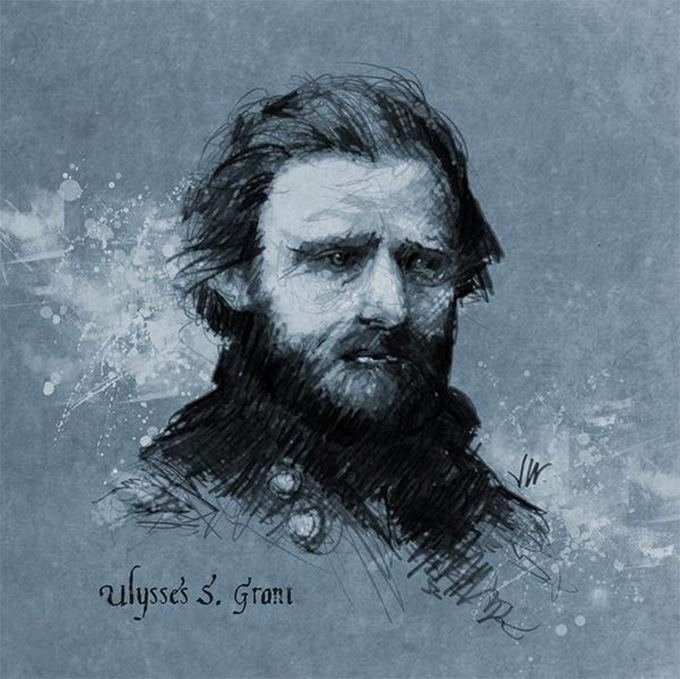
Jonathan will receive 0 in Creative Market Credits, a Wacom Intuos Creative Stylus 2 (ICS2), a one-year Pro membership to SketchBook, a Creative Market t-shirt, and a SketchBook t-shirt.
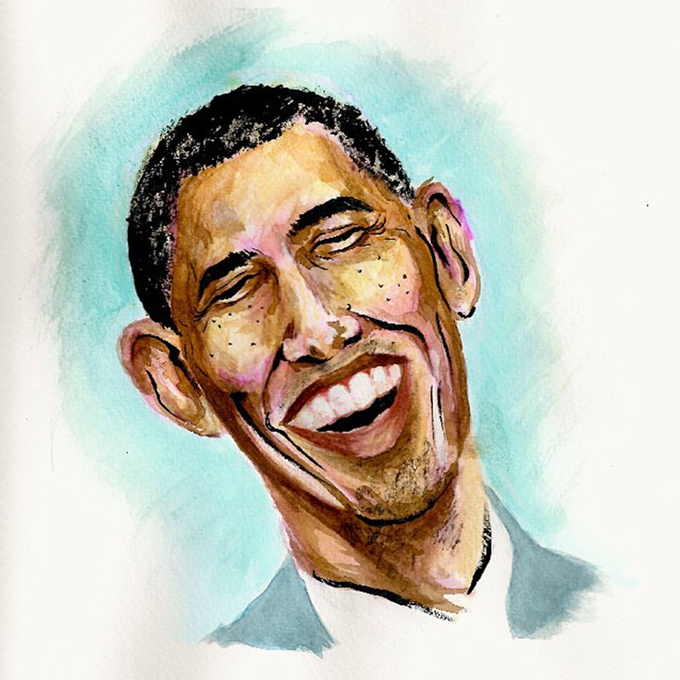
Steven will receive 0 in Creative Market Credits, a one-year Pro membership to SketchBook, a Creative Market t-shirt, and a SketchBook t-shirt.
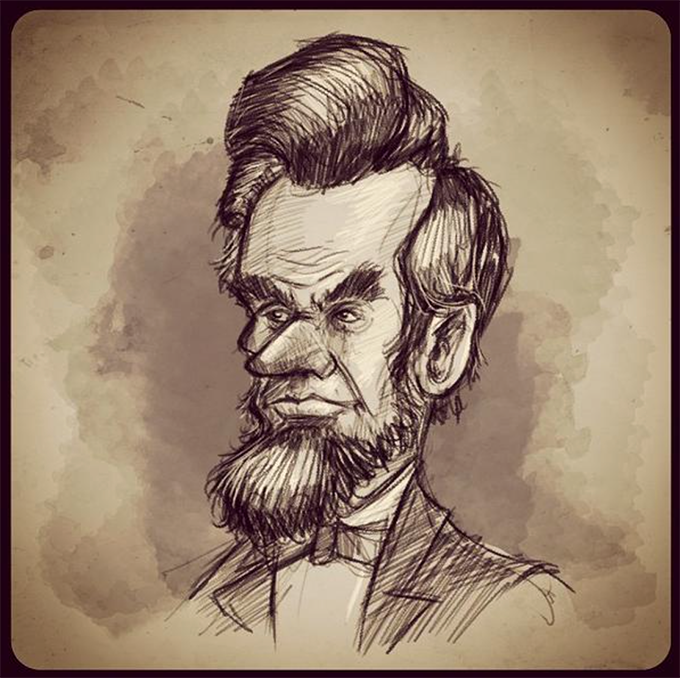
Salih will receive in Creative Market Credits, a one-year Pro membership to SketchBook, a Creative Market t-shirt, and a SketchBook t-shirt.
All winners will be contacted shortly for information on how to claim their prize.
While there were only enough spots for three winners, so many of you joined in the fun and submitted stellar sketches! We can’t help it, we love them so much, we have to share a few of them here.
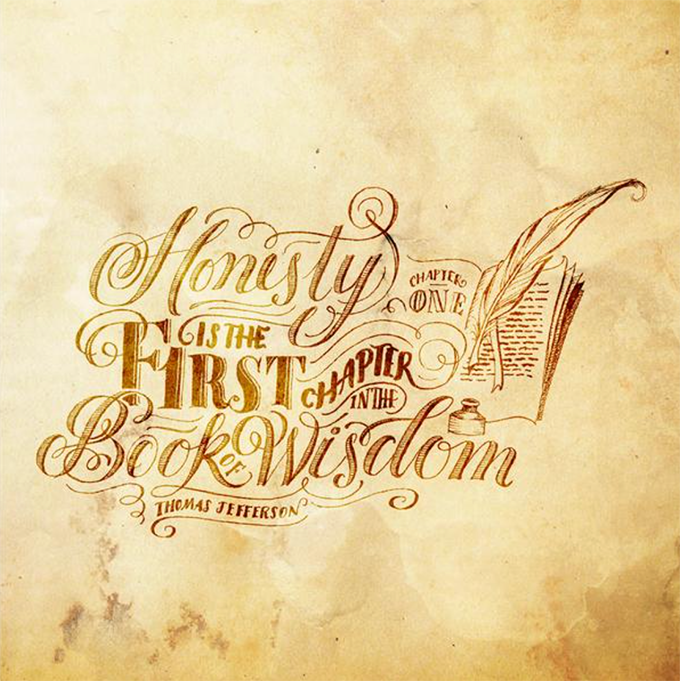
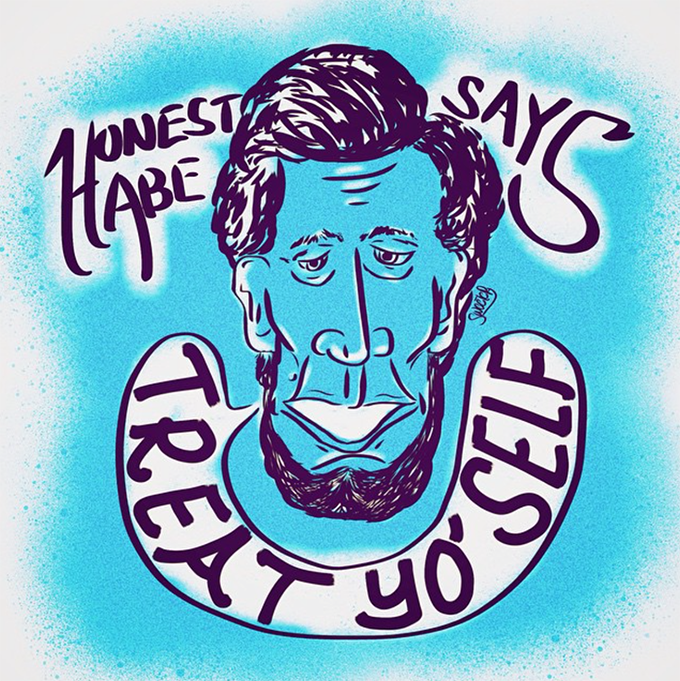
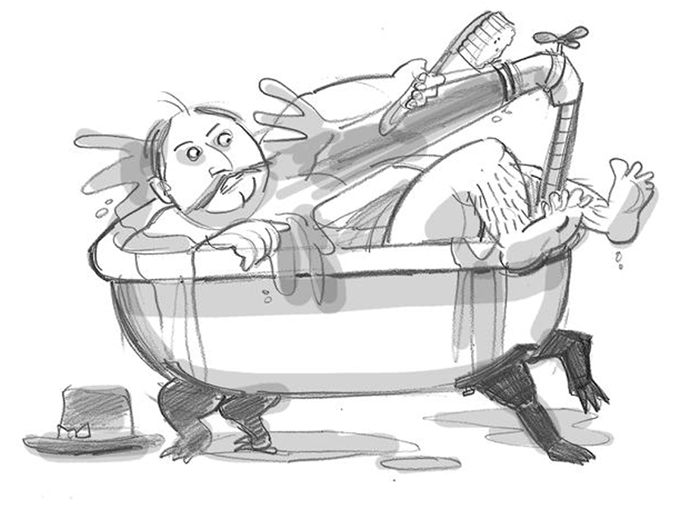
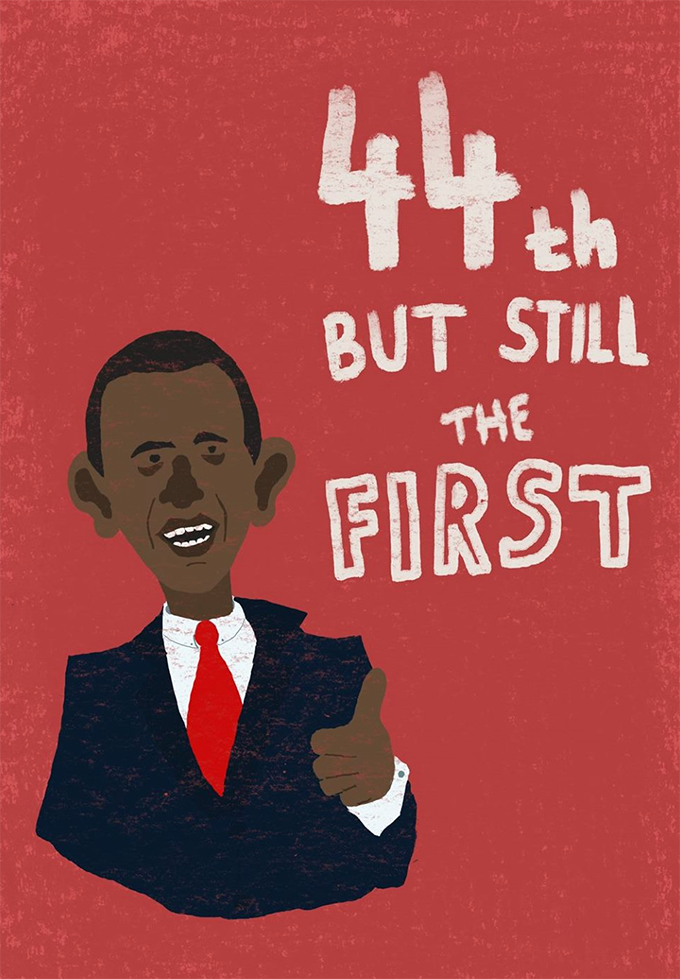
Thanks again to all of you who joined in the fun, spread the word, and/or entered a sketch. It’s folks like you that make this creative community so much fun to be a part of!
For those in our community who are sitting Stateside, there’s a holiday coming up on Monday. It’s an ode to our forefathers and a day full of patriotic celebrations. This Monday, we observe Presidents’ Day.
Here at Creative Market, we’ve decided to mark the holiday with one of our all time favorite things, a sketch contest! This competition is going to be a blast, no matter what country you call home. Read on for more details.
Unlike our previous Creative Market Sketch Week Challenge, this sketch contest will have a theme. Surprise, surprise, that theme happens to be “presidential”. We’re challenging you to create a sketch of one of your favorite U.S. presidents. What exactly that means is open to interpretation.
Your sketch can be more literal:

Illustration by Gerren Lamson.

Theodore Roosevelt illustration by Ken Weaver. Font, “Goodbye November” by Inksun. aksara

Abraham Lincoln illustration by Ken Weaver. Flag graphic by GhostlyPixels
It can be fun, metaphoric, and/or allusionistic:

Thomas Jefferson illustration concept by Ken Weaver. Illustrated by Pixelwise Co. Fire background by Nikolay Sorvalov
It can even be a hand-drawn sketch of one of your favorite presidential quotes:

Illustration by Gerren Lamson.

Illustration by Gerren Lamson.
Not From The U.S.? No problem. Simply choose a current or historical leader from your country, and join the fun!
After you’ve completed your sketch, share it on Twitter, Facebook, Instagram, Tumblr or Pinterest. Make sure to tag Creative Market, and use the hashtag #SketchAPres to enter the contest. Having a hard time narrowing down your favorite president? Not to worry, you can enter as many times as you’d like! The contest starts today and ends Friday, Feb. 20th, so just make sure to get all of your sketches in by then.
We’ll sort through the entries, choose three of our favorites, and announce the winners on Feb 24th.

There will be a total of three winners:
You’ve heard us rave about SketchBook in the past; it really is a must have for any and every sketch artist. The ICS2 is the super delicious icing on an already delectable cake, as it makes the SketchBook app even more powerful on mobile devices (and it’s just an all around blast to draw with). Add in all of that swag and piles of Creative Market cash, and who wouldn’t want to join in the sketch contest fun?
We know how much you folks love sketching, and we can’t wait to see the creative ideas you come up with. The contest starts now, so sharpen those pencils, grab that stylus, uncap those pens… and away we go!


